PSR-E283 YPT-280 Reference Manual
6
Setting Up
NOTICE
• Do not connect or disconnect the power adaptor while
batteries are inserted and the power is turned on. Doing so
will cause the power to temporarily turn off and any data
being recorded to be lost.
• When battery power becomes too low for proper operation,
the volume may be reduced, the sound may be distorted, and
other problems may occur. When this happens, make sure
to replace all batteries with new ones or already recharged
ones.
• This instrument cannot be used to charge the batteries. Use
only the specified charger device when charging.
• Even if batteries are inserted into the instrument, the AC
adaptor will be used as the power source when the AC adaptor
is connected.
■ Setting the battery type
Change the setting on the instrument (dry cell or
rechargeable batteries) according to the battery type to be
used. Dry cell batteries are set by default. After turning the
power on, set the battery type via Function number 029
(page 34). For details on how to check and change
settings, see “Function Settings” (page 32).
Alkaline Alkaline batteries or manganese batteries
Ni-MH Rechargeable nickel metal hydride batteries
NOTICE
• Failure to set the battery type may shorten the amount of the
battery life. Make sure to set the battery type correctly.
Turning the Power On/Off
1 Turn down the [MASTER VOLUME] dial to “MIN.”
2 Press the [ ] (Standby/On) switch to turn the power
on.
The Voice name will appear on the display. Adjust the volume as
desired while playing the keyboard.
3 Press and hold the [ ] (Standby/On) switch for about
a second to turn the power off.
WARNING
• Even when the power is turned off, electricity is still flowing to
this instrument in a small amount. Remove the electric plug
from the outlet when the instrument is not to be used for
extended periods of time or during electrical storms.
NOTICE
• Press only the [ ] (Standby/On) switch when turning the
power on. Any other operations such as pressing keyboards/
buttons or stepping on the foot switch may cause the
instrument to malfunction.
• For details on settings that are not erased even when the
power is turned off, see “Backup Parameters” (page 35).
Auto Power Off Function
To prevent unnecessary power consumption, this
instrument features an Auto Power Off function that
automatically turns the power off if the instrument is not
operated for approximately 30 minutes by default; however,
you can change this setting.
■
To set the time that elapses before Auto Power Off
is executed
Press [FUNCTION] !6 repeatedly until “AutoOff” (page 34,
Function number 028) appears. Then, press [+] or [-] !5 to
change the time until the power turns off.
Settings: oFF (off), 5, 10, 15, 30, 60, 120 (minutes)
Default value: 30 (minutes)
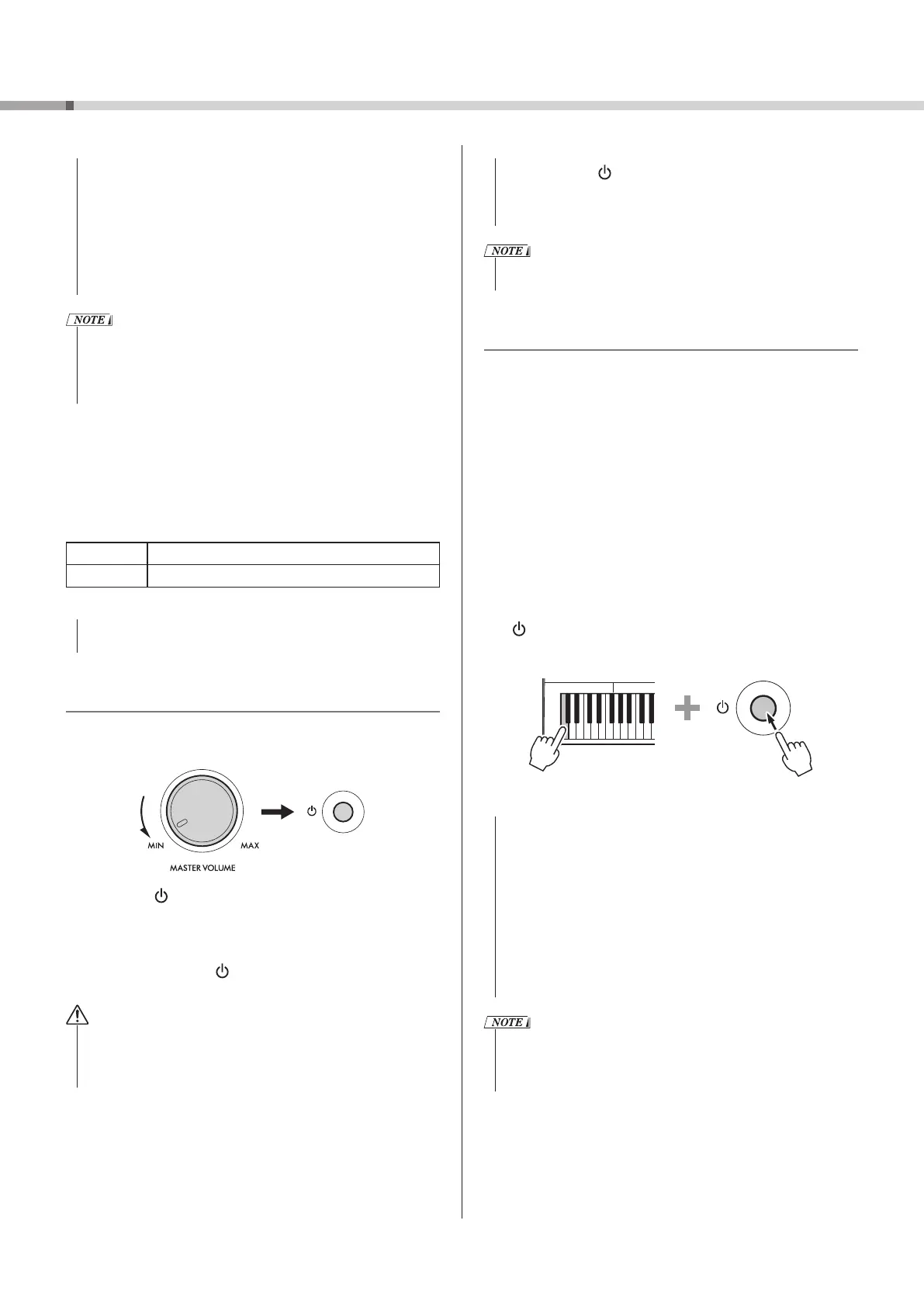
■ To easily disable the Auto Power Off function
To turn on the power, hold down the leftmost key and press
the [
] (Standby/On) switch. The message “oFF AutoOff” will
appear briefly, and then the instrument will start up with
the Auto Power Off function disabled.
NOTICE
• Depending on the instrument status, the power may not
turn off automatically, even after the elapse of the specified
period of time. Always turn off the power manually when the
instrument is not in use.
• When the instrument is not operated for a specified period
of time while connected to an external device such as an
amplifier, speaker, or computer, make sure to follow the
instructions in the Reference Manual to turn off the power to
the instrument and the connected devices in order to protect
the devices from damage. If you do not want the power to
turn off automatically when a device is connected, disable
Auto Power Off.
• When the power is turned off using the Auto Power Off
function, the previous panel settings are automatically backed
up. For details on the items that are backed up, see “Backup
Parameters” (page 35).



 To Next Page