Recording Your Performance
PSR-E473, PSR-EW425 Owner’s Manual
47
6
To play back the recorded Song, press
the [ ] (Start/Stop) button.
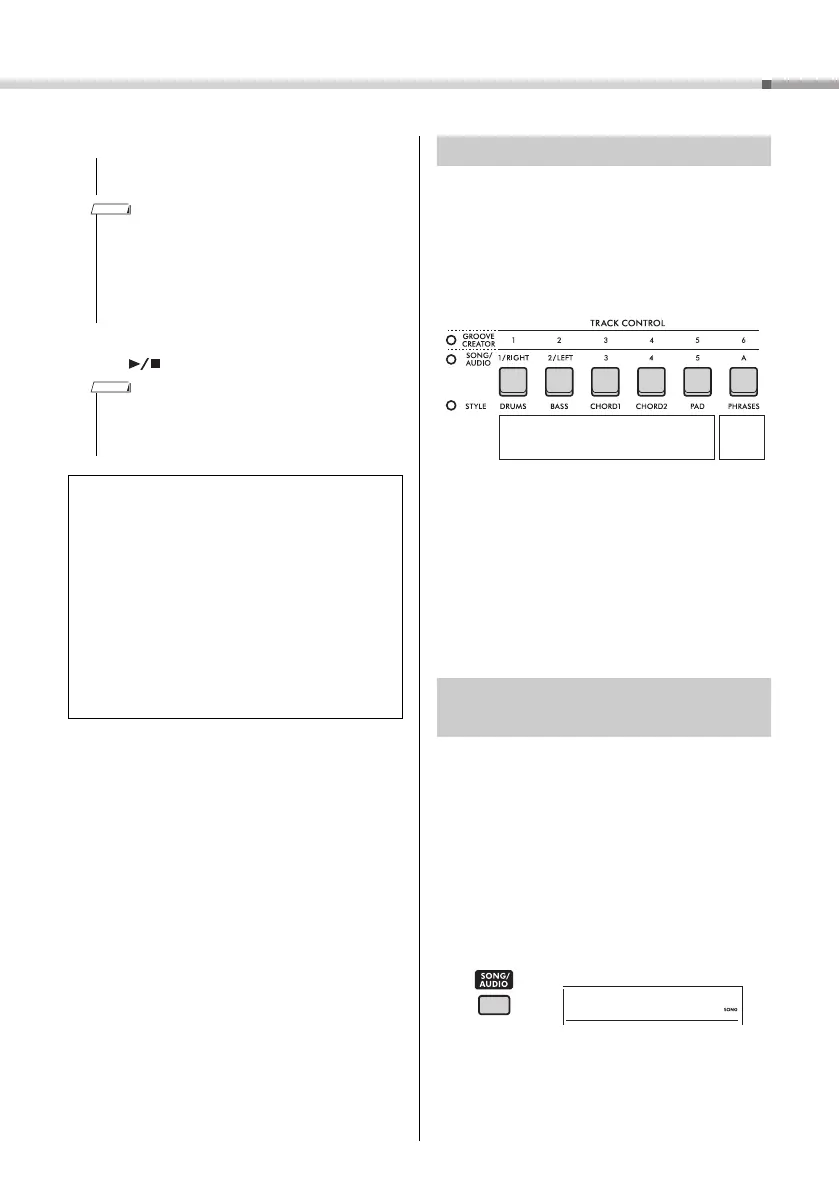
A Song contains six tracks.
Melody Tracks [1/RIGHT] to [5]
For recording melody performances.
Accompaniment Track [A]
For recording a chord progression (for the Style)
or key changes (for the Groove).
If you make a recording without specifying a track, the
melody is recorded to Track [1/RIGHT] and the
accompaniment (Style chords/Groove keys) is
recorded to Track [A]. At this time, if an existing User
Song was selected beforehand, the data on Track [1/
RIGHT] and Track [A] for that Song will be overwritten.
You can also record each track one by one (e.g., only
the right-hand part or the left-hand part) to create a
complete piece that may be difficult to play all at once.
This section explains how to record a User Song to a
specified track. This is useful when you want to
record additional performances to an already
recorded User Song, or re-record only one track of
an already recorded User Song.
1
Press the [SONG/AUDIO] button. The
SONG icon appears.
If the AUDIO icon appears, press the [SONG/
AUDIO] button again. If “No USB” is displayed
instead of the SONG icon, wait a few seconds for
the SONG icon to appear.
2
Rotate the dial to select the desired User
Song from 031 to 040 (User 1 to 10) as
the recording target.
Never attempt to turn the power off when “Writing!” is
shown in the display. Doing so can result in data loss.
If you are using a Style or the Groove Creator for a perfor-
mance, you can also automatically end recording in the fol-
lowing ways.
•
Style: Press the [INTRO/ENDING/rit.] button, and wait
for playback of the Style to end.
•
Groove Creator: Press the [MUSICAL CLIMAX] but-
ton, and wait for playback of the Groove to end.
When recording Groove playback with the Retrigger func-
tion, note that the beat indicator in the display and the met-
ronome and Arpeggio playback are not synchronized with
playback of the recorded Song.
Limitations when recording a Song
• The on/off status of ACMP cannot be changed.
• Playback cannot be changed between Style and
Groove.
• The Groove number can be changed, but the Style
number cannot.
• When you use Style/Groove, the following parameters
cannot be changed: Reverb Type, Chorus Type, Time
Signature, and Style/Groove Creator Volume.
• Performances with Quick Sampling pads [A] to [D] can-
not be recorded.
• The audio input from an external device (playback
sound on the connected computer or audio device)
cannot be recorded.
Track Structure of a Song
Recording a User Song to a
Specified Track
Melody Tracks
Accom-
paniment-
Tr ac k
User 1
031



 To Next Page