En 52
• “Program Service”, “Program Type”, “Radio Text” and “Clock Time” do not
appear when the radio station does not provide the Radio Data System
service.
■ Receiving traffic information
automatically
When “TUNER” is selected as the input source, this unit
automatically receives traffic information. To enable this function,
follow the procedure below to set the traffic information station.
1
When “TUNER” is selected as the input source,
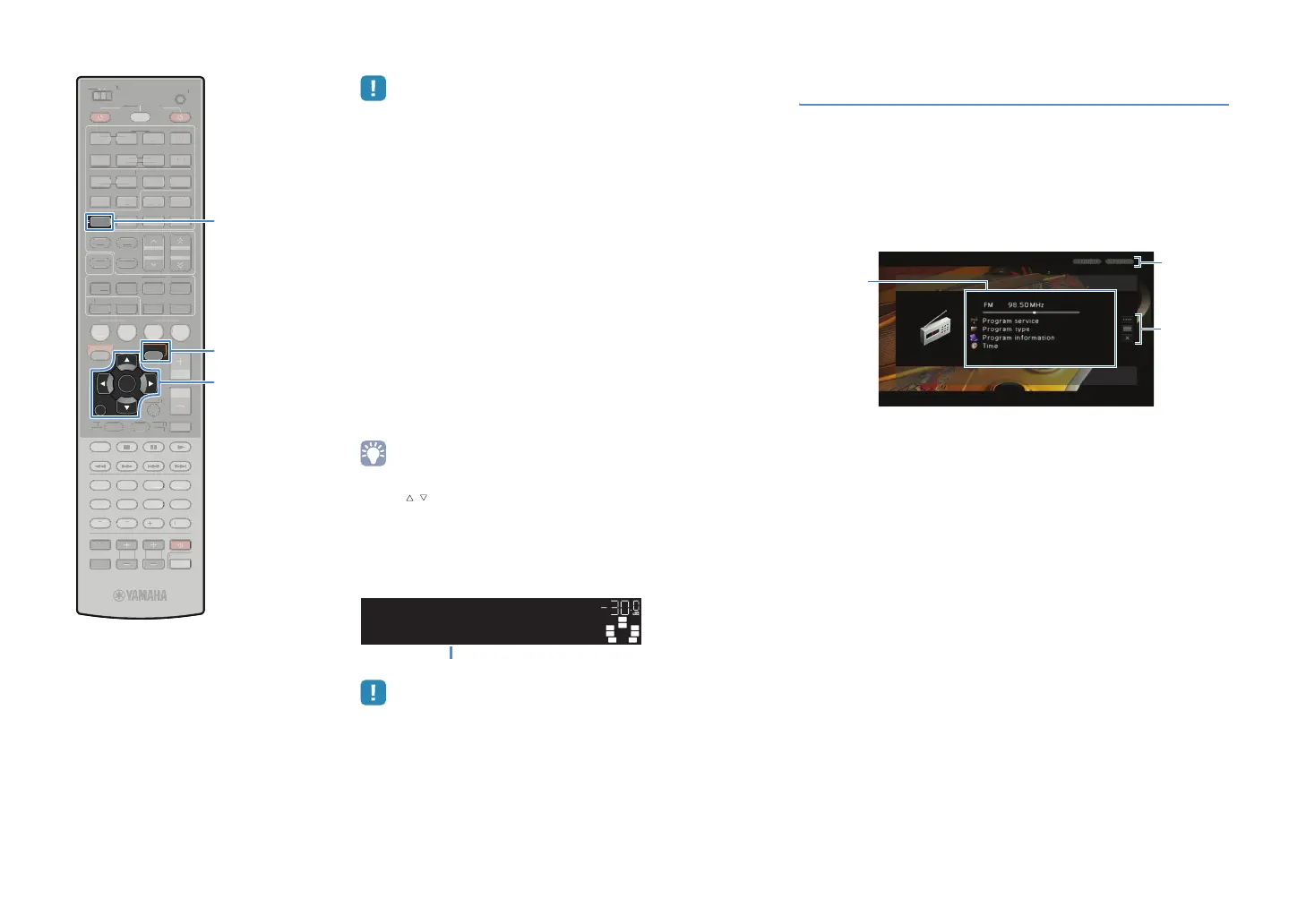
press OPTION.
2
Use the cursor keys to select “Traffic Program”
(TrafficProgram) and press ENTER.
The traffic information station search will start in 5 seconds.
Press ENTER again to start the search immediately.
• To search upward/downward from the current frequency, press the cursor
keys ( / ) while “READY” is displayed.
• To cancel the search, press RETURN.
• Texts in parentheses denote indications on the front display.
The following screen appears for about 3 seconds when the
search finishes.
• “TP Not Found” appears for about 3 seconds when no traffic information
stations are found.
Operating the radio on the TV
You can view the radio information or select a radio station on the TV.
1
Press TUNER to select “TUNER” as the input
source.
The playback screen is displayed on the TV.
■ Playback screen
1 Radio station information
Displays the information of the selected radio station such as the selected
band (FM/AM) and frequency.
When tuning into a Radio Data System broadcasting station (p.51), the
Radio Data System information (“Program Service”, “Program Type,”
“Radio Text” and “Clock Time”) is also displayed.
2 TUNED/STEREO indicators
“TUNED” lights up when a signal is received from a radio station.
“STEREO” lights up when a stereo signal is received.
3 Operation menu
Use the cursor keys to select an item and press ENTER to confirm the
selection.
To close the submenu, press RETURN.
STEREO
VOL.
TUNED
SW
C
LR
SL SR
SBL SBR
TPFM101.30MHz
FINISH
Traffic information station (frequency)
3
1
2
SCENE
RETURN
VOLUME
SUR. DECODE
STRAIGHT
ENHANCER
SLEEP PURE DIRECT
HDMI
AV
123
67
4
V-AUX
5
FM
INFO
MEMORY
AM
PRESET
PA RT Y
MOVIE MUSIC
BD
DV
D
TV
CD
RADIO
MUTE
ENTER
7856
90
10
1234
MODE
ENT
HDMI OUT
TV
TV VOL TV CH
TOP
MENU
POP-UP
MENU
DISPLAY
SOURCE
MAIN
ZONE 2
RECEIVER
CODE SET
INPUT
MUTE
DOCK
AUDIO
OPTION
ON SCREEN
5
1234
6
NET USBPHONO
TUNING
TUNER
EN
R. DE
D
TRAI
H
ENHAN
E
LEEP PURE DIRE
HDM
AV
1
4
-
INF
MEM
R
PRE
ET
VIE M
I
D
D
DE
N
HDMI
UT
V
V
P
P-
UR
ZONE
E
EIVE
DE
E
D
AU
N
REEN
NET
H
N
T
NIN
ENTER
RETURN
TUNER
OPTION
Cursor keys


 To Next Page