En 63
■ Shuffle/repeat settings
You can configure the shuffle/repeat settings for playback of USB
storage device contents.
• The shuffle/repeat settings are shared by USB and network sources.
1
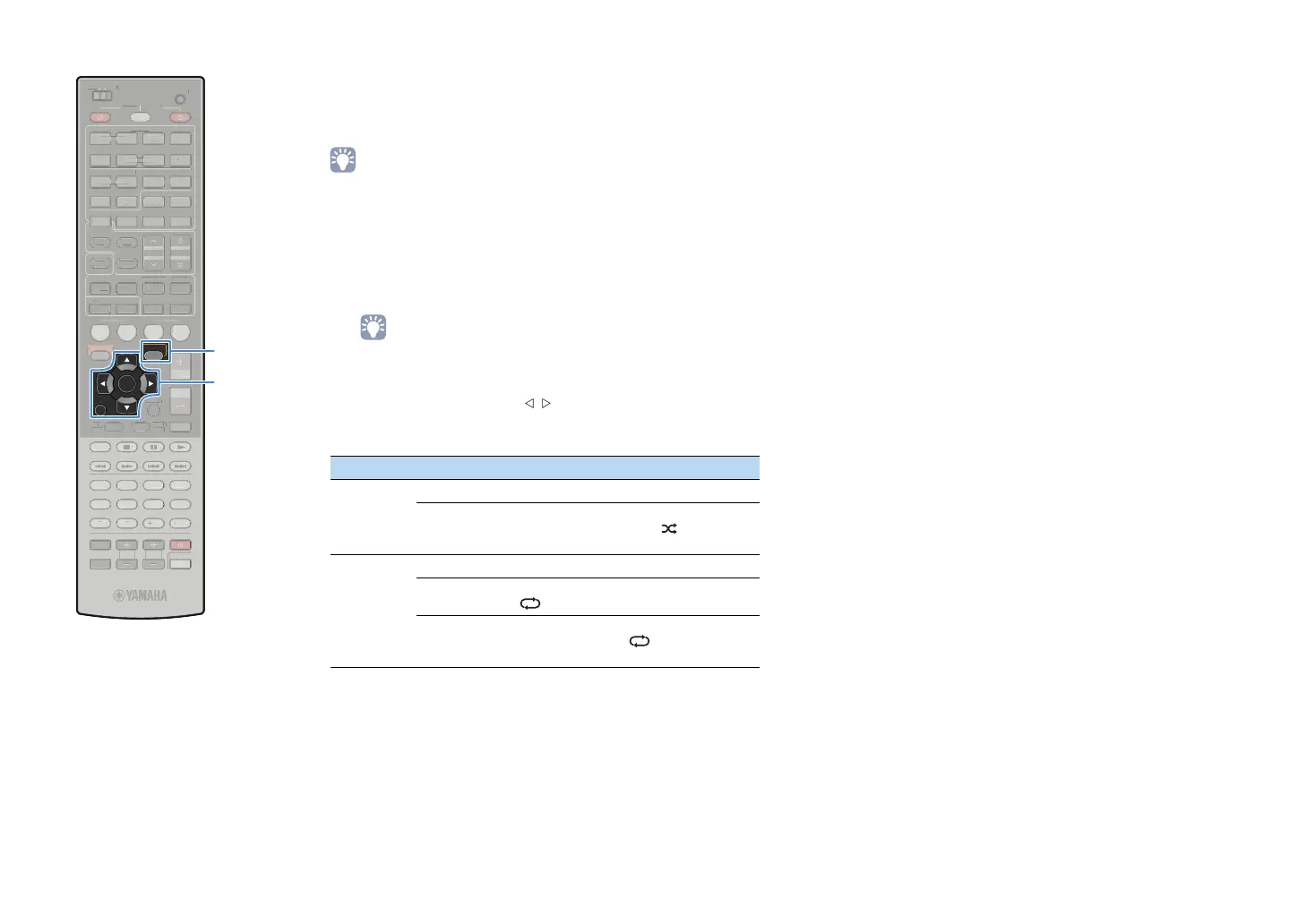
When “USB” is selected as the input source, press
OPTION.
2
Use the cursor keys to select “Shuffle” (Shuffle) or
“Repeat” (Repeat) and press ENTER.
• To return to the previous screen during menu operations, press RETURN.
• Texts in parentheses denote indications on the front display.
3
Use the cursor keys ( / ) to select a setting and
press ENTER.
4
To exit from the menu, press OPTION.
Item Setting Function
Shuffle
(Shuffle)
Off (Off) Turns off the shuffle function.
On (On)
Plays back songs in the current album
(folder) in random order. “ ” appears in
the TV screen.
Repeat
(Repeat)
Off (Off) Turns off the repeat function.
Single
(Single)
Plays back the current song repeatedly.
“ ” appears in the TV screen.
All (All)
Plays back all songs in the current album
(folder) repeatedly. “ ” appears in the
TV screen.
1
SCENE
RETURN
VOLUME
SUR. DECODE
STRAIGHT
ENHANCER
SLEEP PURE DIRECT
HDMI
AV
123
67
4
V-AUX
5
FM
INFO
MEMORY
AM
PRESET
PA RT Y
MOVIE MUSIC
BD
DV
D
TV
CD
RADIO
MUTE
ENTER
7856
90
10
1234
MODE
ENT
HDMI OUT
TV
TV VOL TV CH
TOP
MENU
POP-UP
MENU
DISPLAY
SOURCE
MAIN
ZONE 2
RECEIVER
CODE SET
INPUT
MUTE
DOCK
AUDIO
OPTION
ON SCREEN
5
1234
6
NET USBPHONO
TUNING
TUNER
EN
R. DE
D
TRAI
H
ENHAN
E
LEEP PURE DIRE
HDM
AV
1
4
-
INF
MEM
R
PRE
ET
VIE M
I
D
D
DE
N
HDMI
UT
V
V
P
P-
UR
ZONE
E
EIVE
DE
E
D
AU
N
REEN
NET
H
N
T
NIN
NE
ENTER
RETURN
OPTION
Cursor keys


 To Next Page