EasyManua.ls Logo

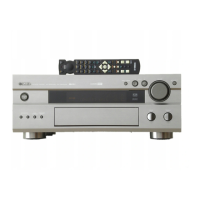
Yamaha RX-V800 - User Manual

Yamaha RX-V800
82 pages
Print Icon
To Next Page IconTo Next Page
Loading...
YAMAHA ELECTRONICS CORPORATION, USA 6660 ORANGETHORPE AVE., BUENA PARK, CALIF. 90620, U.S.A.
YAMAHA CANADA MUSIC LTD. 135 MILNER AVE., SCARBOROUGH, ONTARIO M1S 3R1, CANADA
YAMAHA ELECTRONIK EUROPA G.m.b.H. SIEMENSSTR. 22-34, 25462 RELLINGEN BEI HAMBURG, F.R. OF GERMANY
YAMAHA ELECTRONIQUE FRANCE S.A. RUE AMBROISE CROIZAT BP70 CROISSY-BEAUBOURG 77312 MARNE-LA-VALLEE CEDEX02, FRANCE
YAMAHA ELECTRONICS (UK) LTD. YAMAHA HOUSE, 200 RICKMANSWORTH ROAD WATFORD, HERTS WD1 7JS, ENGLAND
YAMAHA SCANDINAVIA A.B. J A WETTERGRENS GATA 1, BOX 30053, 400 43 VÄSTRA FRÖLUNDA, SWEDEN
YAMAHA MUSIC AUSTRALIA PTY, LTD. 17-33 MARKET ST., SOUTH MELBOURNE, 3205 VIC., AUSTRALIA
Printed in Malaysia ID
V624910-1
OWNER’S MANUAL
RX-V800
Natural Sound AV Receiver
U A
0100V800(UA)-cv1/4 10/3/0, 9:15 AM1

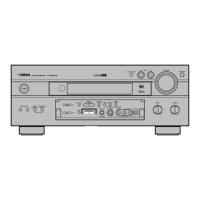
Table of Contents

Other manuals for Yamaha RX-V800

Questions and Answers

  • J
    john20Sep 23, 2025
    How to tune in a desired station on Yamaha Receiver with a weak signal?
    • M
      Mindy JohnsonSep 23, 2025
      To tune in a desired station on your Yamaha Receiver when the signal is weak: * Tighten the AM loop antenna connections and orient it for best reception. * Use the manual tuning method.
  • C
    Crystal DavisAug 23, 2025
    What to do if Yamaha Receiver remote control does not work?
    • D
      Dr. Sarah SweeneyAug 23, 2025
      If the Yamaha Receiver remote control isn't working correctly: * Ensure you are within a maximum range of 6 m (20 feet) and no more than 30 degrees off-axis from the front panel. * Replace all batteries with new ones.
  • A
    Anna ByrdAug 25, 2025
    Why is there no sound from Yamaha RX-V800 Receiver effect speakers?
    • W
      Whitney JohnsonAug 26, 2025
      If there is no sound from the effect speakers of your Yamaha Receiver: * Ensure the sound effect is turned on by pressing EFFECT. * If you are using a Dolby Surround, Dolby Digital or DTS decoding DSP program, make sure the material is encoded with Dolby Surround, Dolby Digital or DTS. If not, select another DSP program.
  • K
    Karen HowardAug 27, 2025
    Why is there no sound from the center speaker of Yamaha Receiver?
    • P
      Patrick CowanAug 27, 2025
      If you're not getting any sound from the center speaker on your Yamaha Receiver: * Check that the output level of the center speaker is not set to minimum. Increase the level if needed. * Ensure that “1A CENTER SP” on the SET MENU is not set to NONE. Select the appropriate mode for your center speaker. * If you have selected one of the Hi-Fi DSP programs (1 to 5), try selecting another DSP program.
  • C
    Carlos HayesAug 27, 2025
    Why is there no sound from Yamaha RX-V800 rear speakers?
    • D
      Diane RiggsAug 27, 2025
      If you are not hearing sound from the rear speakers of your Yamaha Receiver: * Check that the output level of the rear speakers is not set to minimum. Increase the output level of the rear speakers. * If you are playing a monaural source with program 10, select another DSP program.
  • S
    Steven ClarkSep 17, 2025
    What causes buzzing and whining noises on Yamaha RX-V800?
    • M
      Molly FrancoSep 17, 2025
      If you are experiencing buzzing and whining noises (especially in the evening) with your Yamaha Receiver, move the unit away from any nearby TV sets.
  • O
    olsonjenniferSep 14, 2025
    How to eliminate distortion on Yamaha RX-V800 Receiver with FM antenna?
    • C
      Cynthia SpencerSep 14, 2025
      If you experience distortion and cannot get clear reception even with a good FM antenna on your Yamaha Receiver, adjust the antenna position to eliminate multipath interference.
  • J
    Jordan DunnSep 15, 2025
    How to tune in a weak station on Yamaha Receiver?
    • B
      Brandon JonesSep 15, 2025
      To tune in a weak station on your Yamaha Receiver: * Use the manual tuning method. * Use a high-quality directional FM antenna.
  • L
    Laura GutierrezSep 6, 2025
    What to do if Yamaha Receiver volume level is low while playing a record?
    • C
      Christina CarrilloSep 6, 2025
      If the volume level is low when playing a record on your Yamaha Receiver, and you are using a turntable with an MC cartridge, connect the turntable to the unit through an MC-head amplifier.
  • C
    Christopher LeSep 3, 2025
    How to fix humming sound on Yamaha Receiver?
    • E
      estradajamesSep 3, 2025
      To address a humming sound with your Yamaha Receiver: * Ensure the audio plugs are firmly connected. If the problem continues, the cables may be defective. * Connect the grounding cord of your turntable to the GND terminal of the unit if you are using a turntable.

Summary

Safety Instructions

Graphical Symbols Explanation

Explains symbols for voltage and important instructions.

General Safety Precautions

General warnings to prevent fire, shock, and ensure safe operation.

Antenna Grounding and FCC Compliance (US)

Instructions for antenna grounding and FCC compliance for US customers.

Pre-Operation Cautions

Environmental and Installation Guidelines

Unit placement, ventilation, and protection from environmental factors.

Electrical and Handling Precautions

Power connection, handling, cleaning, and modification guidelines.

Product Features

Amplifier and Power Specifications

Details on power output for main, center, and rear channels.

Digital Sound Field Processing

Features related to DSP modes like Dolby Digital, DTS, and CINEMA DSP.

Tuner and Other Features

Capabilities of the AM/FM tuner and other unit functionalities.

Getting Started

Package Contents and Remote Setup

Verifying package contents and installing batteries in the remote control.

Controls and Functions

Front Panel Controls and Display

Identification and function of front panel buttons, indicators, and the display.

Front Panel Door Operation

How to open and close the front panel door for access to controls.

Remote Control Overview

Description of the remote control layout, selector dial, and buttons.

Remote Control Operation and Handling

Guidelines for using the remote and proper handling to ensure longevity.

Rear Panel Overview

Rear Panel Connections and Terminals

Identification of input/output jacks, terminals, and switches on the rear panel.

Preparation

Speaker Setup and Placement

Guidance on choosing, placing, and connecting speakers for optimal sound.

Component Connectivity Guidelines

Essential steps and instructions for connecting audio, video, and speaker components.

External Amplifier and Decoder Connections

Connecting external amplifiers and decoders for enhanced audio output.

Selector and Power Settings

Adjusting impedance selector, voltage, and power cord connections.

On-Screen Display (OSD)

Selecting and Configuring OSD Modes

How to choose and customize the information displayed on the video monitor.

Speaker Mode Settings

SET MENU Speaker Configuration Options

Adjusting SET MENU items for speaker modes based on size and type.

Adjusting Speaker Output Levels

Using Test Tone for Speaker Balancing

Guide on using the test tone to balance speaker output levels for surround sound.

Basic Playback

Input Selection and BGV Function

How to choose input sources and use the background video function.

Input Mode Configuration

Setting input priority for sources connected to multiple jacks.

Sound Field Program Selection

Enhancing listening experience by choosing suitable DSP sound field programs.

Tuning

Antenna Connections and Tuning Methods

Instructions for antenna connection and tuning stations manually or automatically.

Presetting and Exchanging Stations

Storing favorite stations and managing preset assignments.

Basic Recording

DTS Software Recording Precautions

Special instructions for recording DTS encoded sources to avoid noise.

SET MENU Configuration

Navigating and Adjusting SET MENU Items

Guide to accessing and modifying various unit settings via the SET MENU.

Parameter Initialization and Resetting

Resetting DSP program parameters to default or factory values.

Adjusting Effect Speaker Levels

Fine-Tuning Effect Speaker Output

Adjusting output levels for center, rear, and subwoofer speakers.

Remote Control Features

Selector Dial and Basic Button Functions

Using the selector dial and common buttons for various component controls.

Advanced Remote Control Operations

Setting codes, learning functions, and returning to factory settings.

Zone 2 Operation (U.S.A., Canada, Australia)

Zone 2 Audio System Setup and Configuration

Connecting and configuring the unit for multi-room audio playback in Zone 2.

Sound Field Program

DSP Program Descriptions and Features

Detailed explanations of Hi-Fi and CINEMA DSP programs and their effects.

Sound Field Program Parameter Editing

Understanding Sound Field Parameters

Explaining parameters like delay, room size, and liveness for sound field customization.

Changing and Resetting DSP Parameters

How to adjust individual DSP parameters and reset them to factory defaults.

Troubleshooting

General Troubleshooting and Solutions

Solutions for common operational problems and system issues.

Tuner and Remote Control Issues

Troubleshooting tips for tuner reception and remote control functionality.

Specifications

Audio, Tuner, and General Specifications

Technical details for audio, tuner sections, power, dimensions, and weight.

List of Manufacturer Codes

Remote Control Manufacturer Codes

Comprehensive list of codes for various manufacturers for remote control programming.

Quick Reference Card

Remote Control Layout Diagrams

Visual guides to button layouts for different remote control modes.

Yamaha RX-V800 Specifications

General IconGeneral
TypeAV Receiver
Channels5.1
Power Output (per channel)100 W
Total Harmonic Distortion (THD)0.04%
Frequency Response20 Hz - 20 kHz
Input Sensitivity200 mV
Signal to Noise Ratio100 dB
Analog Audio Inputs6
Dimensions435 x 150 x 410 mm
Weight12.5 kg
Digital Audio InputsOptical, Coaxial
Video InputsComposite, S-Video

Related product manuals