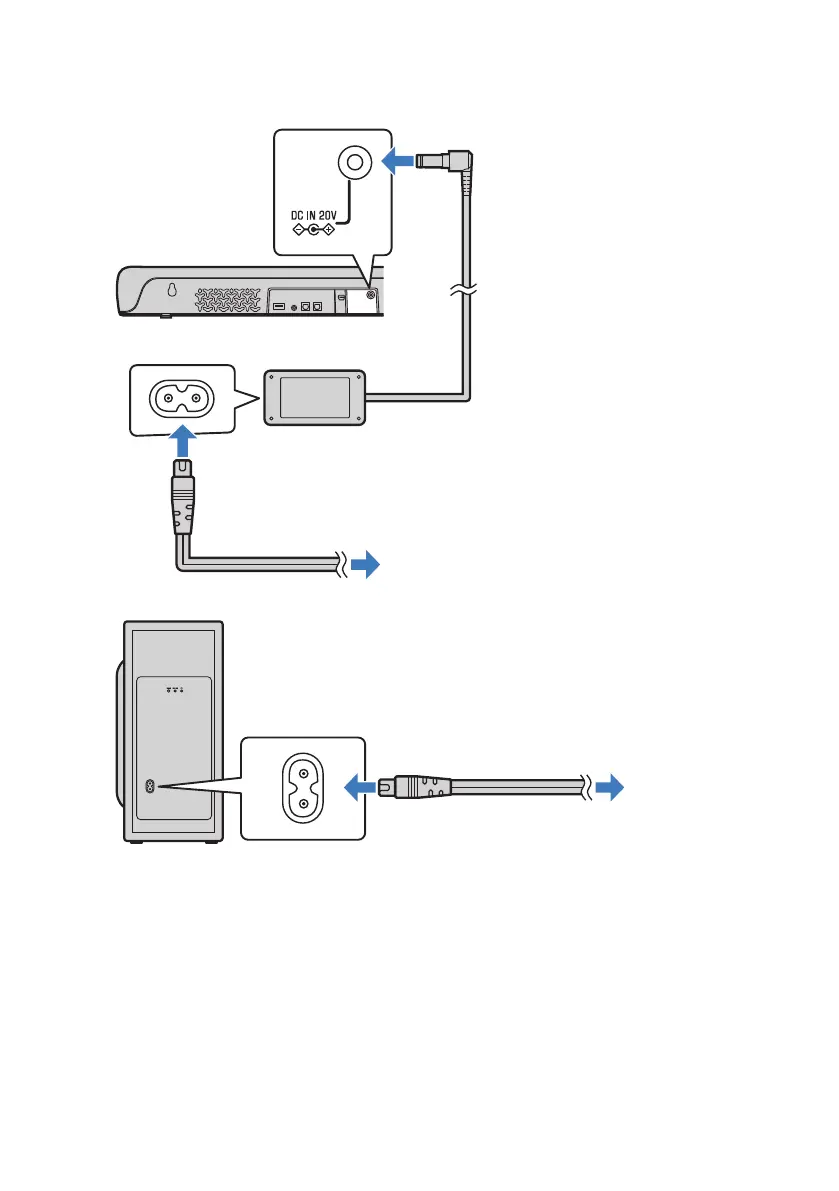
2 Connect the sound bar and subwoofer to power.
To an AC wall outlet
Power cord (included)
Sound bar (rear)
AC adaptor (included)
To an AC wall outlet
Power cord (included)
Subwoofer (rear)
n
When connecting to an HDMI input jack not compatible with ARC
Connect the TV using an HDMI cable (commercially available) and included digital optical audio cable.
The digital optical audio cable transmits the TV’s audio signal to the sound bar. The HDMI cable transmits the
control signal for controlling the sound bar using the TV’s remote control (HDMI Control function). If you do
not want to use the HDMI Control function, you do not need to connect an HDMI cable.
27
PREPARATION > Connecting a TV



 To Next Page