5-10
5
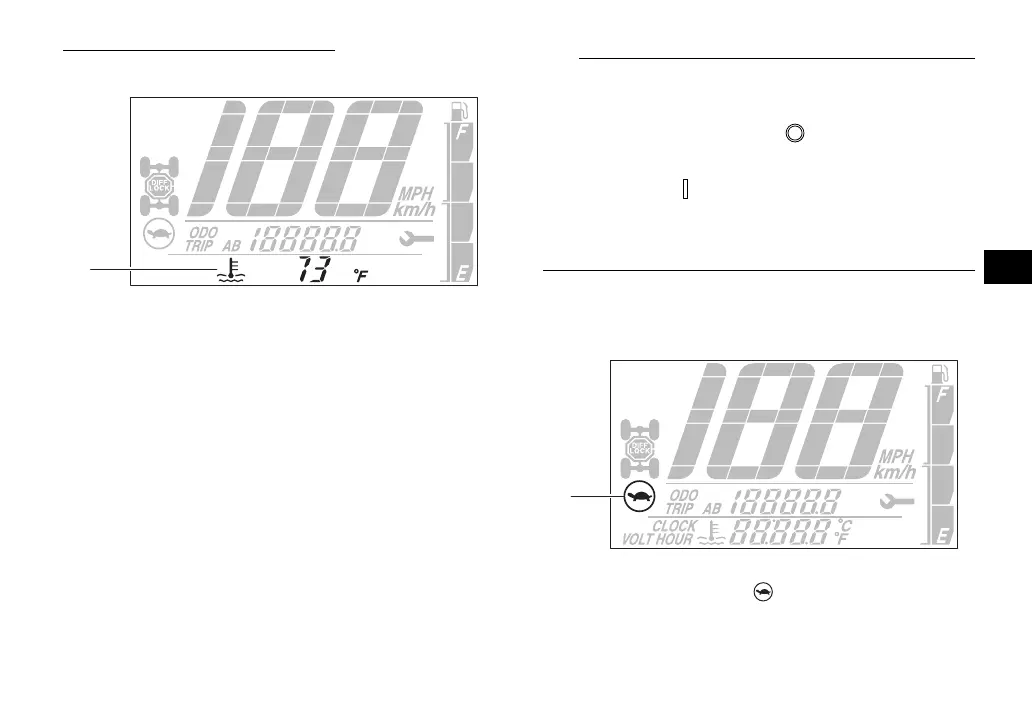
Coolant temperature display
When the coolant is in normal operating tem-
perature range, the temperature is displayed.
When the coolant temperature is low, “Lo”
will be displayed. When the coolant tempera-
ture rises, the coolant temperature display will
begin to flash. If the coolant temperature con-
tinues to rise, the message “Hi” will flash.
The coolant temperature display can be set
to “°C” or “°F”. To switch the temperature
units, turn the key to “ ” (off), then while
holding the “RESET” button pushed, turn
the key to “ ” (on).
The radiator fan turns on and off automati-
cally according to the coolant temperature.
Speed management icon
This indicator comes on when the speed lim-
iter is turned on. (See page 5-13.)
1. Coolant temperature display
1
1. Speed management icon “ ”
UBAN12E0.book Page 10 Wednesday, June 30, 2021 2:17 PM








 To Next Page