59
XM® SATELLITE RADIO TUNING
BASIC
OPERATION
4 To change the preset number (1 to 8), press
PRESET/TUNING/CH l / h
(or PRESET/CH k / n on the remote control)
repeatedly.
y
You can also select the preset number directly by pressing
the numeric buttons (1 to 8) on the remote control.
■ Direct Number Access mode
1 Carry out “Selecting the XM Satellite Radio
mode” on page 56.
2 Press SEARCH MODE (or SRCH MODE on
the remote control) repeatedly to select ALL
CH SEARCH or CAT SEARCH.
Remote control
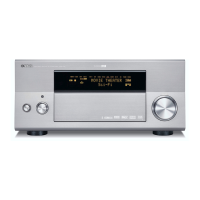
Front panel
or
PRESET/TUNING/CH
A-E/CAT.
ENTER
PRESET/CH
MENU
EFFECT
RETURN
DISPLAY
BAND
SRCH MODE
A-E/CAT.
NIGHT
AUDIO
PURE DIRECT
ENTER
GUI TOP
TITLE
1 2B
THX
STANDARD SELECT EXTD SUR.
STEREO MUSIC ENTERTAIN MOVIE
3421
90
+10
ENT.
5678
A
SPEAKERSMEMORY
PRESET/CH
EXIT



 To Next Page
 Loading...