Push button A to change the dis-
play in the reverse order.
You can manually reset the fuel re-
serve tripmeter, or after refueling
and traveling 5 km (3 mi) it will re-
set automatically and disappear
from the display.
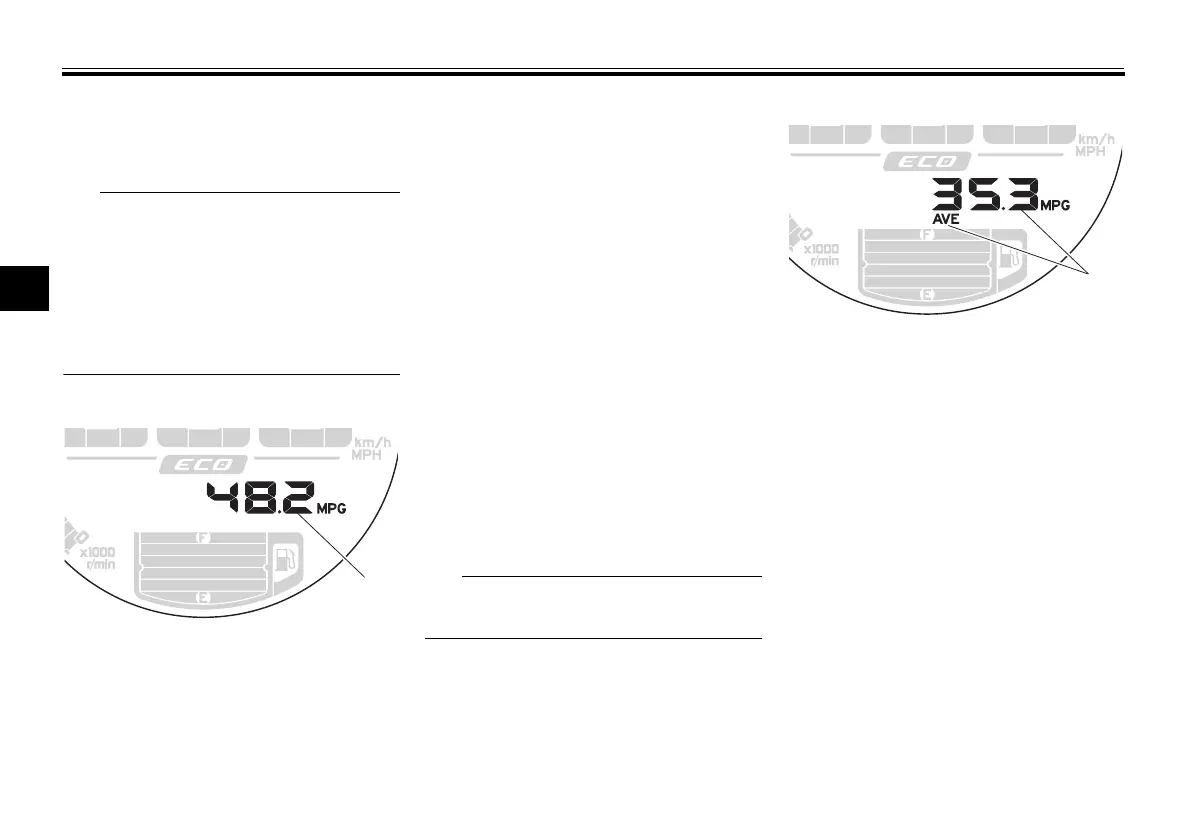
Instantaneous fuel consumption
This function calculates the fuel con-
sumption under current riding condi-
tions. The instantaneous fuel
consumption can be set to either
“km/L”, “L/100 km” or “MPG”.
“km/L”: The distance that can be
traveled on 1.0 L of fuel under the
current riding conditions is shown.
“L/100 km”: The amount of fuel
necessary to travel 100 km under
the current riding conditions is
shown.
“MPG”: The distance that can be
traveled on 1.0 US gal of fuel un-
der the current riding conditions is
shown.
To switch the kilometer-based instan-
taneous fuel consumption settings,
push button B for two seconds.
If traveling at speeds under 20 km/h
(12 mi/h), “_ _._” is displayed.
Average fuel consumption
This function calculates the average
fuel consumption since it was last re-
set. The average fuel consumption can
be set to either “AVE_ _._ km/L”, “AVE_
_._ L/100 km” or “AVE_ _._ MPG”.
“AVE_ _._ km/L”: The average dis-
tance that can be traveled on 1.0 L
of fuel is shown.
“AVE_ _._ L/100 km”: The average
amount of fuel necessary to travel
100 km is shown.
“AVE_ _._ MPG”: The average dis-
tance that can be traveled on 1.0
US gal of fuel is shown.
To switch the kilometer-based average
fuel consumption settings, push button
B for two seconds. To reset the aver-
1. Instantaneous fuel consumption display


 To Next Page
 Loading...