Connecting via cable
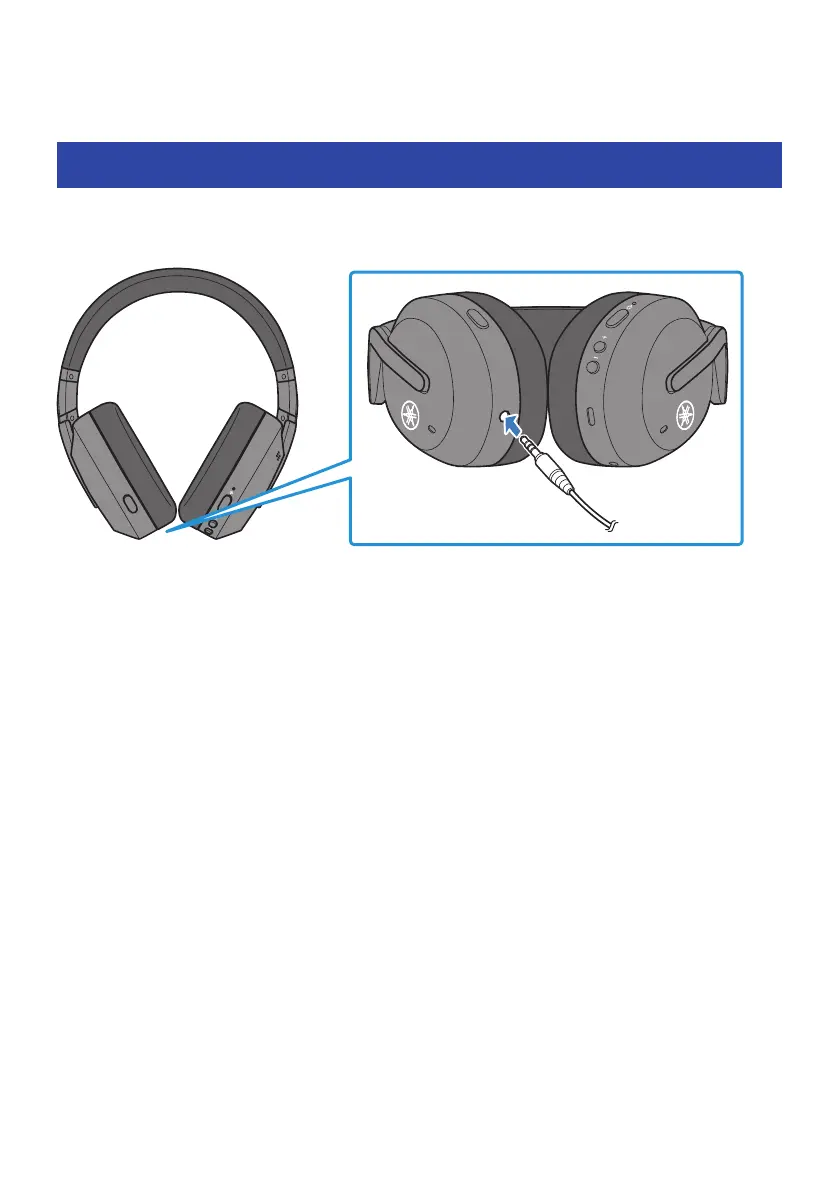
Connecting via headphone cable
You can connect this product to the headphone output jack of an external device by using the 3.5 mm stereo
mini-plug cable (included).
(
When connected via cable, the following functions are available even while you’re using this product.
(
Turning the power on/off
(
Switching between AMBIENT SOUND/ADVANCED ANC/OFF
(
The following functions are not available when connected via cable while you’re using this product.
(
Connecting to a Bluetooth device
(
Using the + (plus) and − (minus) keys
(
Using the pause/play keys
(
Using the GAMING MODE ON/OFF keys
(
Phone calls
(
Using the keys to start/stop the voice assistant
(
Operating this product via the Headphone Control smartphone app
(
When using this product with the cable connected, you can still use it as a regular pair of headphones
when the power is off.
22
Connecting via cable > Connecting via headphone cable



 To Next Page