Operation (Audio Playback and Phone Calls)
Operations during audio playback
You can operate this product using the respective keys during playback as follows.
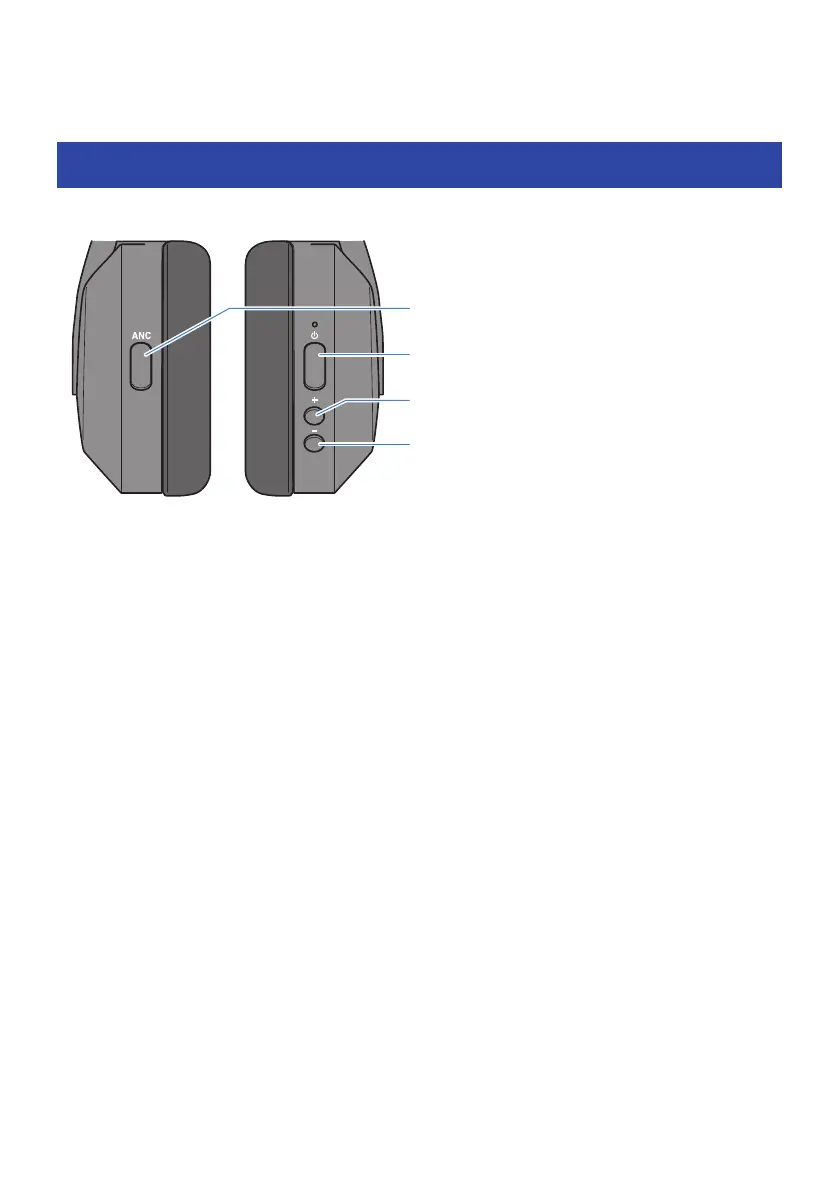
Function key
Power key
+ (plus) key
− (minus) key
Volume controls
(
Turn the volume up
Press the + (plus) key.
(
Turn the volume down
Press the − (minus) key.
Playing back audio
(
Pause/play
Press the power key.
(
Skip to the next track
Hold down the + (plus) key for about one second.
(
Go back to the beginning of the track (while in the middle of the track), or back to the previous track (when
at the beginning of a track)
Hold down the − (minus) key for about one second.
The operation may differ, depending on the Bluetooth device or app you use.
In-Ear Detection
(
Pause or restart playback
When you take off the headphones during playback, a built-in sensor activates and pauses the playback of
your music automatically. The music automatically starts again when you put the headphones back on.
25
Operation (Audio Playback and Phone Calls) > Operations during audio playback



 To Next Page