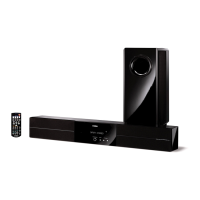
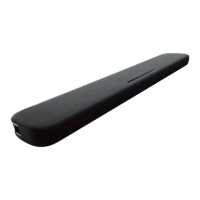
NS-WSW160
When the following parts are replaced, the firmware must
be updated to the latest version.
下記の部品を交換した場合、ファームウェアを最新バー
ジョンにアップデートする必要があります。
● Confirmation of firmware version and checksum
Before and after updating the firmware, check the
firmware version and checksum by using the self-
diagnostic function menu.
Start up the self-diagnostic function and select “q.
CPU INFORMATION” menu.
Using the sub-menu, have the firmware version and
checksum displayed, and note them down.
(For details, refer to “SELF-DIAGNOSTIC FUNCTION”)
* When the firmware version and checksum are
different from written ones after updating, perform
the updating procedure again from the beginning.
● Initializing the back-up IC
(EEPROM: IC703 on DIGITAL P.C.B.)
Start up the self-diagnostic function and select “o.
FACTORY PRESET” menu.
(For details, refer to “SELF-DIAGNOSTIC FUNCTION”)
Select “o2. RESERVE”, press the “
” (Power) key to
turn off the power once and turn on the power again.
Then the back-up IC is initialized.
●
ファームウェアのバージョンとチェックサムの確認
ファームウェアのアップデートの前後に、ファーム
ウェアのバージョンとチェックサムをダイアグで確
認します。
ダイアグを起動し、“q.CPUINFORMATION” メニュー
を選択します。
サブメニューでファームウェアのバージョンと
チェックサムを表示し、それらを書きとめます。
(詳細は “ダイアグ” を参照してください。)
※ アップデート後、ファームウェアのバージョンと
チェックサムが書き込まれたものと異なる場合、アッ
プデートの操作を最初からやり直してください。
● バックアップ IC の初期化
(EEPROM:DIGITALP.C.B. の IC703)
本機のダイアグを起動し、“o.FACTORYPRESET” メ
ニューを選択します。
(詳細は “ダイアグ” を参照してください。)
“o2.RESERVE” を選択し、“
”(電源)キーを押して電
源を一度きってから、もう一度電源を入れるとバッ
クアップ IC が初期化されます。
After updating the firmware, the back-up IC MUST
be initialized by the following procedure to store the
setting information (set menu) properly.
ファームウェアのアップデート後、設定情報(セッ
トメニュー)を正常に保存するために、下記の方法
でバックアップ IC を初期化する必要があります。
Replaced parts
交換部品
Firmware to be updated /
アップデートするファームウェア
Main microprocessor firmware AirWired microprocessor firmware
マイコンファームウェア AirWired マイコンファームウェア
DSP P.C.B. yes yes
Main microprocessor (IC501) /
メインマイコン(IC501)
yes
AWCD2A P.C.B. yes
43
YSP-CU4300/YSP-CU3300/NS-WSW160
YSP-CU4300/YSP-CU3300/
NS-WSW160


 To Next Page