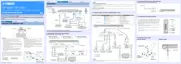
PinNo.2RxD PinNo.2RxD
PinNo.3TxD PinNo.3TxD
PinNo.5GND PinNo.5GND
PinNo.7RTS PinNo.7RTS
PinNo.8CTS PinNo.8CTS
Pin No.2 RxD Pin No.2 RxD
Pin No.3 TxD Pin No.3 TxD
Pin No.5 GND Pin No.5 GND
Pin No.7 RTS Pin No.7 RTS
Pin No.8 CTS Pin No.8 CTS
● 必要なツール
・ ファームウェア書き込み用プログラム
メインマイコンファームウェア
................................................................................ FlashSta.exe
AirWired マイコンファームウェア
...................................... AWCARDFWUpdatexxx.exe
・ ファームウェア
メインマイコンファームウェア
.......................................................................YSP12xxxx.mot
YSP12xxxx.id
AirWired マイコンファームウェア
............................................................uawcardxxxx.mot
uawcardxxxx.id
・ RS-232C クロスケーブル “D-sub9pin メス”
(仕様)
● Required tools
• Firmware downloader program
Main microprocessor firmware
........................................................ FlashSta.exe
AirWired microprocessor firmware
...........................AWCARD_FW_Update_xxx.exe
• Firmware
Main microprocessor firmware
.................................................. YSP12_xxxx.mot
YSP12_xxxx.id
AirWired microprocessor firmware
........................................... uaw_card_xxxx.mot
uaw_card_xxxx.id
• RS-232C cross cable “D-sub 9 pin female”
(Specifications)
● Preparation and precautions
• Download the firmware downloader program and
the latest firmware from the specified download
source to the same folder of the PC.
• Prepare the above specified RS-232C cross cable.
• While writing the firmware, keep the other application
software on the PC closed.
It is also recommended to keep the software on
the task tray closed as well.
● 準備と注意
・ 指定のダウンロード先から、ファームウェア書き
込み用プログラムと最新のファームウェアを、PC
の同じフォルダにダウンロードしてください。
・ RS-232C クロスケーブルは必ず上記仕様のものを
用意してください。
・ 書き込み時は、PC 上の他のアプリケーションソ
フトは閉じてください。
さらに、タスクトレイ上にあるソフトも閉じてお
くことを推奨します。
• RS-232C conversion adaptor
(version 4.0, Part No.: WZ064500)
・ RS-232C変換アダプター
(バージョン 4.0、部品番号:WZ064500)
44
YSP-CU4300/YSP-CU3300/NS-WSW160
YSP-CU4300/YSP-CU3300/
NS-WSW160


 To Next Page