Digital Controller SIO Driver
GP-Pro EX Device/PLC Connection Manual
9
2 Selection of External Device
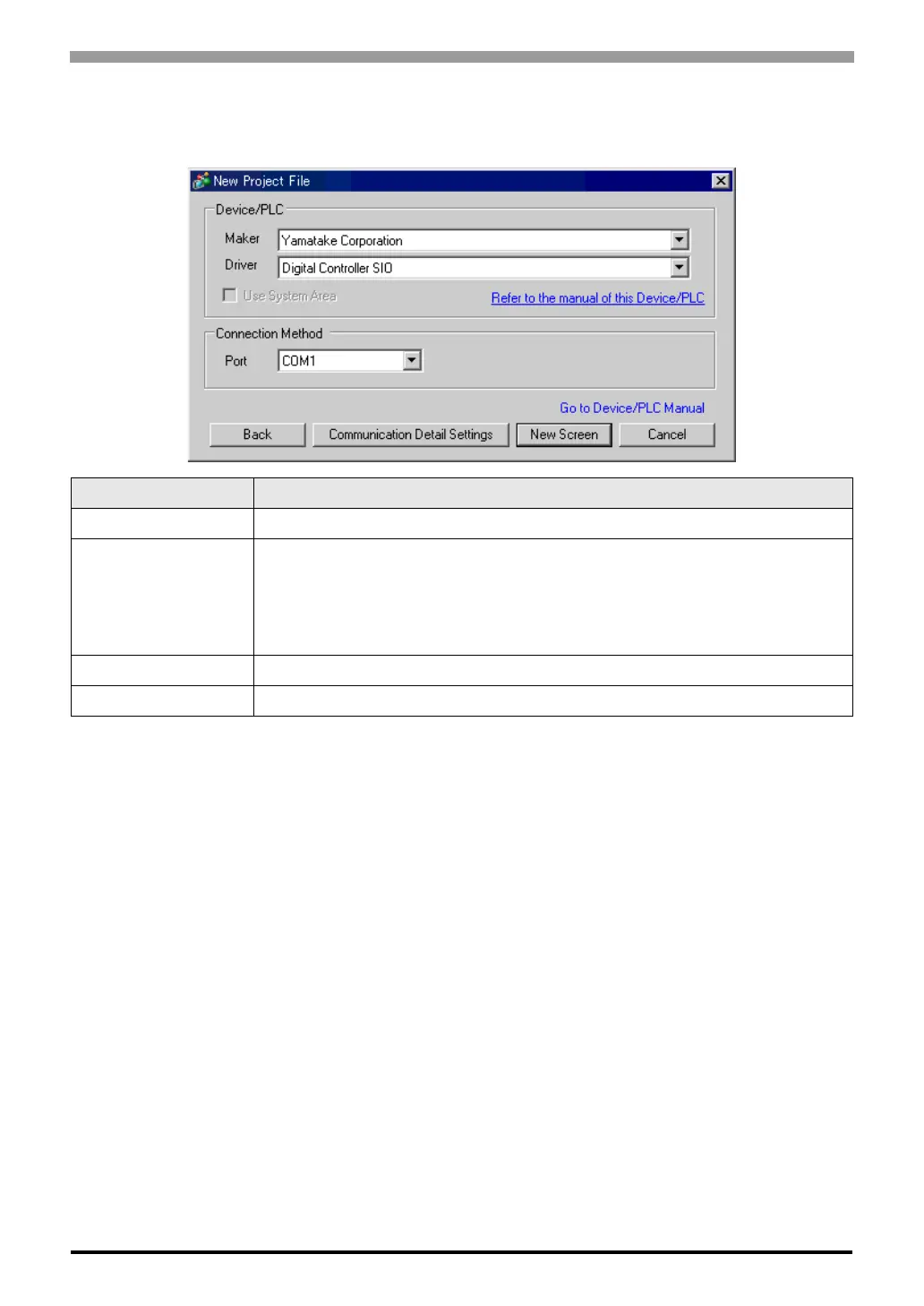
Select the External Device to be connected to the Display.
Setup Items Setup Description
Maker Select the maker of the External Device to be connected. Select "Yamatake Corporation".
Series
Select the model (series) of the External Device to be connected and its connection method.
Select "Digital Controller SIO".
Check the External Device that can be connected in "Digital Controller SIO" in system
configuration.
)"1 System Configuration" (page 3)
Use System Area Not available in this driver.
Port Select the port of the Display to be connected to the External Device.



 To Next Page
 Loading...