EasyManua.ls Logo

YASKAWA CIMR-V BA0001B - User Manual

YASKAWA CIMR-V BA0001B
46 pages
Print Icon
To Next Page IconTo Next Page
Loading...
MANUAL NO. TOEP C710606 15E
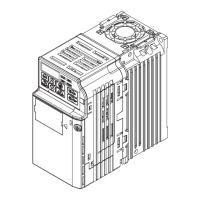
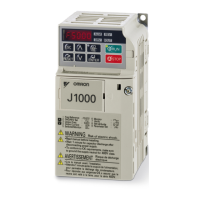
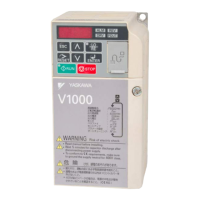
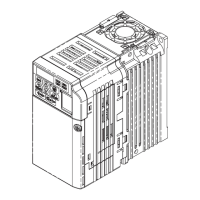
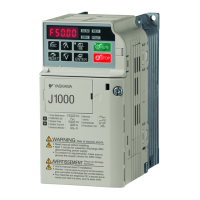
YASKAWA AC Drive V1000
Compact Vector Control Drive
Quick Start Guide
Type: CIMR-VC
Models:
200 V Class, Three-Phase Input: 0.1 to 18.5 kW
200 V Class, Single-Phase Input: 0.1 to 4.0 kW
400 V Class, Three-Phase Input: 0.37 to 18.5 kW
To properly use the product, read this manual thoroughly and retain
for easy reference, inspection, and maintenance. Ensure the end user
receives this manual.

COSMOS140×182 (英文)新CI
MANUAL NO. TOEP C710606 15E
YASKAWA AC Drive V1000
Compact Vector Control Drive
Quick Start Guide
Type: CIMR-VC
Models:
200 V Class, Three-Phase Input: 0.1 to 18.5 kW
200 V Class, Single-Phase Input: 0.1 to 4.0 kW
400 V Class, Three-Phase Input: 0.37 to 18.5 kW
To properly use the product, read this manual thoroughly and retain
for easy reference, inspection, and maintenance. Ensure the end user
receives this manual.
COSMOS140×182 (英文)新CI
MANUAL NO. TOEP C710606 15E
YASKAWA AC Drive V1000
Compact Vector Control Drive
Quick Start Guide
Type: CIMR-VC
Models:
200 V Class, Three-Phase Input: 0.1 to 18.5 kW
200 V Class, Single-Phase Input: 0.1 to 4.0 kW
400 V Class, Three-Phase Input: 0.37 to 18.5 kW
To properly use the product, read this manual thoroughly and retain
for easy reference, inspection, and maintenance. Ensure the end user
receives this manual.

Questions and Answers

  • K
    Kristen MontoyaSep 13, 2025
    What does error code oPE07 mean on a YASKAWA Controller?
    • A
      Ann ClarkSep 13, 2025
      If your YASKAWA Controller displays error oPE07, it means that settings to multi-function analog inputs H3-02 and H3-10 and PID functions conflict because: * H3-02 and H3-10 are set to the same value (excluding settings “0” and “F”). * PID functions have been assigned to both analog inputs and the pulse input at the same time. To resolve this, fix any incorrect setting.
  • M
    michelle26Aug 25, 2025
    Why does my YASKAWA CIMR-V BA0001B Controller show a DC overvoltage error?
    • T
      tsmithAug 25, 2025
      A DC overvoltage error on your YASKAWA Controller indicates that the DC bus voltage has risen too high. This can occur due to several reasons: * The deceleration time is too short. * Stall prevention is disabled. * The braking chopper or resistor is broken. * Unstable motor control in Open Loop Vector mode. * Too high input voltage. To resolve this, try the following: * Increase the deceleration time. * Enable stall prevention by adjusting parameter L3-04. * Ensure the braking resistor and braking chopper are functioning correctly. * Check the motor parameter settings and adjust torque and slip compensation, AFR, and hunting prevention as needed. * Verify that the power supply voltage meets the drive's specifications.
  • G
    Gregory NguyenAug 25, 2025
    What causes motor overload on a YASKAWA CIMR-V BA0001B?
    • C
      Charlotte JonesAug 26, 2025
      Motor overload on a YASKAWA Controller can occur due to: a heavy motor load, operating the motor at low speed with a heavy load, short acceleration/deceleration cycle times, or an incorrect motor rated current setting. To address this: * Reduce the motor load. * Use a motor with external cooling and set the correct motor in parameter L1-01. * Check the sequence. * Check the rated current setting.
  • D
    Dr. Ashley CaldwellSep 23, 2025
    What does 'l Circuit ult' mean on my YASKAWA CIMR-V BA0001B?
    • J
      jessica03Sep 23, 2025
      If your YASKAWA Controller displays 'l Circuit ult', it indicates that there is no terminal board connected to the control board. To resolve this: * Check if the terminal board is installed properly. * Uninstall and Reapply the terminal board. * Change the drive.
  • H
    Heather BridgesSep 14, 2025
    What does error code oPE08 mean on a YASKAWA CIMR-V BA0001B?
    • E
      Eric MccarthySep 14, 2025
      If your YASKAWA Controller displays error oPE08, it indicates that a function has been set that cannot be used in the selected control mode. This might appear after a control mode change. To resolve this, fix any incorrect setting.
  • R
    Richard WilsonSep 23, 2025
    What does 'l Circuit ult to' mean on my YASKAWA Controller?
    • S
      shannon37Sep 23, 2025
      If your YASKAWA Controller displays 'l Circuit ult to', it indicates a problem in the drive’s control circuit. To resolve this: * Cycle the drive power supply. * Initialize the drive. * Replace the drive if the fault occurs again.
  • C
    christina07Sep 6, 2025
    What does Er-04 error mean on YASKAWA Controller?
    • I
      ibushSep 6, 2025
      If your YASKAWA Controller displays an Er-04 error, it indicates a resistance fault due to wrong input data, auto tuning exceeding the given time frame, or calculated values being out of range. To resolve this: * Check the input data. * Check the wiring. * Re-enter the data and repeat the Auto-Tuning.
  • M
    Margaret RobinsonSep 7, 2025
    What does Er-11 error mean on YASKAWA Controller?
    • S
      Sarah GutierrezSep 7, 2025
      If your YASKAWA Controller displays an Er-11 error, it indicates a motor speed fault, meaning the torque reference was too high. To resolve this: * Increase the acceleration time (C1-01). * If possible, disconnect the load.
  • A
    Andrew AustinSep 23, 2025
    What causes 'tion al Fault' on YASKAWA CIMR-V BA0001B?
    • N
      Nathan LeeSep 23, 2025
      A 'tion al Fault' on a YASKAWA Controller indicates that an external fault was triggered by the upper controller via an option card. To resolve this: * Remove the fault cause, reset the fault and restart the drive. * Check the upper controller program.
  • N
    njacksonAug 31, 2025
    What to do if YASKAWA CIMR-V BA0001B displays 'l Fault'?
    • B
      Bethany BurkeAug 31, 2025
      If the YASKAWA Controller shows an 'l Fault', it means the torque limit was reached during deceleration for longer than 3 seconds in Open Loop Vector control. This could be due to: an excessively large load inertia, a torque limit set too low, or incorrect motor parameters. To fix this: * Check the load. * Set the torque limit to the most appropriate setting (L7-01 through L7-04). * Check the motor parameters.

YASKAWA CIMR-V BA0001B Specifications

General IconGeneral
BrandYASKAWA
ModelCIMR-V BA0001B
CategoryController
LanguageEnglish

Related product manuals