EasyManua.ls Logo

YASKAWA CIMR-JT Series - User Manual

YASKAWA CIMR-JT Series
287 pages
Print Icon
To Next Page IconTo Next Page
Loading...
MANUAL NO. TOEP C710606 25D
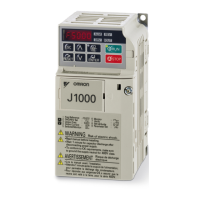
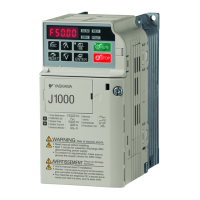
YASKAWA AC Drive J1000
Compact V/f Control Drive
Installation & Start-Up Manual
Type: CIMR
-
JA , CIMR-JB
CIMR-JT
Models: 200 V Class, Three-Phase Input: 0.1 to 5.5 kW
200 V Class, Single-Phase Input: 0.1 to 2.2 kW
400 V Class, Three-Phase Input: 0.2 to 5.5 kW
To properly use the product, read this manual thoroughly and retain
for easy reference, inspection, and maintenance. Ensure the end user
receives this manual.
Peripheral Devices &
Options
Specifications
7
Mechanical Installation
Electrical Installation
Start-Up Programming &
Operation
Troubleshooting
Periodic Inspection &
Maintenance
Receiving
1
2
3
4
5
6
A
Parameter List
B
Standards Compliance
C


Table of Contents

Questions and Answers

  • M
    Miguel WilliamsAug 9, 2025
    How to improve speed precision of YASKAWA CIMR-JT Controller?
    • A
      Amanda AlvaradoAug 9, 2025
      After setting the motor-rated current (E2-01), motor-rated slip (E2-02) and motor no-load current (E2-03), adjust the slip compensation gain (C3-01).
  • A
    Amanda JohnsonAug 17, 2025
    What to do if YASKAWA Controller motor has poor torque at low speeds and motor instability at start?
    • J
      Joseph MartinezAug 17, 2025
      If the torque is insufficient at speeds below 10 Hz, increase the setting. If motor instability occurs at motor start, decrease the setting.
  • D
    danielleburkeAug 25, 2025
    What to do if YASKAWA CIMR-JT motor has poor motor torque at speeds below 10 Hz and motor hunting?
    • M
      Misty PorterAug 26, 2025
      If motor torque is insufficient at speeds below 10 Hz, increase the setting. If motor hunting and oscillation occur with a relatively light load, decrease the setting.
  • L
    Laura GonzalezAug 31, 2025
    How to fix YASKAWA CIMR-JT Controller motor noise, hunting and oscillation at speeds up to 40 Hz?
    • S
      steven94Aug 31, 2025
      If the motor noise is too loud, increase the carrier frequency. When motor hunting and oscillation occur at speeds up to 40 Hz, lower the carrier frequency.

Summary

Receiving

1.1 Section Safety

Ensures safe practices during the receiving process of the drive.

Mechanical Installation

2.1 Section Safety

Provides safety precautions for mechanical installation procedures.

2.2 Mechanical Installation

Details specifications, procedures, and environmental requirements for proper mechanical installation.

Electrical Installation

3.1 Section Safety

Outlines critical safety measures for electrical installation and wiring.

3.6 Main Circuit Wiring

Details functions, specifications, and procedures for safe main circuit wiring.

3.7 Control Circuit Wiring

Explains procedures and preparations for wiring control terminals.

Start-Up Programming & Operation

4.5 Basic Operation

Explains essential settings for initial drive operation and basic functions.

4.9 Verifying and Backing Up Parameter Settings

Explains how to check parameter settings using Verify function and save settings.

Troubleshooting

5.2 Motor Performance Fine Tuning

Offers information for counteracting oscillation, hunting, or other faults during trial runs.

5.3 Drive Alarms, Faults, and Errors

Describes types of alarms, faults, and errors and drive responses.

5.4 Fault Detection

Details fault displays, their causes, and possible solutions.

5.5 Alarm Detection

Explains alarm codes, their causes, and possible solutions for minor faults.

5.7 Diagnosing and Resetting Faults

Provides instructions to remove fault conditions and restart the drive.

5.8 Troubleshooting without Fault Display

Addresses common issues that do not trigger an alarm or fault.

Periodic Inspection & Maintenance

6.2 Inspection

Details recommended daily and periodic inspection procedures for drive components.

6.3 Periodic Maintenance

Explains the drive's maintenance monitors and replacement parts.

Appendix B: Parameter List

B.2 Parameter Table

Contains a comprehensive table of all drive parameters, their descriptions, ranges, and settings.

YASKAWA CIMR-JT Series Specifications

General IconGeneral
SeriesCIMR-JT
Input Frequency50/60 Hz
Output Frequency0-400 Hz
Power Range0.4-15kW
Control MethodV/f control
Communication OptionsModbus RTU
Protection ClassIP20
Protection FeaturesOvercurrent, Overvoltage, Undervoltage, Overheat, Short circuit
Communication InterfaceRS-485
Ambient Operating Temperature-10°C to +50°C (14°F to 122°F) (derating may apply at higher temperatures)
Storage Temperature-20°C to +60°C (-4°F to 140°F)
Humidity95% RH or less (non-condensing)
Altitude1000m or less
Vibration5.9 m/s²

Related product manuals