EasyManua.ls Logo

YASKAWA CIMR-V 4A0023F - User Manual

YASKAWA CIMR-V 4A0023F
46 pages
Print Icon
To Next Page IconTo Next Page
Loading...
MANUAL NO. TOEP C710606 15E
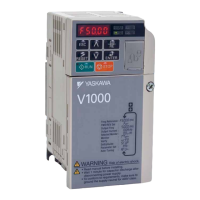
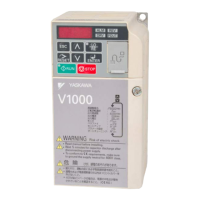
YASKAWA AC Drive V1000
Compact Vector Control Drive
Quick Start Guide
Type: CIMR-VC
Models:
200 V Class, Three-Phase Input: 0.1 to 18.5 kW
200 V Class, Single-Phase Input: 0.1 to 4.0 kW
400 V Class, Three-Phase Input: 0.37 to 18.5 kW
To properly use the product, read this manual thoroughly and retain
for easy reference, inspection, and maintenance. Ensure the end user
receives this manual.

COSMOS140×182 (英文)新CI
MANUAL NO. TOEP C710606 15E
YASKAWA AC Drive V1000
Compact Vector Control Drive
Quick Start Guide
Type: CIMR-VC
Models:
200 V Class, Three-Phase Input: 0.1 to 18.5 kW
200 V Class, Single-Phase Input: 0.1 to 4.0 kW
400 V Class, Three-Phase Input: 0.37 to 18.5 kW
To properly use the product, read this manual thoroughly and retain
for easy reference, inspection, and maintenance. Ensure the end user
receives this manual.
COSMOS140×182 (英文)新CI
MANUAL NO. TOEP C710606 15E
YASKAWA AC Drive V1000
Compact Vector Control Drive
Quick Start Guide
Type: CIMR-VC
Models:
200 V Class, Three-Phase Input: 0.1 to 18.5 kW
200 V Class, Single-Phase Input: 0.1 to 4.0 kW
400 V Class, Three-Phase Input: 0.37 to 18.5 kW
To properly use the product, read this manual thoroughly and retain
for easy reference, inspection, and maintenance. Ensure the end user
receives this manual.


Questions and Answers

  • J
    Juan MillerSep 13, 2025
    What does error code oPE07 mean on a YASKAWA Controller?
    • C
      Carol HernandezSep 13, 2025
      If your YASKAWA Controller displays error oPE07, it means that settings to multi-function analog inputs H3-02 and H3-10 and PID functions conflict because: * H3-02 and H3-10 are set to the same value (excluding settings “0” and “F”). * PID functions have been assigned to both analog inputs and the pulse input at the same time. To resolve this, fix any incorrect setting.
  • S
    Sean WhiteAug 25, 2025
    Why does my YASKAWA CIMR-V 4A0023F Controller show a DC overvoltage error?
    • B
      bradleyjacksonAug 25, 2025
      A DC overvoltage error on your YASKAWA Controller indicates that the DC bus voltage has risen too high. This can occur due to several reasons: * The deceleration time is too short. * Stall prevention is disabled. * The braking chopper or resistor is broken. * Unstable motor control in Open Loop Vector mode. * Too high input voltage. To resolve this, try the following: * Increase the deceleration time. * Enable stall prevention by adjusting parameter L3-04. * Ensure the braking resistor and braking chopper are functioning correctly. * Check the motor parameter settings and adjust torque and slip compensation, AFR, and hunting prevention as needed. * Verify that the power supply voltage meets the drive's specifications.
  • J
    Joseph TaylorAug 25, 2025
    What causes motor overload on a YASKAWA CIMR-V 4A0023F Controller?
    • K
      Kevin SmithAug 26, 2025
      Motor overload on a YASKAWA Controller can occur due to: a heavy motor load, operating the motor at low speed with a heavy load, short acceleration/deceleration cycle times, or an incorrect motor rated current setting. To address this: * Reduce the motor load. * Use a motor with external cooling and set the correct motor in parameter L1-01. * Check the sequence. * Check the rated current setting.
  • M
    Mary SantosSep 23, 2025
    What does 'l Circuit ult' mean on my YASKAWA Controller?
    • E
      Eric PowellSep 23, 2025
      If your YASKAWA Controller displays 'l Circuit ult', it indicates that there is no terminal board connected to the control board. To resolve this: * Check if the terminal board is installed properly. * Uninstall and Reapply the terminal board. * Change the drive.
  • L
    Louis RamseySep 14, 2025
    What does error code oPE08 mean on a YASKAWA CIMR-V 4A0023F Controller?
    • N
      noah40Sep 14, 2025
      If your YASKAWA Controller displays error oPE08, it indicates that a function has been set that cannot be used in the selected control mode. This might appear after a control mode change. To resolve this, fix any incorrect setting.
  • B
    browningnicholasSep 23, 2025
    What does 'l Circuit ult to' mean on my YASKAWA Controller?
    • K
      Kristina PonceSep 23, 2025
      If your YASKAWA Controller displays 'l Circuit ult to', it indicates a problem in the drive’s control circuit. To resolve this: * Cycle the drive power supply. * Initialize the drive. * Replace the drive if the fault occurs again.
  • R
    Robert MeltonSep 6, 2025
    What does Er-04 error mean on YASKAWA CIMR-V 4A0023F Controller?
    • M
      Mark FitzgeraldSep 7, 2025
      If your YASKAWA Controller displays an Er-04 error, it indicates a resistance fault due to wrong input data, auto tuning exceeding the given time frame, or calculated values being out of range. To resolve this: * Check the input data. * Check the wiring. * Re-enter the data and repeat the Auto-Tuning.
  • A
    Angel BeckerSep 7, 2025
    What does Er-11 error mean on YASKAWA CIMR-V 4A0023F Controller?
    • G
      gailortizSep 7, 2025
      If your YASKAWA Controller displays an Er-11 error, it indicates a motor speed fault, meaning the torque reference was too high. To resolve this: * Increase the acceleration time (C1-01). * If possible, disconnect the load.
  • B
    Brandon SalasSep 23, 2025
    What causes 'tion al Fault' on YASKAWA CIMR-V 4A0023F?
    • J
      James OconnorSep 23, 2025
      A 'tion al Fault' on a YASKAWA Controller indicates that an external fault was triggered by the upper controller via an option card. To resolve this: * Remove the fault cause, reset the fault and restart the drive. * Check the upper controller program.
  • C
    cherrycassandraAug 31, 2025
    What to do if YASKAWA CIMR-V 4A0023F Controller displays 'l Fault'?
    • N
      Nicole LeeAug 31, 2025
      If the YASKAWA Controller shows an 'l Fault', it means the torque limit was reached during deceleration for longer than 3 seconds in Open Loop Vector control. This could be due to: an excessively large load inertia, a torque limit set too low, or incorrect motor parameters. To fix this: * Check the load. * Set the torque limit to the most appropriate setting (L7-01 through L7-04). * Check the motor parameters.

Summary

Safety Instructions and General Warnings

General Safety Instructions and Warnings

Essential safety instructions, warnings, and precautions for handling and operating the drive.

Electrical Installation

Main and Control Circuit Wiring Overview

General overview of main and control circuit wiring diagrams and connections.

Start Up

Drive Setup Procedure and Power On

Step-by-step guide for initial drive setup, including power on and basic checks.

Control Method, Duty, and Auto-Tuning

Selection of control mode, duty rating, and the process for auto-tuning motor data.

Troubleshooting

General Faults, Alarms, and Programming Errors

Common faults, alarms, causes, corrective actions, and operator programming errors.

Specific Faults and Auto-Tuning Errors

Detailed list of specific drive faults and errors encountered during auto-tuning.

YASKAWA CIMR-V 4A0023F Specifications

General IconGeneral
ModelCIMR-V 4A0023F
Output Current2.3 A
Frequency Range0-400 Hz
Control Methodvector control
Protection FeaturesOvercurrent, overvoltage, undervoltage, short circuit
Cooling MethodFan
Operating Temperature-10°C to +50°C
Humidity95% RH or less (non-condensing)
Altitude1000m or less
Vibration5.9 m/s² or less

Related product manuals