11
6. MEMORY KEY ONE-CLICK LIFTING FUNCTION
STEP 1:
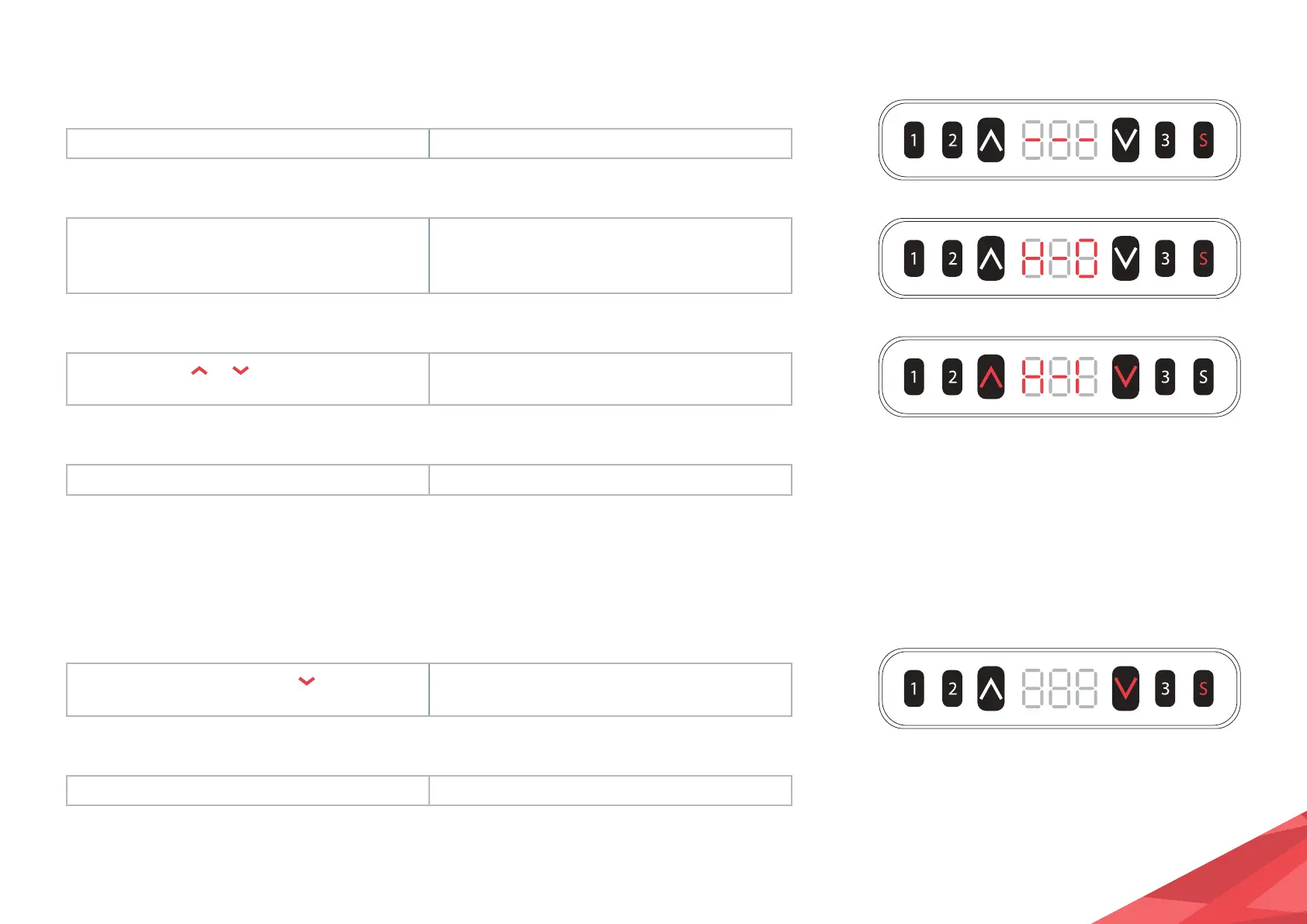
Hold the S key for over 5 seconds. Subtitles flashing on the screen “- - -”
STEP 2:
Release the S key then, hold key 1 in
3 seconds.
“H - 0” or “H - 1” shows on the screen,
indicating the lock or unlock of the one-click
lifting function.
STEP 3:
Press and hold
or to change
existing function.
“H - 0” indicates the function is off; “H - 1”
indicates the function is on.
STEP 4:
Hold the S key for over 2 seconds. The one-click lifting function is on/off.
1. The one-click lifting function is turned off by default after initialisation.
7. EXCHANGE OF IMPERIAL SYSTEM AND METRIC SYSTEM
STEP 1:
Hold the S key then, hold key
for
3 seconds.
Display height switch between centimeters and
inches.
STEP 2:
Release the S key The switch is done.
1. as the column rises or falls, in the imperial display format, the minimum change in height
is 0.5 inches; while in metric the minimum change is 1cm.


 To Next Page