16
12. ADJUSTING THE SENSITIVITY OF THE GYRO ANTI-COLLISION
STEP 1:
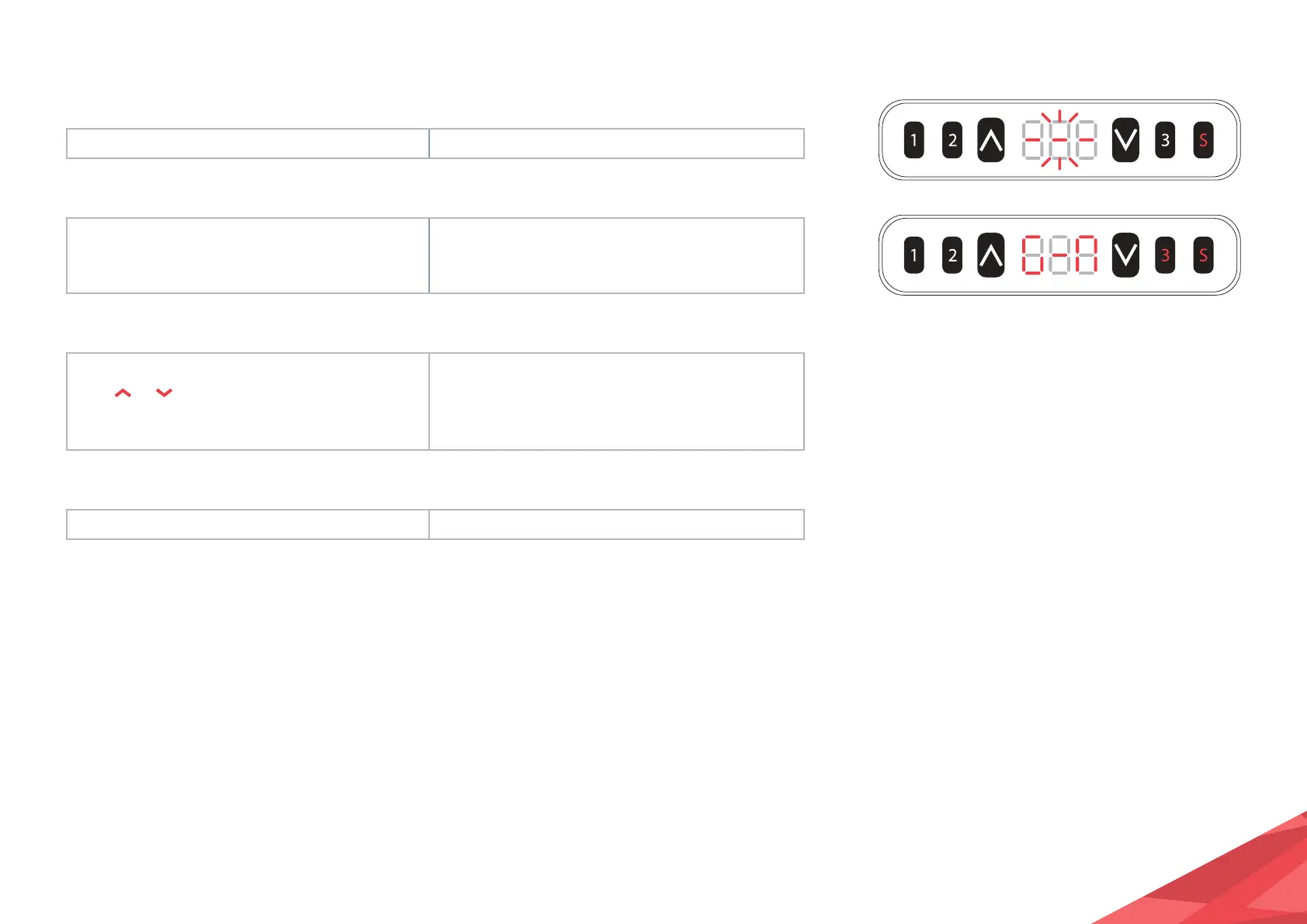
Press and hold the S key for over 5 seconds. Subtitles flashing on the screen “- - -”
STEP 2:
Release the S key then, press key 3
within 3 seconds.
“G - N” is displayed on the screen, indicating the
current gyro anti collision sensitivity level
(N indicates the sensitivity level).
STEP 3:
Click
or to adjust the
anti-collision sensitivity.
Increase or decrease the anti-collision sensitivity.
There are five different levels of sensitivity: “G
- 0”, “G - 1”, “G - 2”, “G - 3”, “G - 4”, where G4
indicates the highest sensitivity.
STEP 4:
Hold the S key for over 2 seconds. Sensitivity adjustment is complete.


 To Next Page