6. Personalized parameter settings
Each setting needs to be done with the bicycle stationary.
The personalized parameter setting procedure is as follows:
When the display is ON and the speed shows 0,
(1) Press and hold simultaneously for more than 2 seconds to enter the personalized parameter setting
interface.
(2) Press / to toggle between the personalized parameter setting interface, and press to enter the
parameter changing state.
(3) Press / to select the parameter, long press for addition operation, long press for subtraction
operation.
(4) Press to save the parameter settings and return to the personalized parameter setting interface.
(5) Long Press to save the parameter settings and exit the personalized parameter setting interface.
The following options are available on the personalized parameter setting interface:
6.1 Metric and Imperial setting
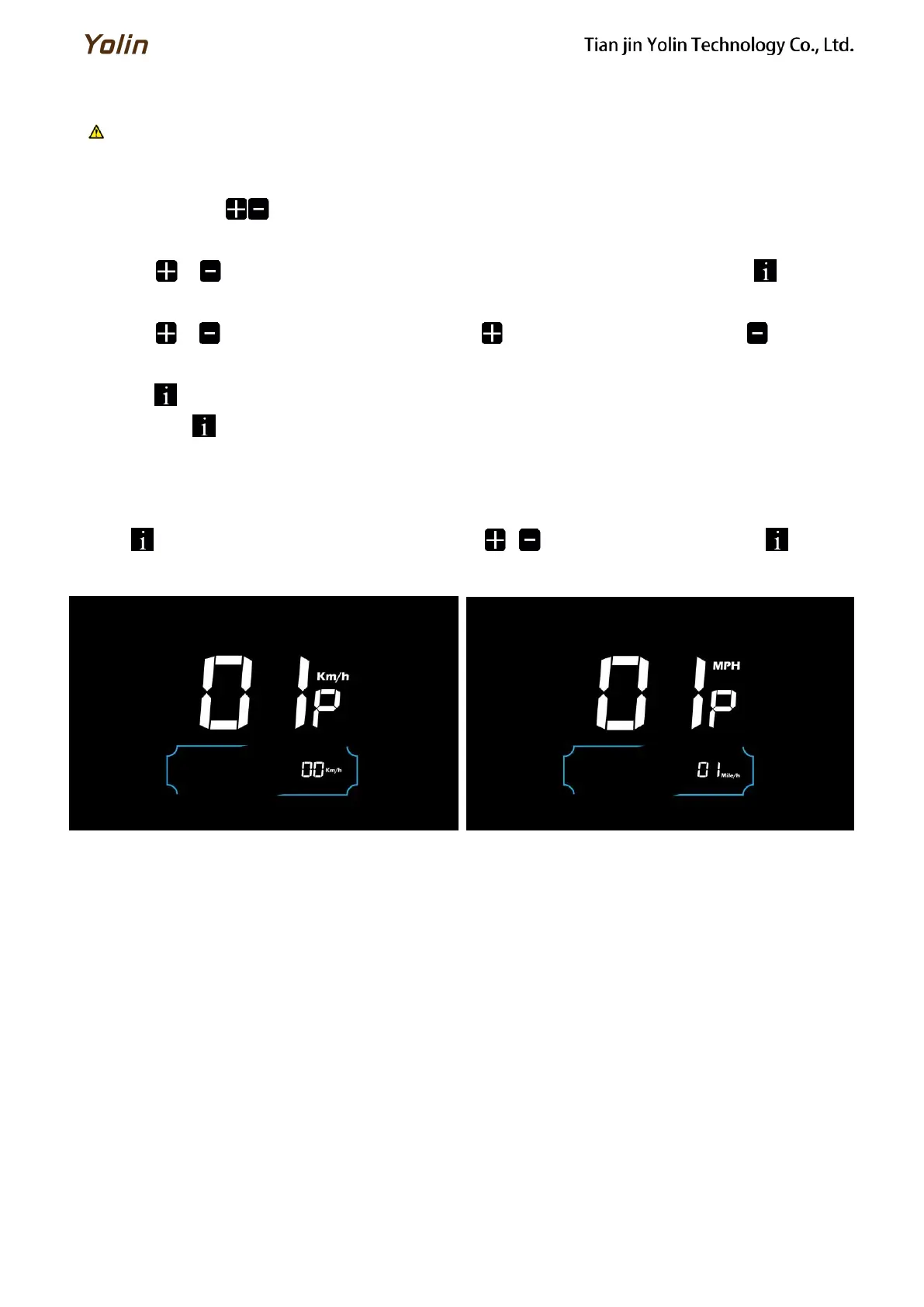
01P is the metric and imperial setting, 00 for metric and 01 for imperial.
Press to enter the parameter changing state. Press the / to select the parameter and press to save the
parameter setting and return to the personalized parameter setting interface.
Figure 6-1 Metric and Imperial Units Setting Interface



 To Next Page