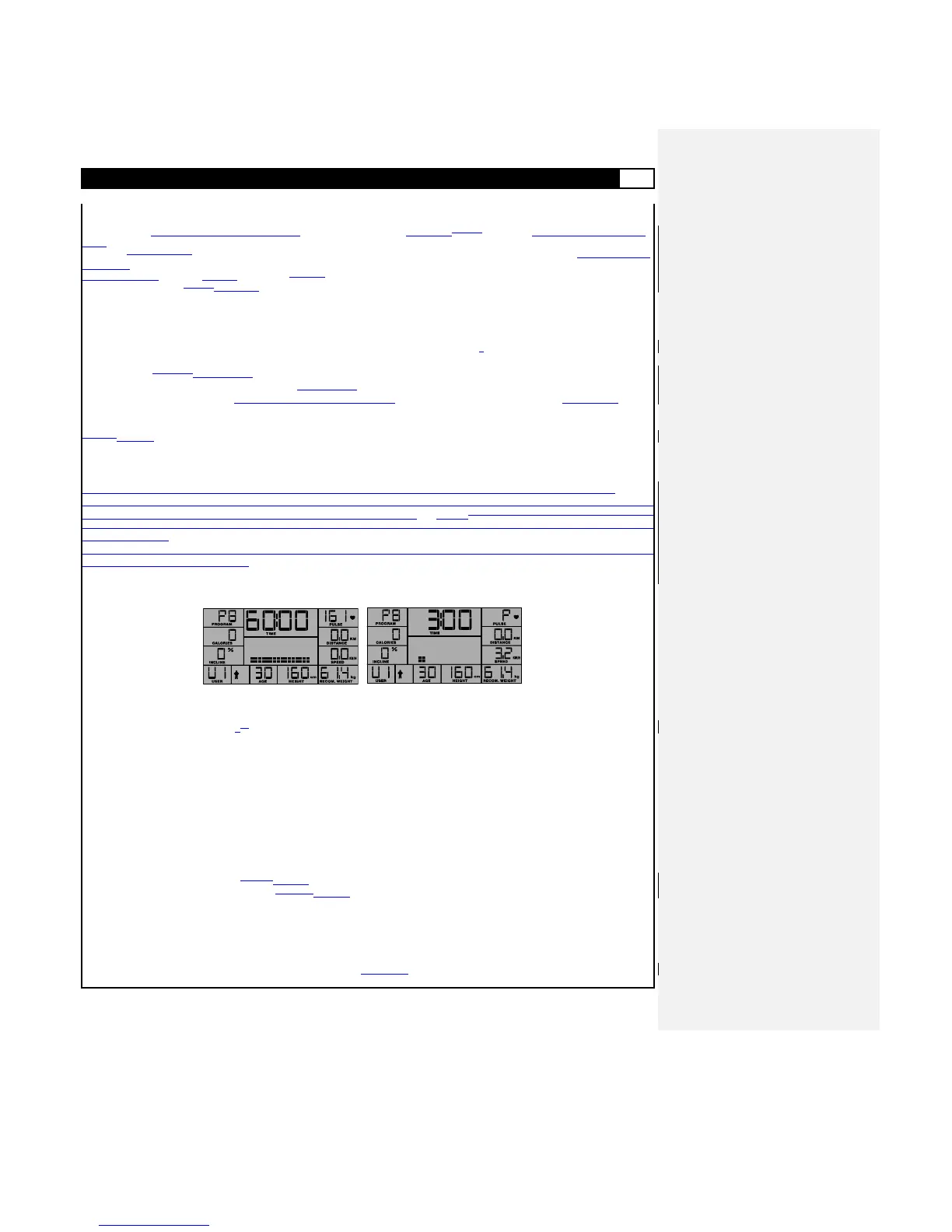
Phase 3 – Extended Monitoring
In the third Phase, there is no further change to Incline or Speed, and the user‟s heart rate in monitored continuously counting down
from 3:00 (min.) at fixed Speed and Incline settings. If during this period the Threshold Target Heart Rate (approx. 75% Target Heart
Rate)
is not met (at least twice) then the display will give an indication that the HEART RATE CONTROL Program has frail (shows the word
FAIL at the
top of the display) and after blinking 10 seconds blinking will return to the POWER ON MODE. If during the extended monitoring
period of 3 minutes the Target Threshold Heart Rate is achieved the program will switch over to HEART RATE CONTROL MODE as
described in the next section.
HEART RATE CONTROL MODE
When the program enters into the HEART RATE CONTROL Program, the total time continues to count down, Calories spent and
Distance traversed increase, and the treadmill will run with the same Speed and Incline level determined by the warm-up phases
(Incline, Speed, Extendedand Extended Monitoring). Throughout the duration of the program, the Incline level will be adjusted to
maintain the Target Heart Rate, and speed will be subsequently adjusted if the incline reaches a minimum or maximum level. At every
30 second interval the program will monitor the actual user hear rate and modify incline or speed to maintain the user-defined Target
Heart Rate. If the Target Heart Rate is exceed for just over 3:00 (min), then the monitored heart rate will flash 10 seconds before the
unit
swichesswitches into COOL DOWN MODE. If the unit cannot detect the actual heart rate it will display a „P‟ (pulse) in place of the
heart rate value until the sensors pick up a signal. If no pulse can be detected for a period of more than 30 seconds, incline and
speed will reduce to their minimum levels (L0 (level) and 3.2 km/h / 5 mph) respectively.
As previously described in Program P1, the user may at any time during the workout period alter the speed with SPEED-UP /
SPEED-DOWN, angle with INCLINE-UP / INCLINE-DOWN. The User may also pause (STOP) or STOP (2x) the workout, and will at
the conclusion of any given program enter the COOL DOWN program as detaiLCD above.As previously described in Program P1, the
user may alter the speed with SPEED-UP / SPEED-DOWN, angle with INCLINE-UP / INCLINE-DOWN, and Pause, COOL DOWN or
STOP as described.
Note: During the workout Users can override the Speed and Incline settings by pressing the SPEED-UP/SPEED-DOWN and
INCLINE-UP/INCLINE-DOWN buttons.
P9 -11: CUSTOM COURSE 1 – 3 (C1-C3) PROGRAM
If the user selects the P9 program anmd presses ENTER, the LCD will display the previously saved Speed Profile or Preset Profile.
The program can maintain settings for a total workout period of 60 minutes.
The user may then press START to initiate the program, P9 – CUSTOM COURSE 1. The user can adjust speed and incline
intervals using SPEED-UP/SPEED-DOWN and INCLINE-UP/INCLINE-DOWN, respectively. The program is designed to then
record the settings made for both incline and speed at 1:00 (min.) intervals for replay at a later time. The program
automatically enters COOL DOWN MODE when the user presses STOP.
Upon exiting the program (with STOP) and/or after the COOL DOWN MODE, the user will be queried as to whether the
recorded workout session should be saved for repeat use or not. The user can then press ENTER to save the recorded
workout profile or press BACK to return to the POWER ON MODE without saving.
Extending/Reducing Recorded Time
When running a previously recorded progamprogram, the user can extend the time duration of the CUSTOM COURSE by pressing
START before the time counts down to zero. SimilarilySimilarly, pressing START at this time will also allow the user to toggle between
the option to extend training time duration or reduce it. With each contact of the START button during the duration of the
CUSTOM COURSE program, it will toggle between EXTENDED and REDUCED MODE.
Extended Mode
Pressing START from within the workout period or during COOL DOWN allows the user to enter extended mode and then continue
to alter speed and incline settings until a maximum of 60:00 (min) is reached.



 To Next Page