Page 28
SEM1
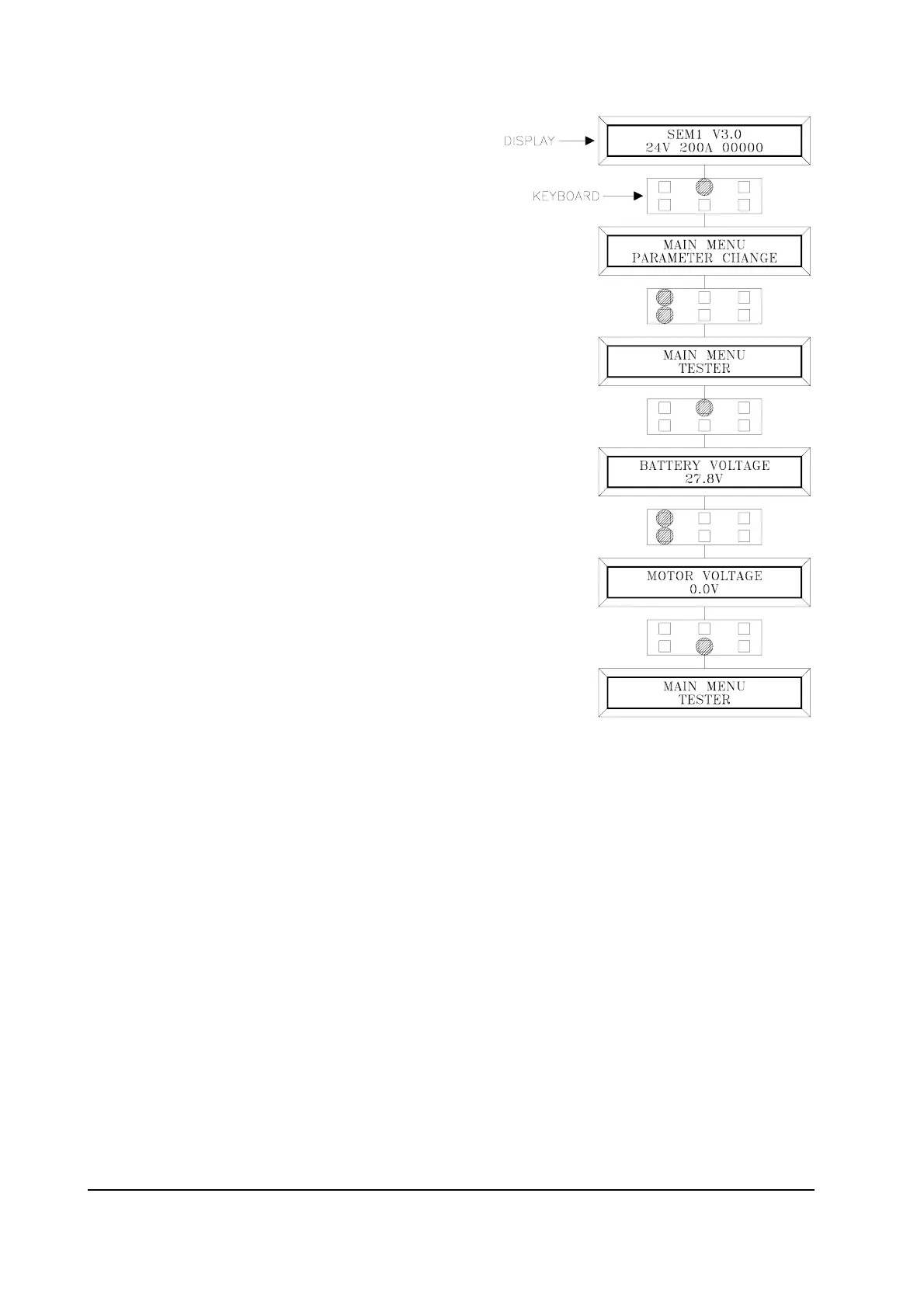
How to enter the TESTER function of the console:
1) Opening display.
2) Press ENTER to enter the main menu.
3) The first item of the list appears.
4) Scroll the list with the buttons ROLL UP
or ROLL DOWN. Select TESTER.
5) The selected item (TESTER) appears.
6) Press ENTER to enter the function TESTER.
7) The first signal tested appears.
8) Scroll the signals tested with the buttons
ROLL UP and ROLL DOWN.
9) The following signal appears.
10) Press OUT to return to the item list.
11) The selected item appears.
12) Press ROLL UP and ROLL DOWN for scrolling
the remaining items, or press OUT to return
to the opening display.



 To Next Page