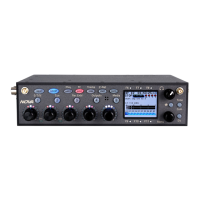
Zaxcom Nova Front Panel
8
Menu knob
• Press to access the main menu - Press and hold for 2 seconds when in the ENG meter screen.
• Rotate and press to select and enter a parameter.
Tone / Com key
• Press and hold to activate the com microphone.
• Shift (press a hold the MENU key) and press to turn on/off tone.
SLT key
Press and hold it to activate the slate microphone.
SMA antenna x 2
These are the antenna connectors for the internal UHF receivers..


 To Next Page