Zaxcom ZMT4 Recording Media
24
Media
While any size card will work in the ZMT4 we recommend using a 4GB Micro SD card. We also recommend
only buying a brand name card such as Transcend, SanDisk.
Please note Transcend Premium cards with the red stripe are not recommended.
And very importantly please buy all cards from a reputable dealer because counterfeit cards exist and can
cause recording issues.
We also highly recommend that all cards are tested before taking them out into the field.
Here is a simple testing procedure to determine if the card will function correctly:
1. Format the card in the transmitter.
2. Power cycle the transmitter.
3. Record at least 20 minutes of audio to the card with no time code source.
4. Look at the Main Screen it should still be recording in segment #1.
5. Playback and listen to the file.
Media Capacity
The ZMT4 can use Micro SD cards, up to 16 GB. While any size card will work, we recommend using 4GB
cards. Please note that regardless of the size of the card the onboard recorder will only be able to record up
to 500 individual segments on any given card.
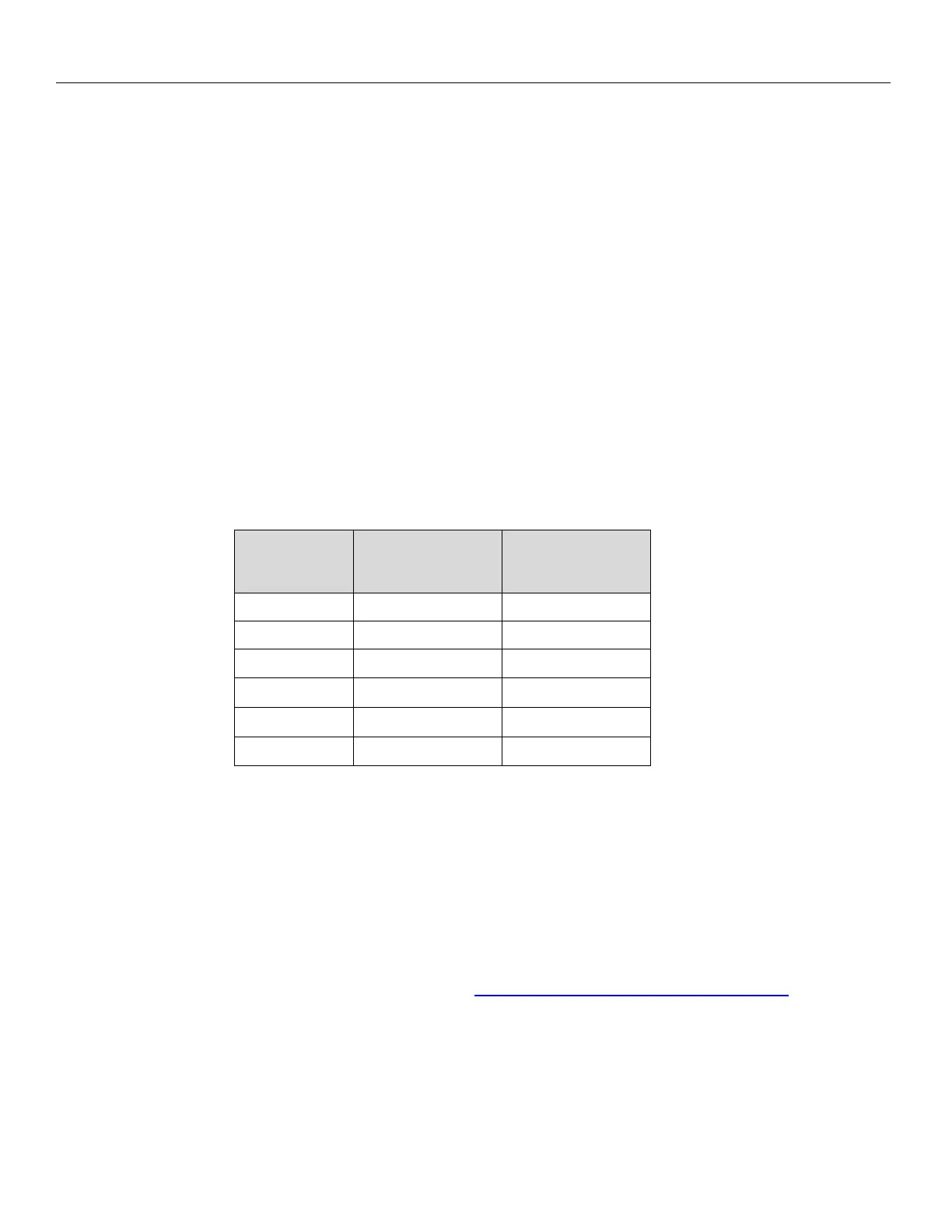
Available recording times depend on the selected modulation and are as follows:
SD Card
Size
Time
Time
512 MB 3 hours 6.75 hours
1 GB 6 hours 13.5 hours
2 GB 12 hours 27 hours
4 GB 24 hours 54 hours
8 GB 48 hours 108 hours
16 GB 96 hours 216 hours
Please note the transmitter will NOT record onto the card if:
• The card was not inserted before the ZMT4 booted up.
• If the card was removed while the power was on.
• If LOW BATTERY is being displayed.
Recording Format
The media card is formatted using a FAT32 file system. While recording, the unit places all recorded audio in a
single file on the media. The files generated by the recorder (.zax format) can only be recognized by Zaxcom’s
ZaxConvert program. Using ZaxConvert will transfer the file to a Broadcast Wave or MP3 file. ZaxConvert is
available to anyone for free from the Zaxcom website http://www.zaxcom.com/support/updates/


 To Next Page