Notes:
•
Wireless Keyboards: Logitech K830 keyboard (2.4GHz) = wireless range: 10m
•
Wireless Mice: Logitech M525 mouse (2.4GHz) = wireless range: 10m
•
Wired Keyboard / Mouse Extension Options: Passive USB extension cables – recommend limit length to 6 meters, or less
For additional guides on social distance cable set-up with your HFAII-i or other ZEISS diagnostic devices,
please visit our MED Support Now page, www.zeiss.com/med-support-now.
3
Please always refer to the Instructions for Use manual for any further instruction on operation of device.
EN_31_070_0020I; HFA.12552 ©Carl Zeiss Meditec, Inc. 2020. All rights reserved.
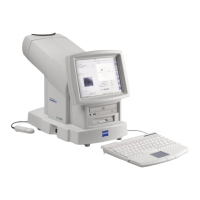
Connecting (or Extending) keyboard and mouse to HFA3
•
Wireless keyboard or mouse within acceptable range
as described by manufacturer (typically ~ 10meters).
- Logitech K830 wireless Keyboard + Touchpad device
was used in testing at Zeiss. Also sold as an option
with HFA3.
- Connect wireless USB key into any available USB
port on HFA3 (Operator interface panel has 2
USB ports).
•
Wired USB keyboard and USB mouse with extended cable
- Connect to any available USB port on HFA3
(Operator interface panel has 2 USB ports).
- Most off-the-shelf keyboard and mouse products
are compatible with HFA3.














 To Previous Page