01
Table of Contents
1 Welcome 03
1.1 Introduction 04
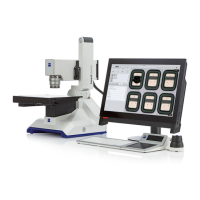
1.2 About Your Smartzoom 5 Microscope 05
1.3 Main Components 06
1.4 User Roles and Workflows 08
2 Assembling and starting Smartzoom 5 09
2.1 Assembling Smartzoom 5 10
2.2 Starting Smartzoom 5 12
2.3 Positioning the Sample 13
3 Acquiring a first microscope image 15
3.1 Workflow Selection 16
3.2 Acquiring an Overview Image 17
3.3 Acquiring a Microscope Image 18
3.4 Finding Areas on the Sample 19
3.5 Adjusting the Image Zoom, Focus, and Position 20
3.6 Optimizing Microscope Images 21
3.7 Acquiring Microscope Images 22
3.8 Performing Examination Tasks 23
3.9 Checking and Exporting Job Results 24
3.10 Saving a Job 25
3.11 Administrator Workflow 26
4 Running a job 29
4.1 Job Workflow 30
4.2 Selecting a Job 31
4.3 Entering the Sample ID 32
4.4 Acquiring an Overview Image 33
4.5 Placing the Coordinate System 34
4.6 Acquiring a Microscope Image 35
4.7 Performing Measurements 36
4.8 Saving the Job Results 37
5 Advanced Features 39
5.1 Defining the Coordinate System 40
5.2 Naming the Sample and Job 41
5.3 Measurement Tools 42



 To Next Page