EasyManua.ls Logo

Zeiss Stemi 508 - User Manual

Zeiss Stemi 508
44 pages
Print Icon
To Next Page IconTo Next Page
Loading...
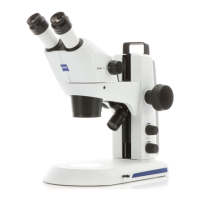
Stereo microscope Stemi 508
Operating Manual

Questions and Answers

  • M
    Megan CastroJul 27, 2025
    What to do if the transmitted-light illuminator does not light up on my Zeiss Stemi 508 Microscope?
    • R
      Roger BranchJul 27, 2025
      If the transmitted-light illuminator on your Zeiss Microscope isn't lighting up, first ensure that the illumination is switched on and the intensity is properly adjusted by pressing and turning the rotary/push-button. If that doesn't work, the transmitted light might not be correctly connected. In that case, open the stand K EDU or K LAB and connect the plug-in connectors of the LED illumination.
  • J
    Jennifer HopkinsAug 1, 2025
    Why are the additional reflected-light illuminators not lit on my Zeiss Stemi 508 Microscope?
    • S
      steelenicoleAug 1, 2025
      If the additional reflected-light illuminators on your Zeiss Microscope are not lit, make sure the power supply cable RJ 12 is properly inserted. Also, check that the reflected light is switched on and the intensity is adequately increased by pressing and turning the knob several times.
  • N
    Nicole SchultzAug 6, 2025
    How to fix a Zeiss Stemi 508 Microscope when the stereo microscope illumination cannot be switched ON?
    • S
      Sarah EllisAug 6, 2025
      If the stereo microscope illumination on your Zeiss Microscope cannot be switched on, check the connection to the power supply and ensure the power switch on the back of the stereo microscope is turned on. If the problem persists, the power unit might be faulty and needs replacing.
  • F
    Francisco HughesAug 10, 2025
    What to do if the transmitted-light illuminator is dirty or the control lever cannot be actuated on my Zeiss Stemi 508 Microscope?
    • C
      Charles RamirezAug 10, 2025
      If the transmitted-light illuminator of your Zeiss Microscope is dirty or the control lever cannot be actuated, it's likely due to liquids or foreign matter inside the transmitted-light unit. You should open and clean the stand K EDU or K LAB and eliminate any foreign matter.
  • R
    Robert WalkerAug 15, 2025
    Why does the Zeiss Microscope mount move down by itself?
    • E
      Evelyn CuevasAug 15, 2025
      If the microscope mount on your Zeiss Microscope moves down by itself, it indicates that the focusing drive is too easy to move. To resolve this, adjust the ease of motion of the focusing drive.
  • J
    Jessica MorseAug 21, 2025
    What to do if the vertical reflected-light illumination is not lit on my Zeiss Stemi 508?
    • Z
      Zachary LeeAug 21, 2025
      If the vertical reflected-light illumination is not lit on your Zeiss Microscope, ensure that the power supply cable RJ 12 is correctly plugged in.

Summary

Introduction, Safety, and Warranty

General Information and Safety

Covers general microscope information, safety precautions, and warranty details.

Description and Technical Data

Microscope System and Overview

Details the microscope system, its parts, interfaces, and overall configuration.

Technical Specifications

Lists technical specifications, dimensions, operating conditions, and optical risk classifications.

Installation and Operation

Installation Procedures

Guides on unpacking, assembly, connecting power, and mounting optional components.

Operation and Adjustment

Instructions for operating the microscope, adjusting magnification, focus, and illumination settings.

Care, Maintenance, and Appendix

Care, Maintenance, and Service

Procedures for cleaning, maintaining, replacing parts, and general service information.

Appendix: Troubleshooting and Index

Covers common issues, solutions, lists of abbreviations, illustrations, and the index for reference.

Zeiss Stemi 508 Specifications

General IconGeneral
TypeStereo Microscope
Zoom Range8:1
Zoom Ratio8:1
Magnification8x - 50x
IlluminationLED
Eyepieces10x
Binocular TubeBinocular
StandPillar stand
Camera IntegrationTrinocular version available for camera integration

Related product manuals