OPERATION Stereo microscope
ZEISS Setting reflected-light illumination Stemi 508
30 435064-7044-001 01/2015
4.2 Setting reflected-light illumination
• By pressing the knob ((Fig. 14/5), the reflected-
light illumination is switched ON or OFF (spot
illuminator or double spot illuminator).
• By turning the knob, the illumination intensity
of the switched-ON reflected light illumination
can be adjusted.
4.2.1 Spot illuminator
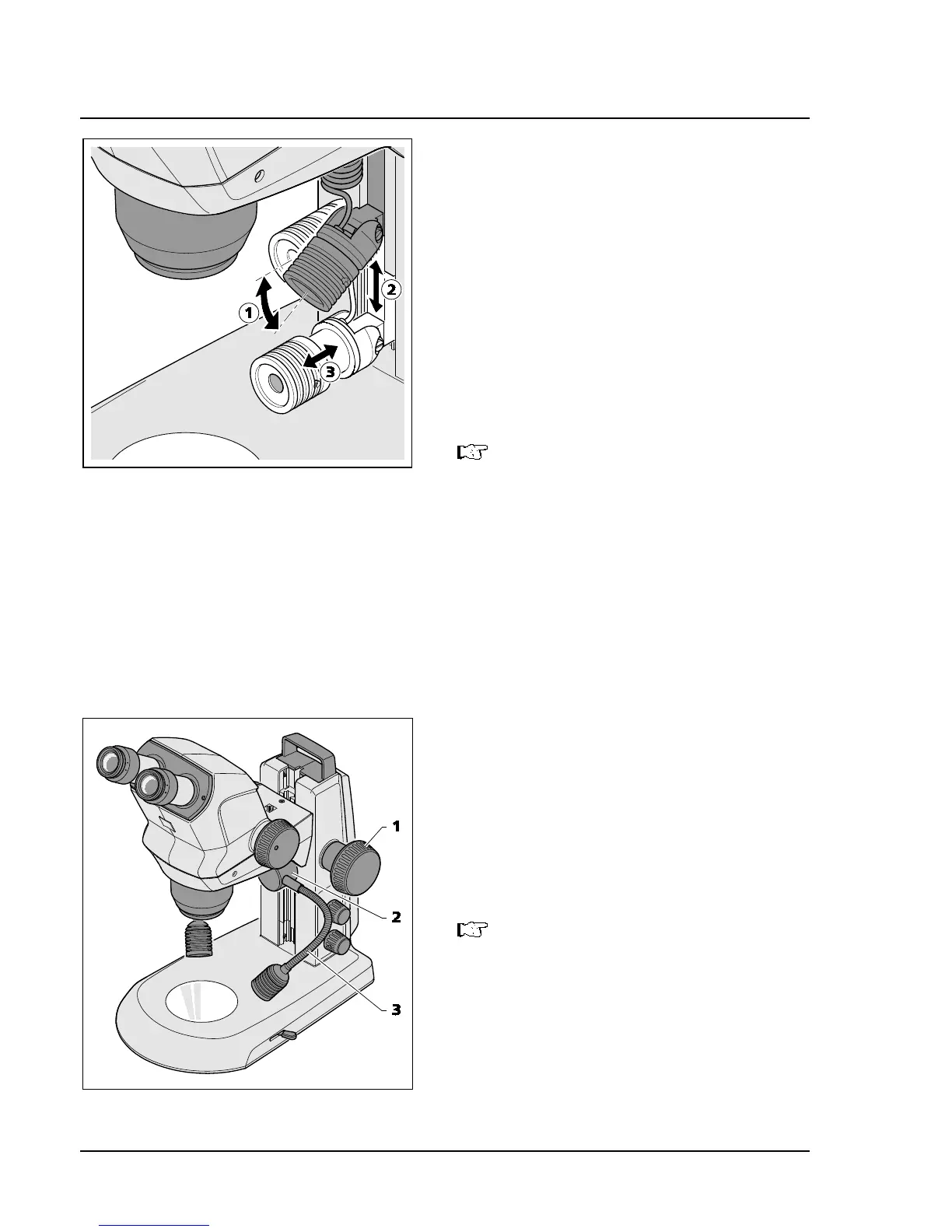
• Push spot illuminator in the guide to the
required height (Fig. 16/2).
In the lower positions, an oblique light
effect is created to produce cast
dows for enhancing surface
structures.
• Set the angle (Fig. 16/1) via the pivot of the
spot illuminator so that the object is optimally
illuminated.
• Set size and brightness of the spot by axially
shifting the focusing unit (Fig. 16/3)
(illumination zoom).
4.2.2 Double spot illuminator
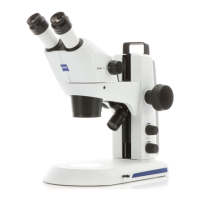
• Move the microscope body to its uppermost
position via the focusing knob (Fig. 17/1).
• Push double spot illuminator (Fig. 17/2) to the
required level within the guide.
• Bend the two goose necks (Fig. 17/3) to adjust
the spots so that the specimen is optimally
illuminated.
Here again, an oblique light effect can
be produced in the lower positions with
the goose neck set horizontally.
Fig. 16 Setting the spot illuminator
Fig. 17 Double spot illuminator










 To Next Page