OPERATION Stereo microscope
ZEISS Setting reflected-light illumination Stemi 508
32 435064-7044-001 01/2015
4.2.4 Controller K LED
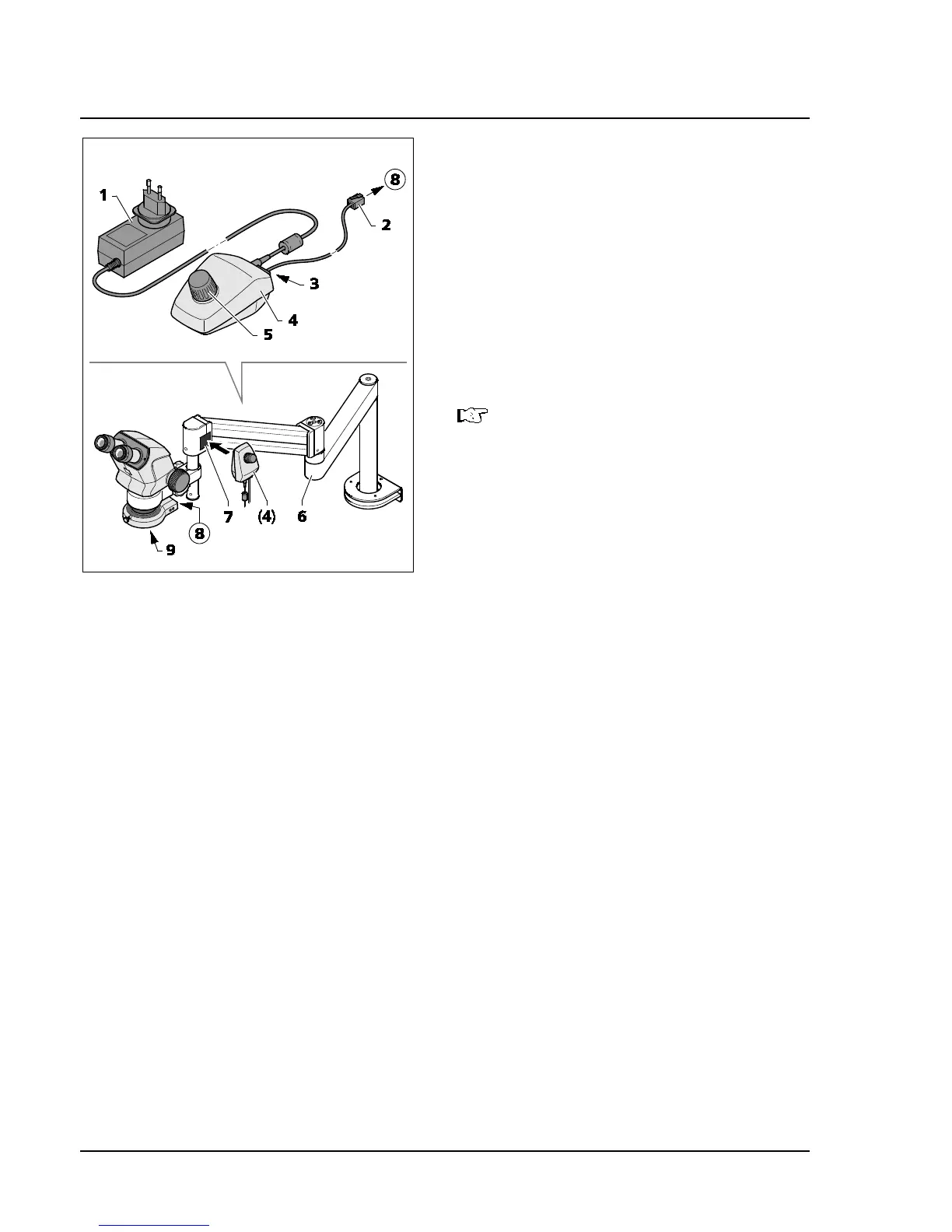
The Controller K (Fig. 19/4) is used to activate the
ring illuminator in case of applications with boom
stands A or U or additional stands.
• Mount the stands A and U including the
fastening of the Stemi 508 body to the Stemi
mount as described in the operating
instructions for the boom stands.
• Screw-fasten the front lens system (Fig. 19/7) to
the microscope body.
• Clamp ring illuminator to the front lens system.
Before using the front lens systems 0.3x
or 0.4x, fasten the retainer ring A53
mounting the ring illuminator to the
front lens system.
• Secure the adhesive side of the magnetic plate
(Fig. 19/7) to the swivel arm stand.
• Plug the connection cable supplied with the
device (1 m long) (Fig. 19/2) into the socket
(Fig. 19/8) on the ring illuminator and into the
socket (Fig. 19/3) on the back of the
controller K.
• Place controller K (Fig. 19/4) next to the
magnetic plate (Fig. 19/7).
• Connect controller K to the power supply using the power unit (Fig. 19/1).
• Align swivel arm stand (Fig. 19/6) to enable an ergonomic working position.
• Turn the knob (Fig. 19/5) on the controller K to switch the ring illuminator ON and adjust illumination
intensity by turning the knob.
• Place specimen in the illuminated specimen field.
• Set the stereo microscope to its initial setting, see Section 4.1 on page 29.
Fig. 19 Controller K LED










 To Next Page