111CM1001-001_v01
SETTING THE TIME
1
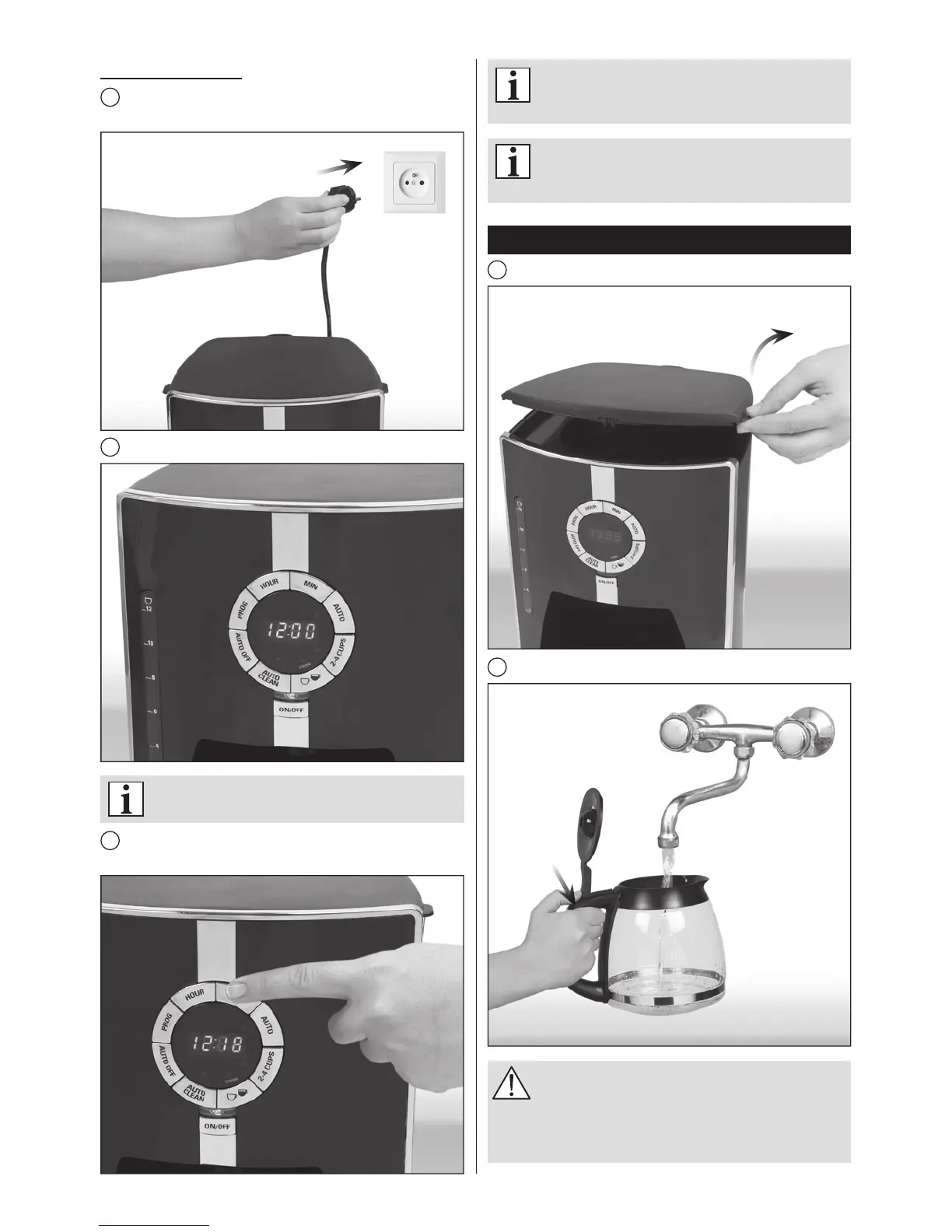
Plug the appliance into a suitable power outlet (see rating
plate).
2
The display will show 12:00. The „:” symbol will ash.
Itisnotnecessarytosetthetimeunlessyou
intendtousetheDELAYEDBREWINGfeature.
3
Set the time by pressing the (HOUR) and (MIN) buttons
until correct time is displayed.
Settingscanalsobeadjustedbypressingand
holdingdownbuttonswithouthavingtopress
themrepeatedly.
Itmaybenecessarytosetthetimeagainafter
unpluggingtheapplianceorevenashortpower
outage.
Brewing coff ee
1
Open the hinged lid.
2
Fill the jug with the desired amount of fresh, cold water.
Therearetwoholesatthebackoftheappliance
for draining excess water. Be careful not to
pourtoomuchwaterintothetank.Theexcess
waterwillbedischargedthroughtheopenings
ontothetabletoporotherworkingsurface.


 To Next Page