108 CM1001-001_v01
Before fi rst use
1
Dispose of packaging materials and remove labels from
the device.
2
Clean all detachable parts as indicated in the CLEANING
& MAINTENANCE section of this user manual.
3
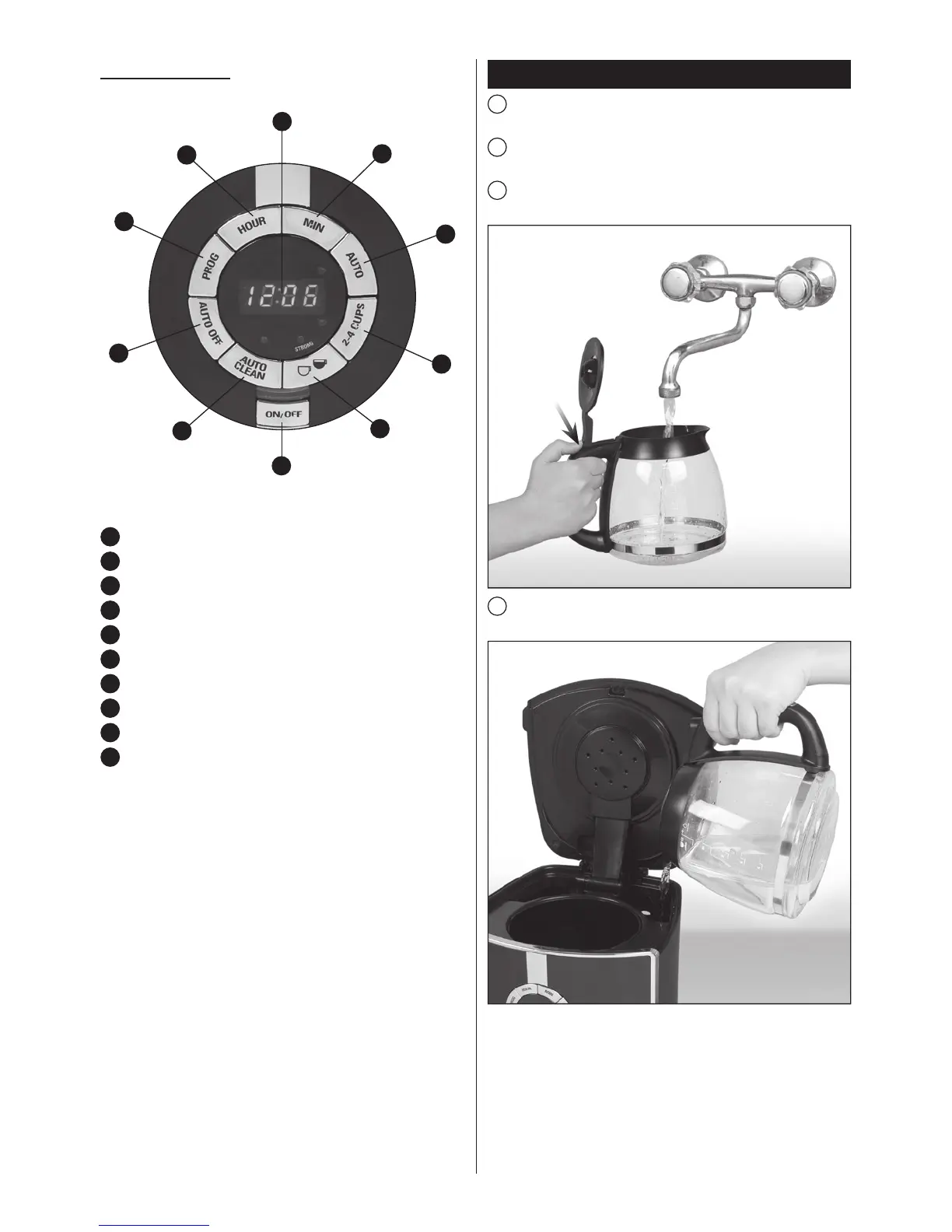
Lift up the hinged lid of the jug and ll it with fresh, cold
water up to the MAX level (12 cups).
4
Transfer the water from the jug into the water tank on the
appliance.
CONTROL PANEL
1
Digital display
2
Minute adjustment button (MIN)
3
AUTO button (delayed brewing)
4
Brew button (2-4 cups)
5
Coffee strength adjustment button
6
ON/OFF button
7
AUTO CLEAN button
8
Auto switch-off button
9
Programming button (PROG)
10
Hour adjustment button (HOUR)
1
2
3
4
5
7
8
9
10
6


 To Next Page