KEEP-WARM FEATURE WITH AUTO OFF
Once the coffee has brewed, the hotplate will keep its
temperature for 1 4 hours, and then the appliance will switch-
off automatically.
IftheAUTOOFFfunctionhasnotbeenmodied,
the appliance will switch off automatically
2hoursafterbrewing.
The AUTO-OFF may be adjusted between 1 and 4 hours, i.e.
the time after which the appliance will switch off automatically.
The countdown will start after completion of the brewing
process. Press the AUTO OFF button to advance the time by
1 hour. New settings are saved 2 seconds after entering.
DELAYED BREWING
1
To activate the delayed brewing feature, proceed as
described in section BREWING COFFEE, points 1-9.
2
Make sure that the correct time of day has been set (see
SETTING THE TIME).
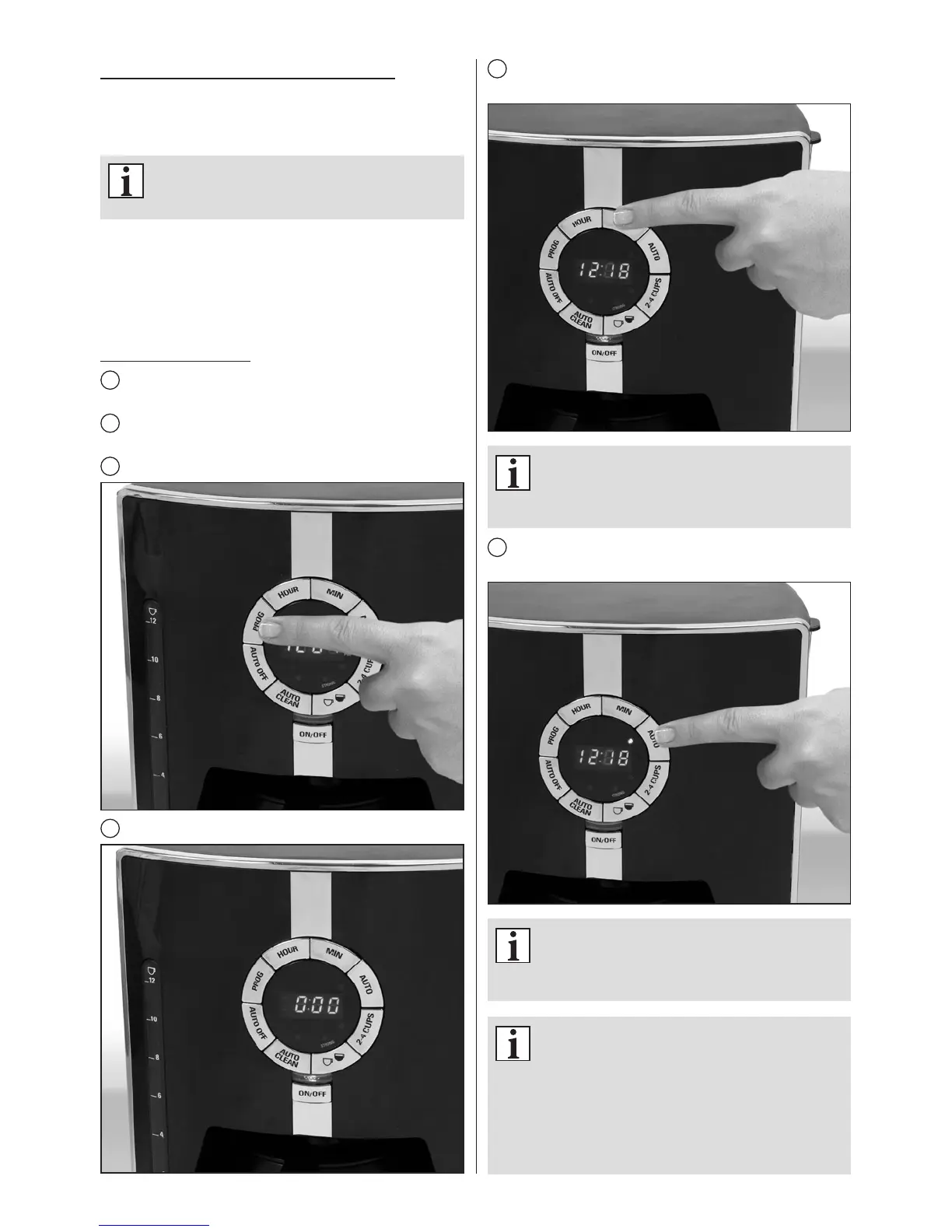
3
Press the PROG button.
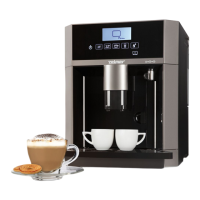
4
The display will show 0:00 or the last saved time setting.
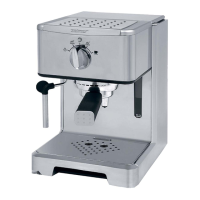
5
Set the time you want the coffee maker to start brewing
using HOUR and MIN buttons.
Ifthestarttimeisnotsetbeforetheclockstops
ashing,thedisplaywillgobacktothecurrent
time.Tochangethesetting,pressPROGbutton
againandsetthestarttimeforbrewing.
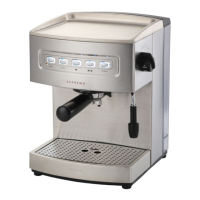
6
Press the AUTO button to conrm your delayed brewing
settings. The relevant indicator light will come on.
Tocheckthetimesettingfordelayedbrewing,
pressandholdthePROGbutton.Thecurrent
time will reappear on the display once the
buttonisreleased.
To change the time settings, press theAUTO
button–thesettingswillbecancelled.
Tosetupthedelayed brewingfeature,follow
the instructions given in section DELAYED
BREWING,points3-6.
Tostartbrewing right away,simplypress the
ON/OFFbutton.


 To Next Page