58 Rev.C 59 Rev.C
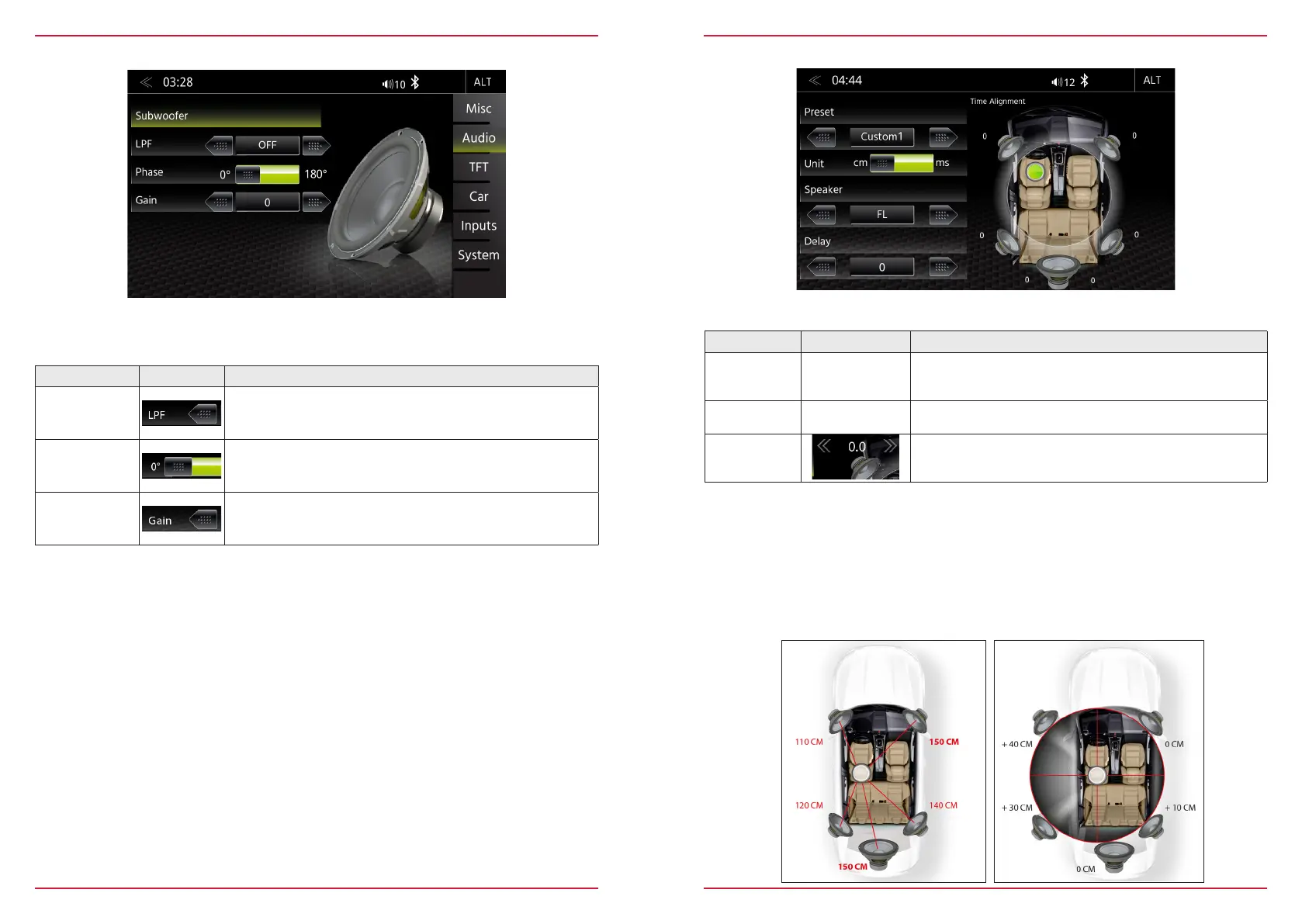
SUBWOOFER SETUP
Function Icon Operation
LPF
Tab to set the low pass filter
OFF/ 240 Hz/ 160 Hz/ 120 Hz/ 85 Hz/ 55 Hz
Phase
SUBWOOFER ONLY
0/180° (inverted phase)
Gain
Touch to set the GAIN
-6 < > 6
In this Expert Mode menu, you can adjust Phase, Gain, and Low-pass transition frequencies of the
subwoofer. The default settings are Phase 0 °, GAIN "0", LPF OFF.
TIME ALIGNMENT
Function Icon Operation
Unit
Selection of desired unit
ms = time
cm = distance
Speaker
Tap to select the desired speaker
(FL / FR / RL / RR / SW)
Delay
ms = 0.0 < > 20 in approx. 0.1 ms steps
cm = 0 < > 680 in approx. 3 cm steps
In this menu you can set the time delay correction for the loudspeakers in your vehicle.
The distance between the ears and the speaker system installed in the vehicle varies considerably
due to the given arrangement of the factory mounting location. This menu gives you the option to
delay the audio signal at each of the speakers so that you have a ”center stage” effect.
Set your central listening position. Measure the distance from this position to each speaker.
Now you need to add the corresponding delay - depending on the speaker with highest distance - to
move the speakers to same distance from selected position. Enter these distance to let all speakers
have the same distance. You can fine tune values by “ear” after the distances from listening position
to each speaker have been entered, simply by adjusting the left front speaker delay until center stage
position is reached.



 To Next Page