56 Rev.C 57 Rev.C
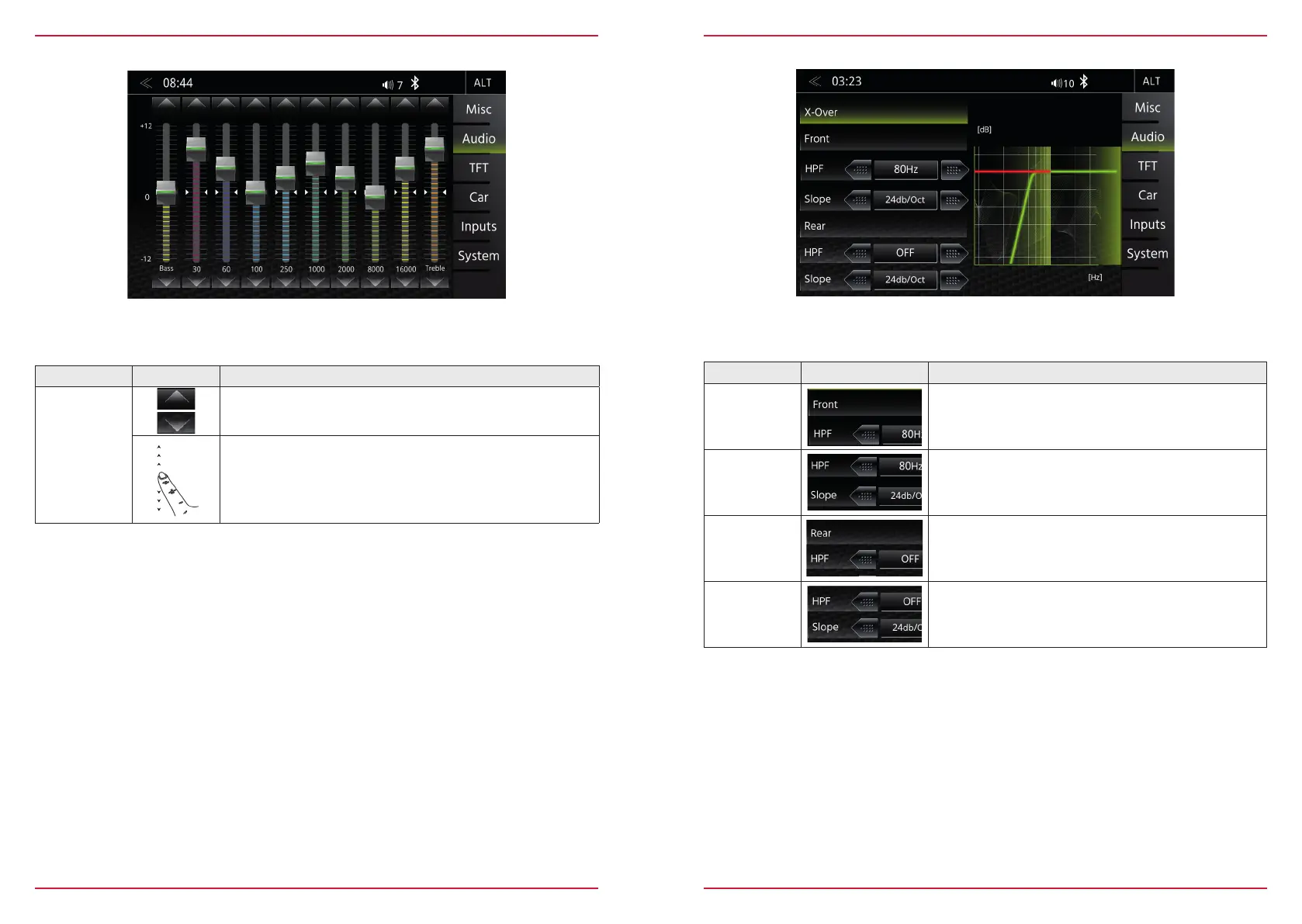
EQUALIZER
In this Expert Mode menu page, you can set the 8-band graphical equalizer. Press and hold the indivi-
dual band level sliders to move it up or down for a level change.
Function Icon Operation
Band
Tap to set the desired BAND
Touch and hold to change the setting of the selected band
X-OVER SETUP
In this Expert Mode menu, you can adjust the High-pass transition frequencies of the front and rear
speakers. The factory default is OFF for front and rear speakers.
Function Icon Operation
HPF (Front)
Tap to set the high pass filter for front speaker
OFF/ 50 Hz /63 Hz/80 Hz/100 Hz/120 Hz
Slope
12/24 dB/Oct.
HPF (Rear)
Tap to set the high pass filter for rear speaker
OFF/ 50 Hz /63 Hz/80 Hz/100 Hz/120 Hz
Slope
12/24 dB/Oct.



 To Next Page