64 Rev.C 65 Rev.C
INPUT SETUP
Function Icon Operation
Inputs
Tap to adjust image setup configuration of connected external
video sources (e.g. rear view camera., etc.)
Brightness
0 ~ 24
Contrast
0 ~ 24
Saturation
0 ~ 24
Hue
0 ~ 24
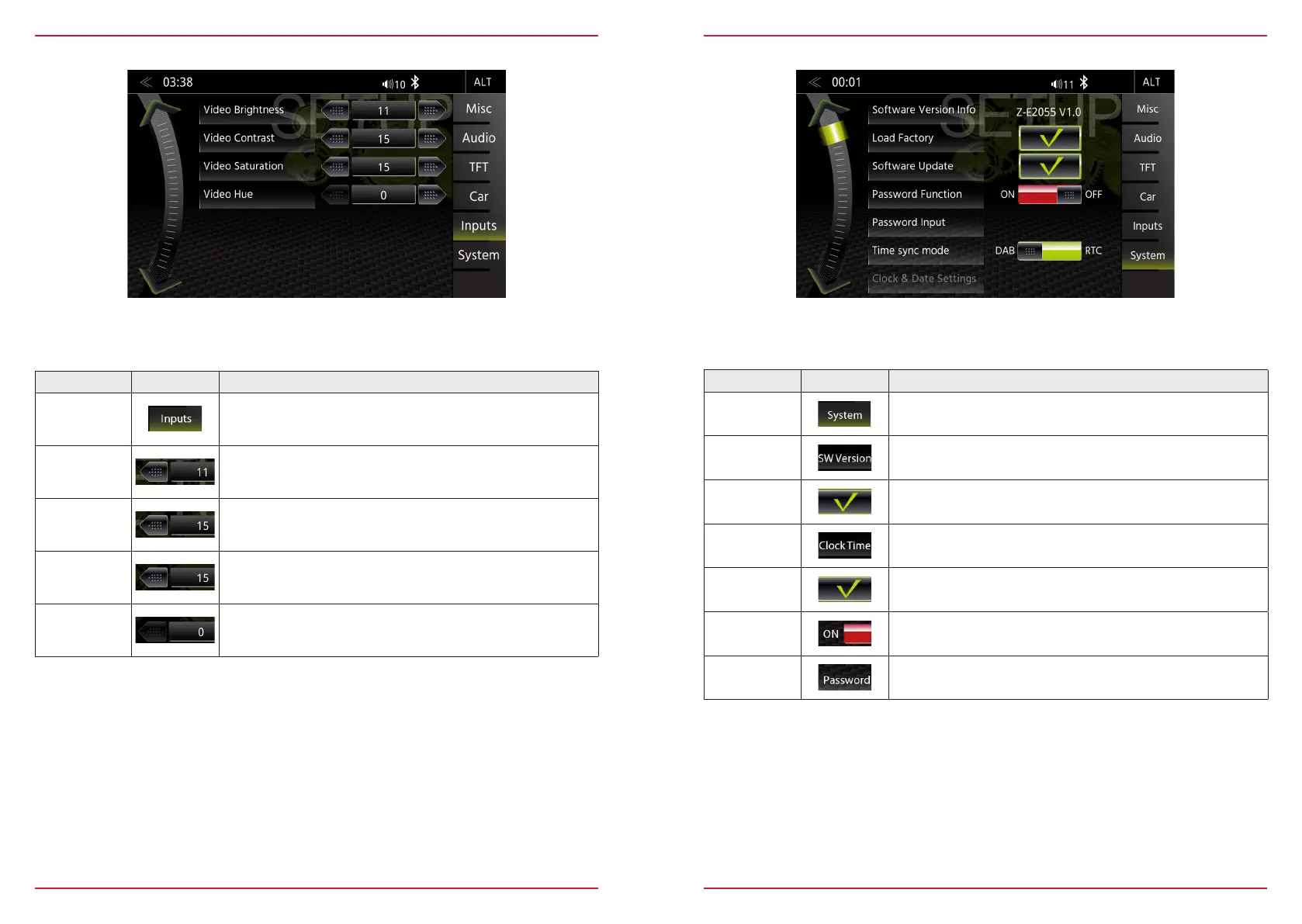
In the Input Setup menu, you can adjust the image settings of the connected video sources, such as
Reverse Cameras. Contrast, brightness, color saturation and hue can be adjusted.
SYSTEM SETUP
Function Icon Operation
System
Tap to access various system settings
SW Versions
Info
Tap to access detailed software version information
Load Factory
Tap and confirm to reset the ZENEC system to factory default
Clock Time
Setup
Tap to adjust clock time
Software
Update
Tap and confirm to initiate a software update.
www.zenec.com → Support → Softwareupdates
Password
Function
OFF = password protection disabled
ON = password protection enabled
Password
Tap and confirm to store a password
In the System Setup menu page, you can make various system settings, such as: Adjust the Clock
Time, Load Factory settings, Initiate Software Updates or set a Password.



 To Next Page