68 Rev.C 69 Rev.C
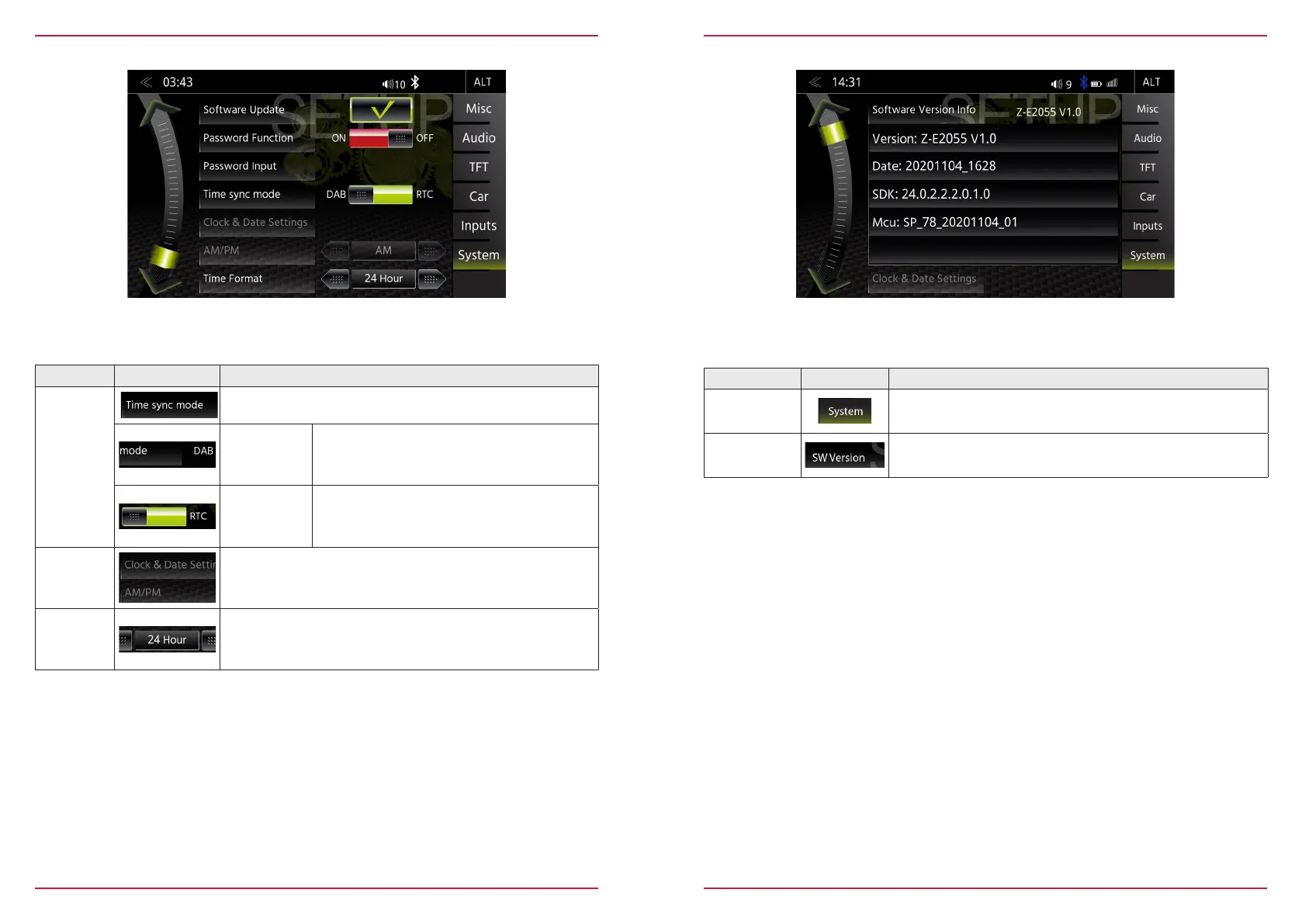
In the System Setup menu page under Clock Time, you can set the format, change the displayed time
and select the time sync source (system time or DAB) for the time display.
CLOCK TIME
Function Icon Operation
Clock Time
Sync. Mode
Tap to change the clock time sync. mode
DAB Sync
automatic synchronisation by DAB (Manual
adjustments such as clock time and time zone
not possible)
RTC Sync
automatic synchronisation by system RTC
(Manual adjustments possible)
Date &
Clock
Time
Tap to change time and date (Year:Month:Day) if sync is
"RTC Sync."
Clock
Format
Tap to change the clock format
SOFTWARE VERSION
Function Icon Operation
System
Tap to access this view
SW Version
Displays the current software version information
In the System Setup menu page under SW version, you will see the currently installed software
versions with detailed version info for MCU, OS and AP, inclusive a simple Short Software Version.



 To Next Page