3
1
2.a
2.b
3
REMOVAL WORK AND PREPARATION:
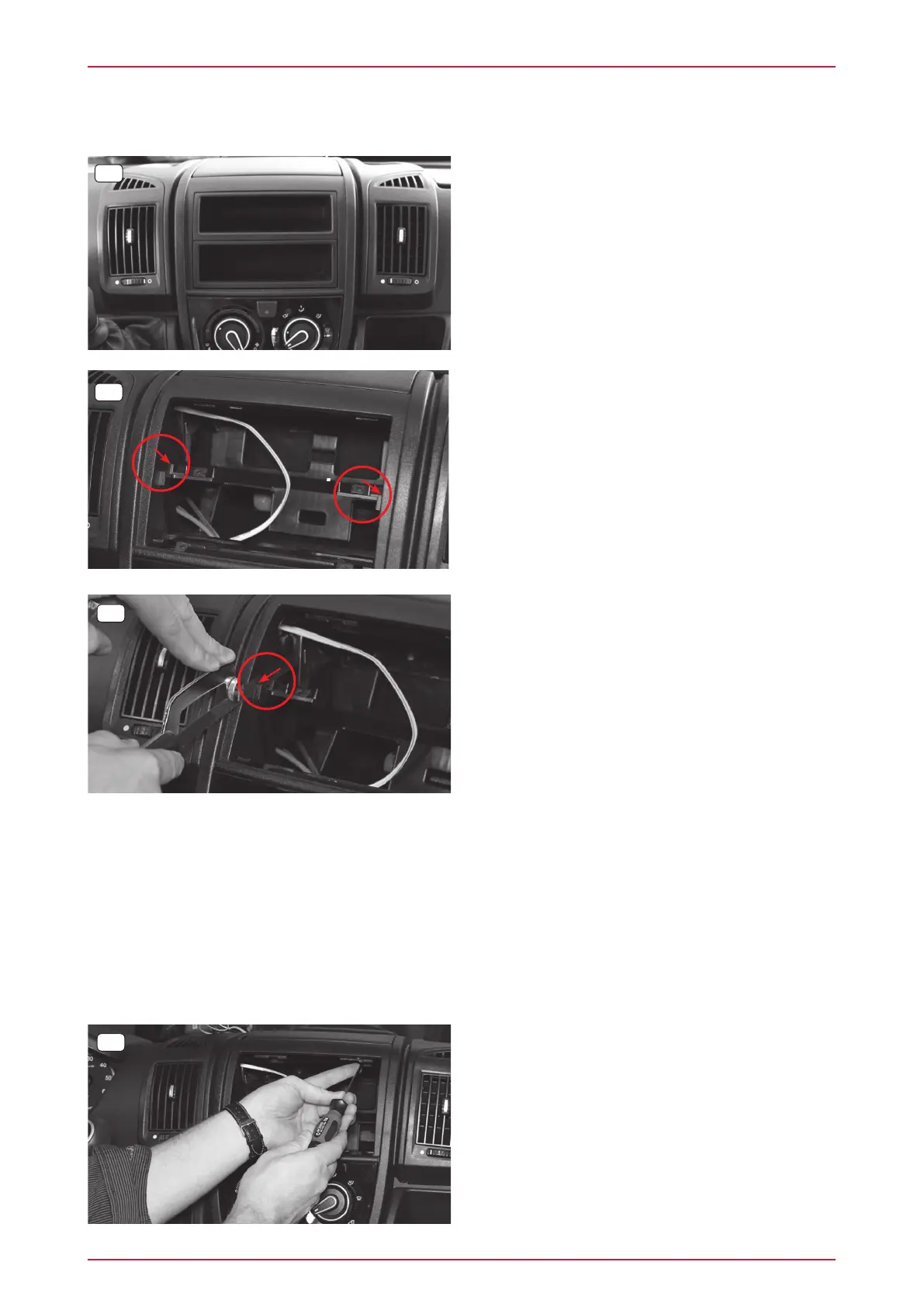
1. Remove both storage compartments in
accordance with the manufacturer‘s information.
INSTALLATION:
2.a Cut off the left and right plastic holders for the
storage compartments as flush as possible.
3. Remove the two original Torx screws at the top
(T25).
2.b Use a suitable saw to do this, and then a file to
remove any protrusions still present.



 To Next Page