13
ZE-MC296
PLAYBACK IPOD/USB/SD
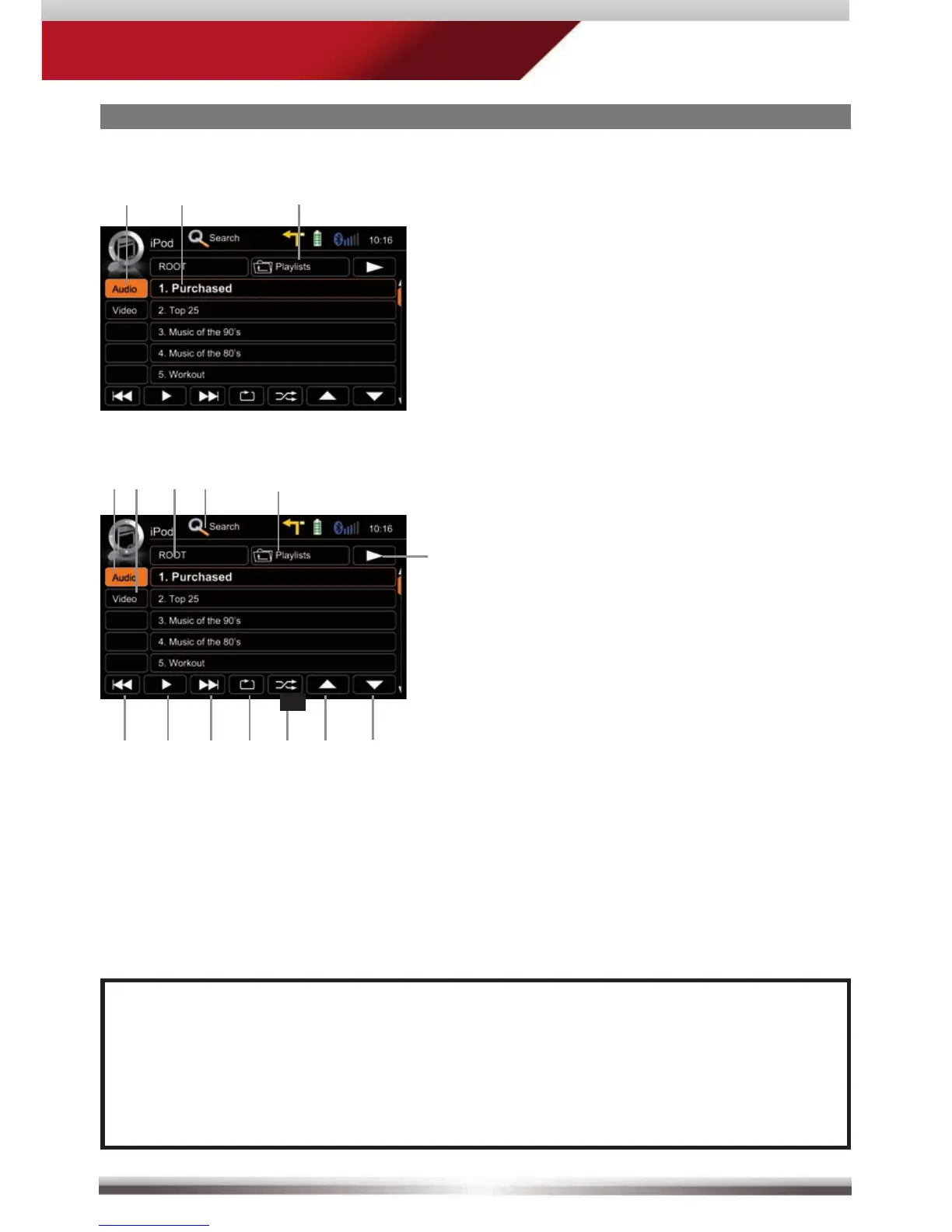
Display elements:
i-Pod mode
Track/folder/playlist
Current folder
Control elements:
Previous track
Play/Pause
Next track
Repeat
Shuffl e
Cursor up
Cursor down
Switch to playback page
Switch to iPod audio mode
Switch to iPod video mode
Go to root directory
Search
Folder/playlist up
Playlist page iPod:
NOTE:
All fi les on the inserted media get sorted according to their fi le extension.
■ Types can be separately played/handled.
■ Directories containing a single fi le type only, are also displayed.



 To Next Page