8
RADIO MODE
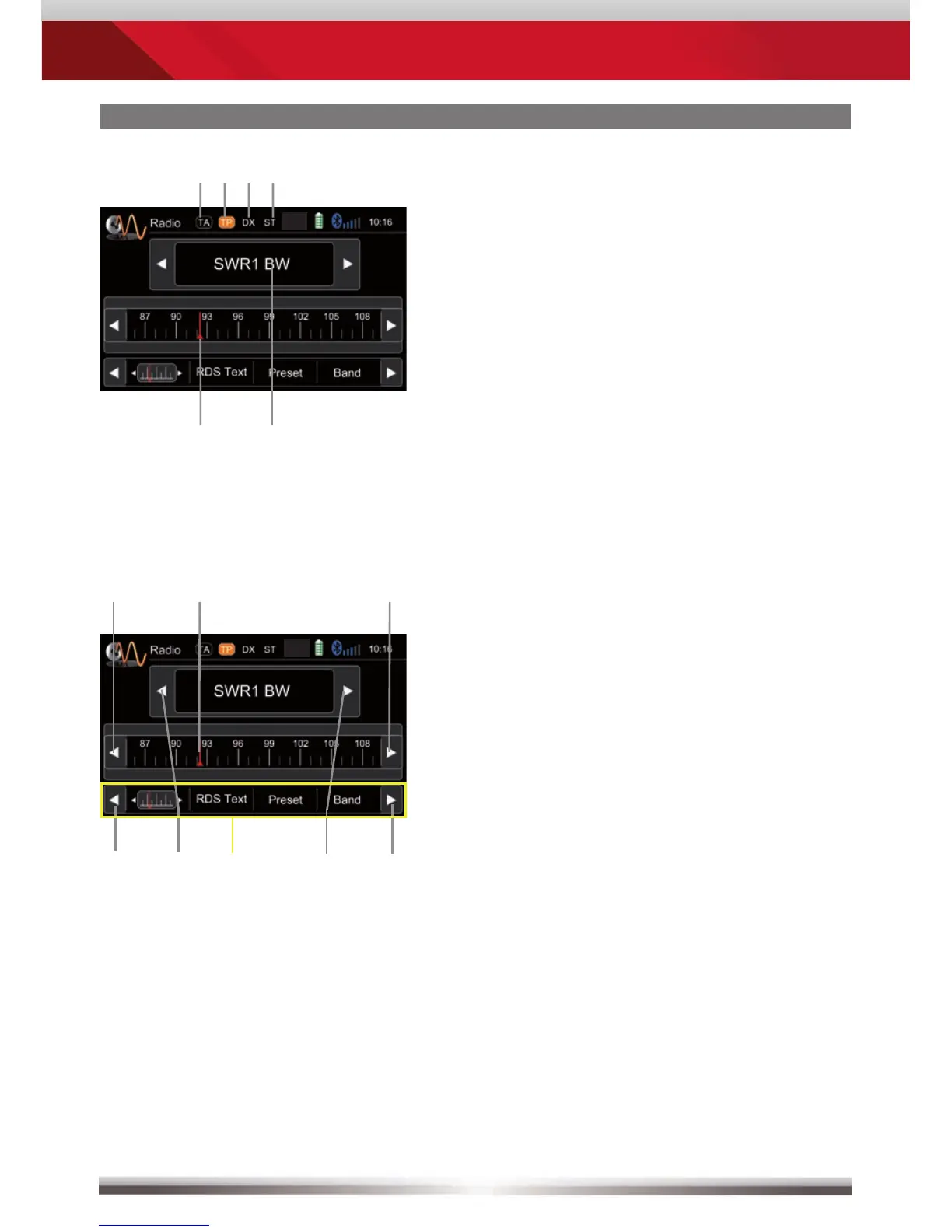
Display elements:
Red line marks current frequency
Frequency or station name
Traffi c announcement status
Traffi c announcements on carrier
LOC/DX status
Stereo reception status
Control elements:
Scroll left
Previous station
Tap to select center display content
Next station
Scroll right
100 kHz down
Drag to adjust frequency
100 kHz up



 To Next Page