22
BLUETOOTH MODE
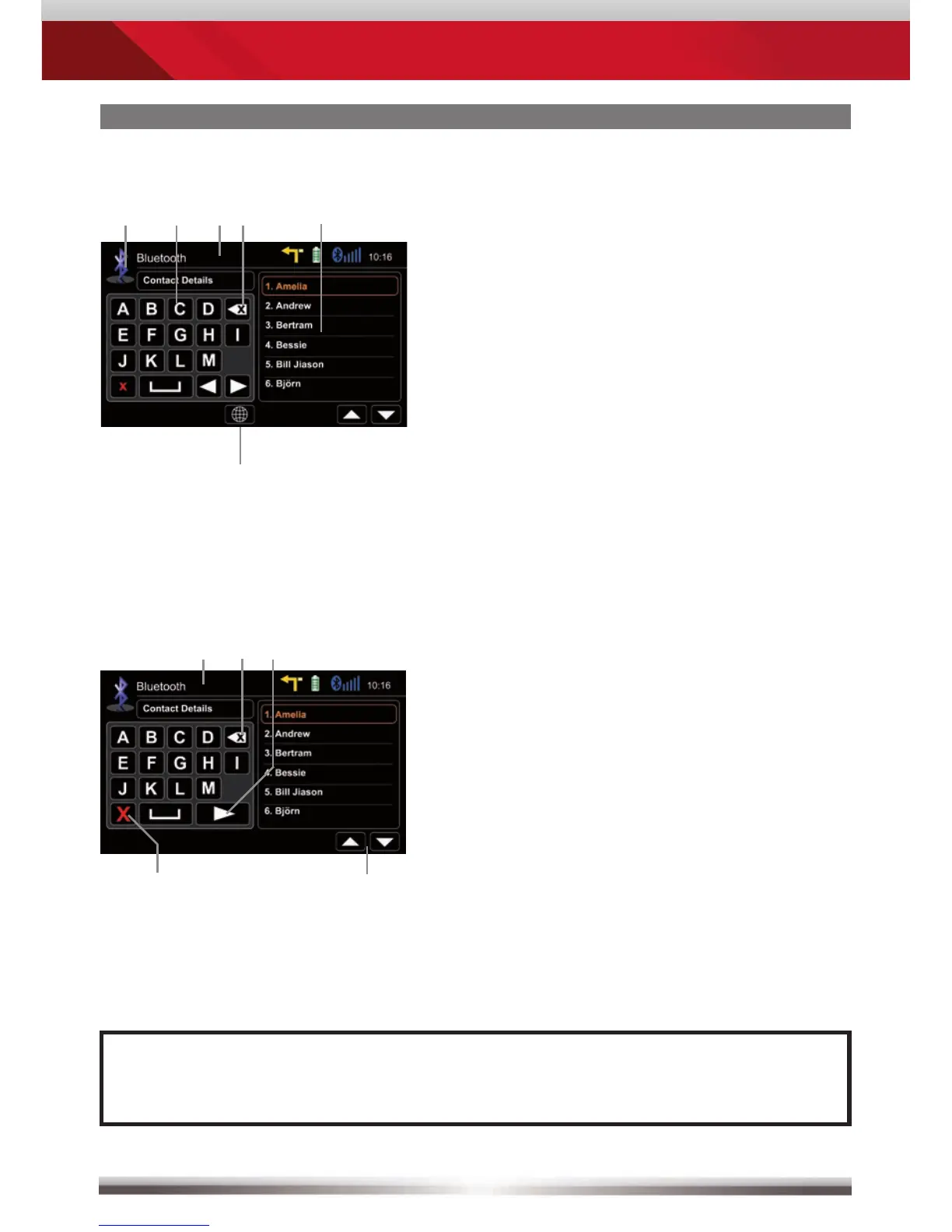
Contacts - Manage phonebook:
No function, when keypad is active
Quit keypad
Display input
Tap to delete last character
Switch to next page of keypad
Search for an entry:
NOTE:
■ You may search for up to 15 leading characters.
Back to BT main menu
Tap a contact number to start a call
Search
Tap on star to save as favourite
Choose contact name from list
Select preferred keyboard language
Control elements:


 To Next Page