28
SYSTEM SETUP: MAIN / FIRST SETTINGS
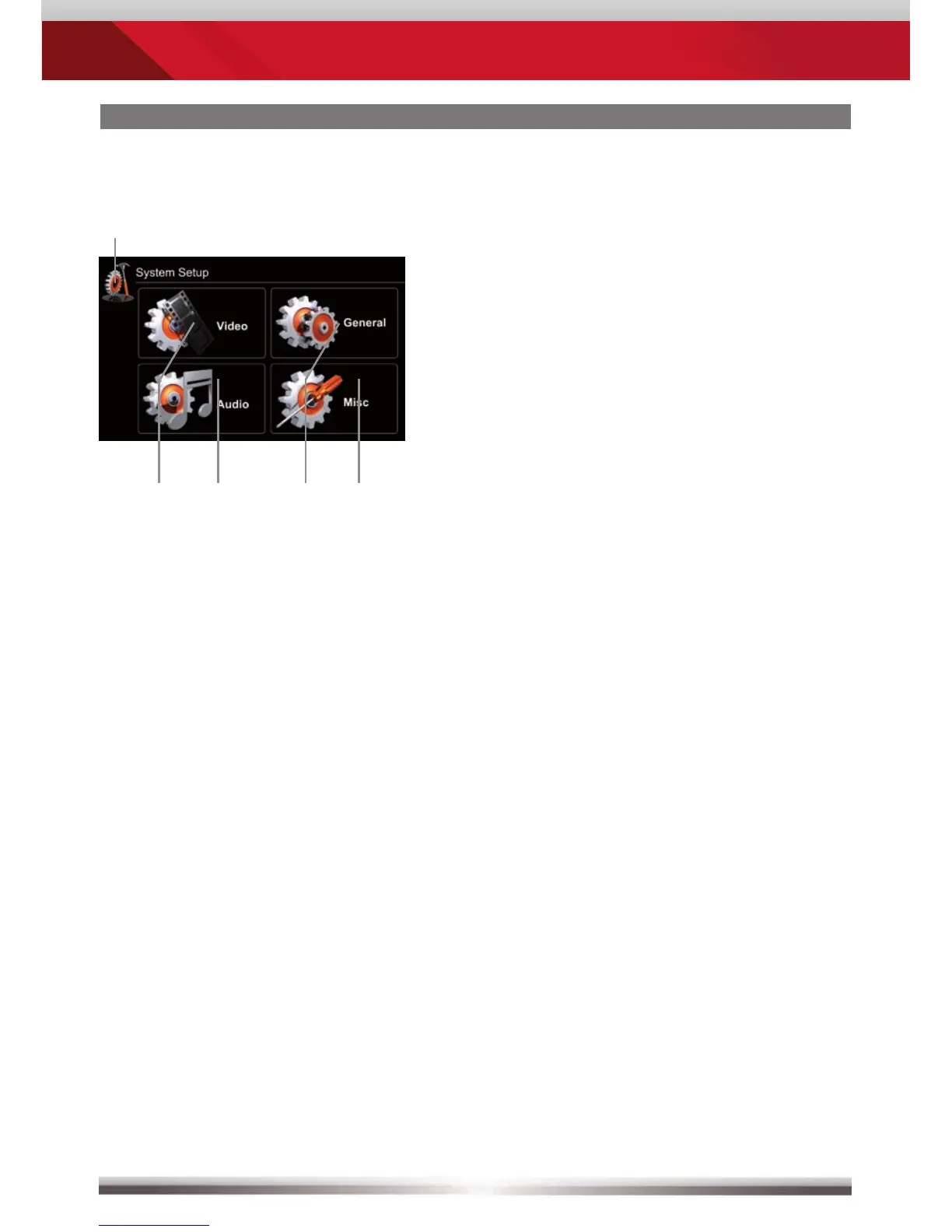
Main setup screen:
Settings to attempt after mounting and initial startup:
Set OSD language: Go to Setup>General>Language
to choose your desired OSD
language. Animated picture visualises
your setting.
Set Reverse Camera: Go to Setup>General>Driver Assist
Needs to be enabled to use the camera.
Animated picture visualises your setting.
Set button background illumination: Go to Setup>General>Color
to select one of six predefined colors.
This device is equipped with a variable
RGB button background illumination.
Control elements:
Return to the previous menu.
Works with all four submenus.
See chapter Setup Video.
See chapter Setup Audio.
See chapter Setup General.
See chapter Setup Misc.


 To Next Page