EasyManua.ls Logo

Zenith H-100 - Page 63

Zenith H-100
98 pages
Print Icon
To Next Page IconTo Next Page
To Previous Page IconTo Previous Page
Loading...
10-82
INTRODUCTION
The
procedures
on
the
following
pages
show you
how
to
remove
the
H-207
Floppy
Disk
Controller
Board
from
the
two
different
models
of
the
H/Z-100.
Find
the
appropriate
procedure
and
follow
the
instructions.
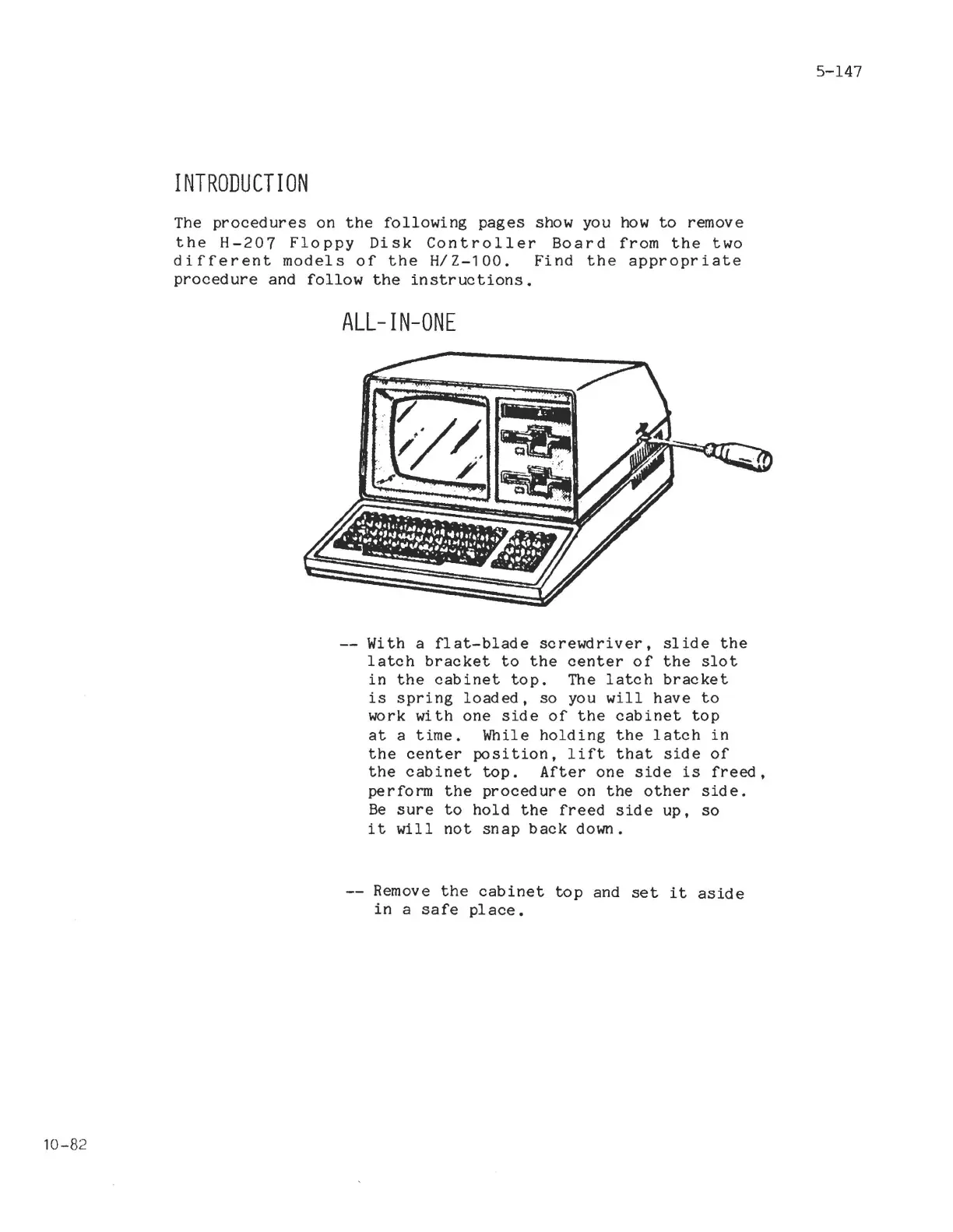
ALL-IN-ONE
With a
flat-blade
screwdriver,
slide
the
latch
bracket
to
the
center
of
the
slot
in
the
cabinet
top.
The
latch
bracket
is
spring
loaded,
so
you
will
have
to
work
with
one
side
of
the
cabinet
top
at
a
time.
While
holding
the
latch
in
the
center
position,
lift
that
side
of
the
cabinet
top.
After
one
side
is
freed,
perform
the
procedure
on
the
other
side.
Be
sure
to
hold
the
freed
side
up,
so
it
will
not
snap
back
down.
Remove
the
cabinet
top
and
set
it
aside
in
a
safe
place.
5-147

Related product manuals