EasyManua.ls Logo

Zenith H-100 - Low Profile

Zenith H-100
98 pages
Print Icon
To Next Page IconTo Next Page
To Previous Page IconTo Previous Page
Loading...
COLOllED
fDGE
10-82
LOW
PROFILE
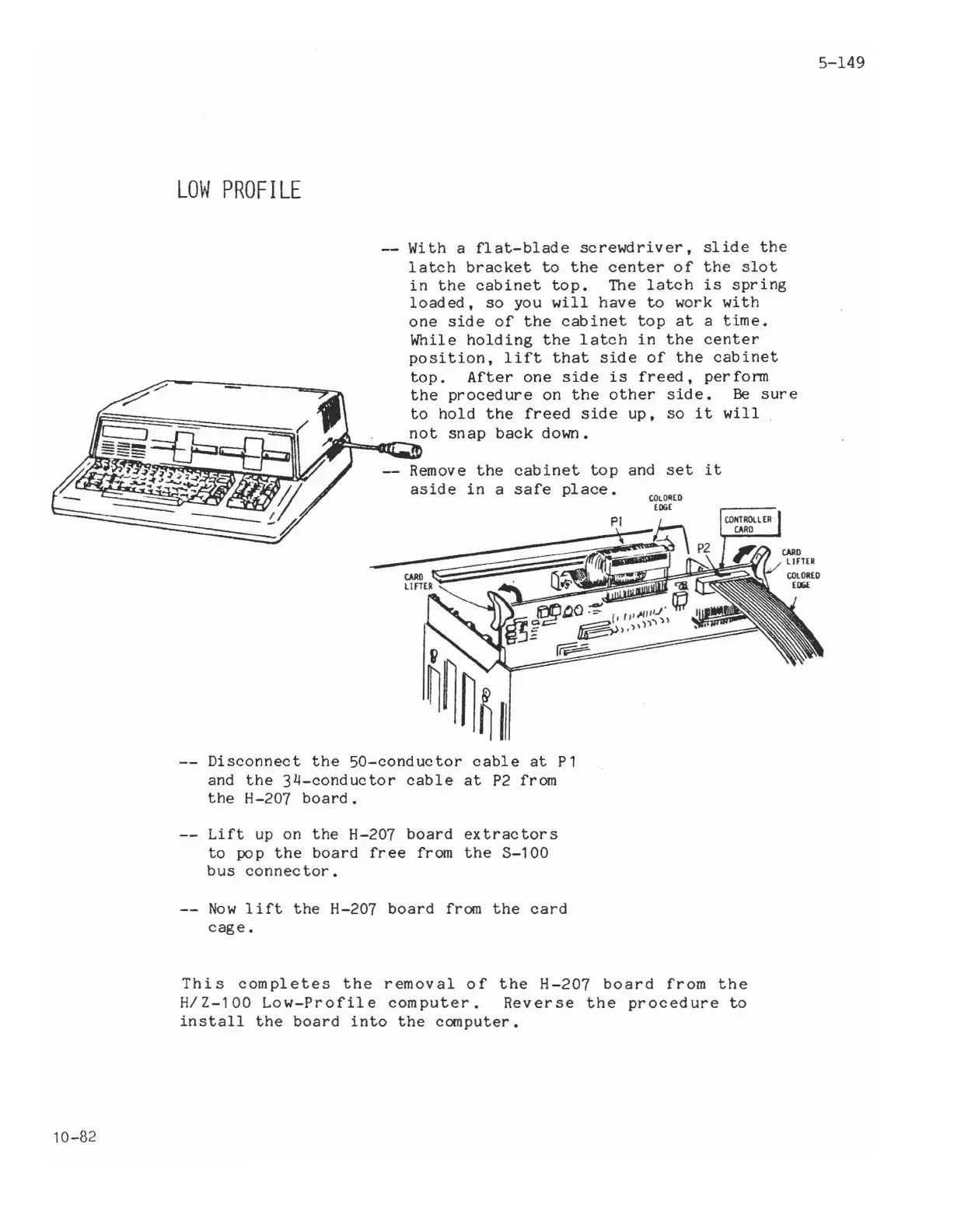
With a
flat-blade
screwdriver,
slide
the
latch
bracket
to
the
center
of
the
slot
in
the
cabinet
top.
The
latch
is
spring
loaded,
so
you
will
have
to
work
with
one
side
of
the
cabinet
top
at
a
time.
While
holding
the
latch
in
the
center
position,
lift
that
side
of
the
cabinet
top.
After
one
side
is
freed,
per
fonn
the
procedure
on
the
other
side.
Be
sure
to
hold
the
freed
side
up,
so
it
will
not
snap
back
down.
Jr''''""'G:lC:1tI
cabinet
top
and
set
it
safe
place.
Disconnect
the
50-conductor
cable
at
P1
and
the
34-conductor
cable
at
P2
from
the
H-207
board.
Lift
up
on
the
H-207
board
extractors
to
pop
the
board
free
from
the
3-100
bus
connec
tor.
Now
lift
the
H-207
board
from
the
card
cage.
This
completes
the
removal
of
the
H-207
board
from
the
H/Z-100
Low-Profile
computer.
Reverse
the
procedure
to
install
the
board
into
the
computer.
5-149

Related product manuals