EasyManua.ls Logo

Zenith H-100 - Page 80

Zenith H-100
98 pages
Print Icon
To Next Page IconTo Next Page
To Previous Page IconTo Previous Page
Loading...
5-164
J2
= 8 > 5
PROCEDURE
Remove
the
controller
board
from
the
computer.
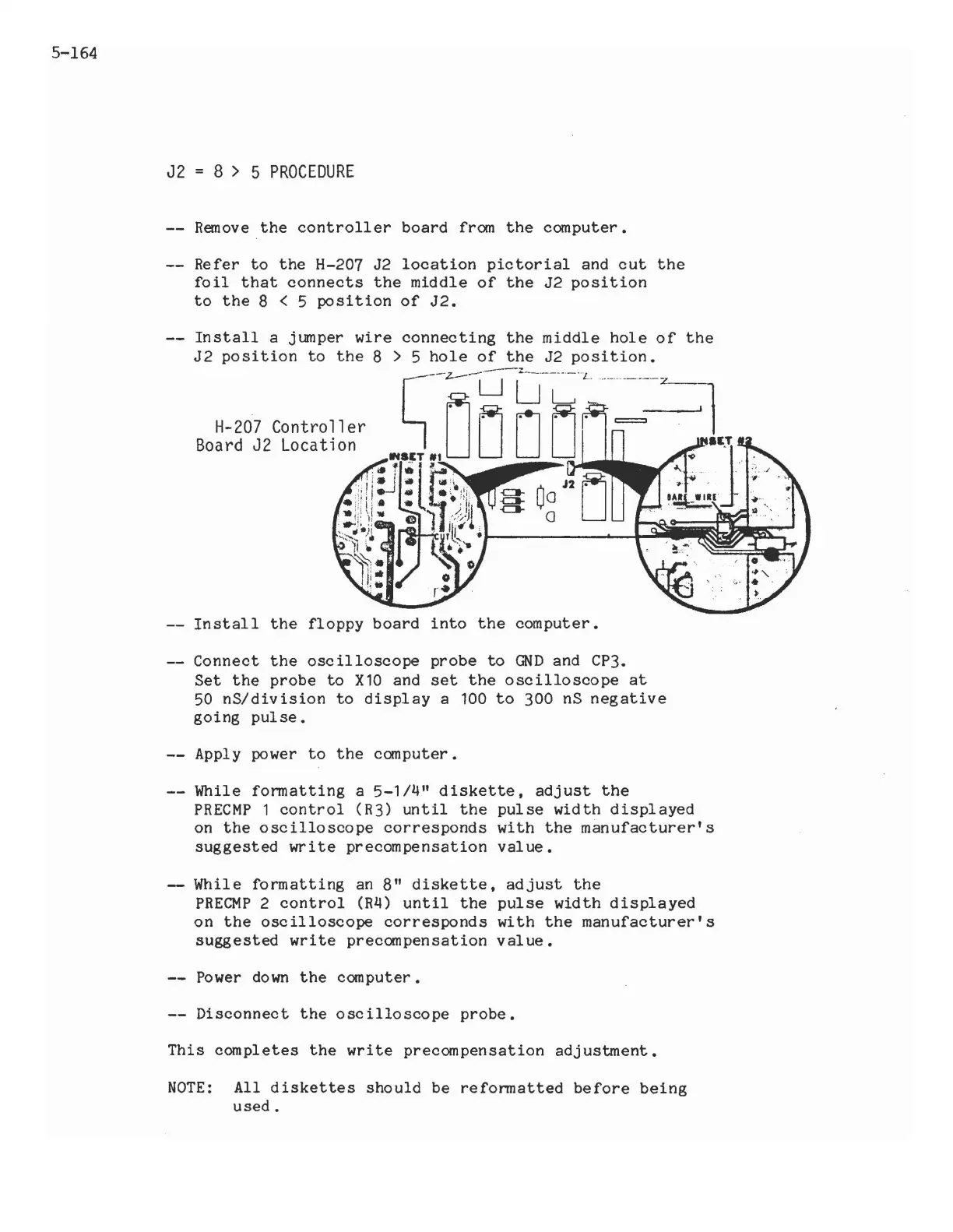
Refer
to
the
H-207 J2
location
pictorial
and
cut
the
foil
that
connects
the
middle
of
the
J2
position
to
the
8 < 5
position
of
J2.
H-207
Controller
Board
J2
Location
the
middle
hole
of
the
Install
the
floppy
board
into
the
computer.
Connect
the
oscilloscope
probe
to
GND
and CP3.
Set
the
probe
to
X10
and
set
the
oscilloscope
at
50
nS/division
to
display
a 100
to
300 nS
negative
going
pulse.
Apply power
to
the
computer.
While
formatting
a
5-1/4"
diskette,
adjust
the
PRECMP
1
control
(R3)
until
the
pulse
width
displayed
on
the
oscilloscope
corresponds
with
the
manufacturer's
suggested
write
precompensation
value.
While
formatting
an
8"
diskette,
adjust
the
PRECMP
2
control
(R4)
until
the
pulse
width
displayed
on
the
oscilloscope
corresponds
with
the
manufacturer's
suggested
write
precompensation
value.
Power
down
the
computer.
Disconnect
the
oscilloscope
probe.
This
completes
the
write
precompensation
adjustment.
NOTE:
All
diskettes
should
be
reformatted
before
being
used.

Related product manuals