Page 32
Channel Labels
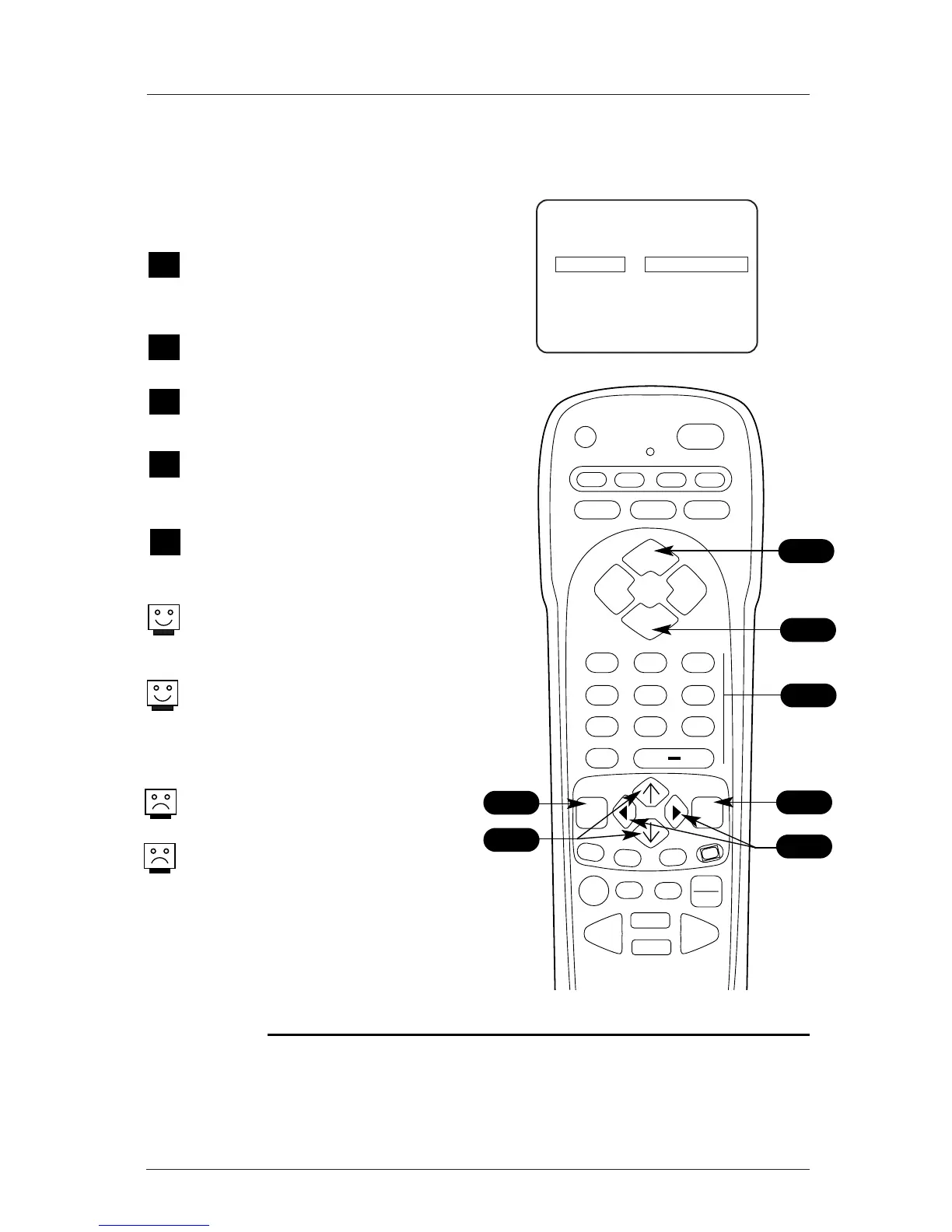
Identify Analog channels with Preset Channel Labels
Using either the NUMBER keypad and Enter
or the Channel Up/Down arrows on the
remote, select a channel.
Press MENU repeatedly on the remote until
the Setup menu appears.
Choose the Ch. Labels option using the
Up/Down arrow.
Pressing either the Right/Left arrow repeat-
edly, pick the label you want from the avail-
able preset selections; such as A & E.
To continue channel labeling, select another
channel or if you are finished, press ENTER
to remove menu.
Some channels already provide a channel
label which is included on the broadcast sig-
nal.
Labeling the channels helps the end user
identify which familiar nationwide channels
are available. i.e., A & E -Arts and
Entertainment, CNN - News, ESPN - Sports,
HBO - Movies and so on...
Channel Labels are not available for Digital
Channels.
Note: Aux Channel is labeled Aux and can not
be changed.
1
CH. LABELS
2
3
1/5
4
1
Mini Glossary
- - - - The 4 dashes will allow a channel label to appear; if one is provided by the broadcaster.
NONE Prevents any channel label from appearing.
1
1
5
Menu Operation/Front Control Panel
The menus can also be operated by using the
TV front panel controls.
See page 24 for menu operation instructions.
If you need to key-in numbers, then use the
remote control
.



 To Next Page