Page 35
Timer (On-Off Timer Setup)
Set up On/Off Timers Note: On/Off Timers operate independently of each other.
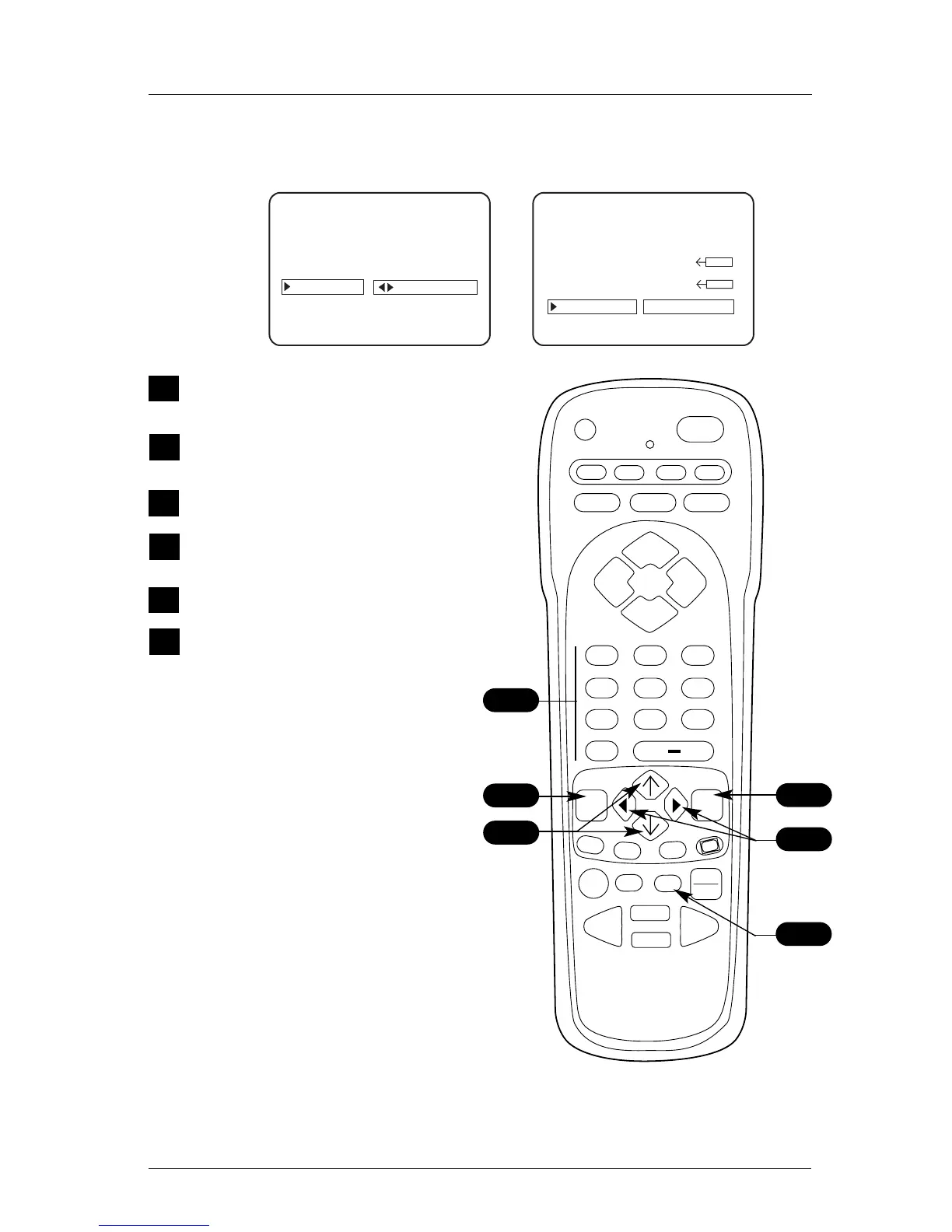
On the remote, press MENU repeatedly until
the Setup menu appears.
Use the Up/Down arrow to highlight the
Timer option, press the Right arrow.
Use the Up/Down arrow to select an option.
Use the number keypad and/or the Left /
Right adjust arrows to key in the times.
Use the TIMER key to set AM/PM.
Press ENTER to remove menu.
Your options are:
• On Time
Sets a time that the TV will turn itself On
each day.
• Off Time
Sets a time that the TV will turn itself Off
each day.
• On/Off Timer
Enables or disables the On/Off Timer func-
tions. (The On/Off Timer can be disabled but
the settings will be retained.)
Notes
• The clock must be set before the Timers will
function.
• The Off Timer can be used to turn the TV
Off at the preset time.
• No On Timer setting is required to use the
Off Timer feature.
1
2
CH. LABELS



 To Next Page