EasyManua.ls Logo

Zenith H27H49S - Page 9

Zenith H27H49S
80 pages
Print Icon
To Next Page IconTo Next Page
To Previous Page IconTo Previous Page
Loading...
Page 9
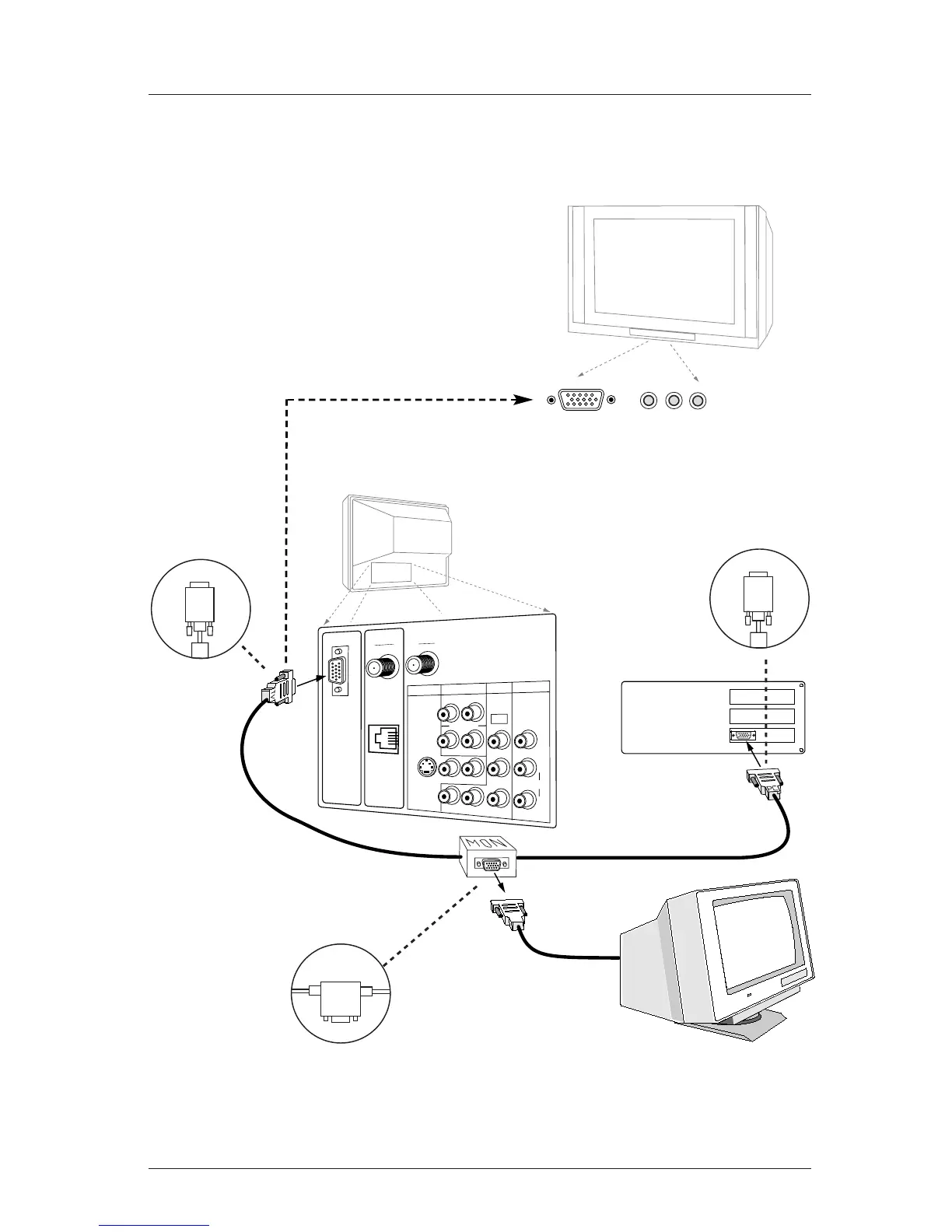
Computer Hookup
Make the connections with the 15-ft. “Video-Mirror” cable exactly as shown. Also
refer to the preceding page for audio connections and “Using the monitor function.”
Computer Monitor
Video Cable
from Monitor
Note: Actual
appearance of
components
may vary.
Back of
Computer
TV Back
Connect
to
TV
Connect
to
Monitor
Connect
to
Computer
TV
PC
MON
Video-Mirror cable
connectors are clearly
marked.
Connect as shown in drawing:
TV to the Television
MON to the Computer Monitor
PC to the Computer
L
M.P.I.
C
O
M
P
U
T
E
R
I
N
PR
VIDEO IN
IN
COMPUTER
R
DVD IN
AUDIO
AUDIO
S-VIDEO
AUDIO OUT
R
L
R
L
R
L
Y
P
B
480I
DIGITAL
ANTENNA
ANTENNA
CABLE
An accessory packet is included with
all TV models. A 15-ft. cable with a
“video mirror” for providing a com-
puter image to two monitors—your
computer’s monitor and the TV.
Notes
Your TV must be plugged in—not necessarily turned On—for the computer monitor to function.
• Unless the Mirror Cable is connected exactly as shown above, no computer image will appear on the TV.

R audio L
Video in
TV Front
Computer in
(800 x 600 @60 Hz)

Table of Contents

Related product manuals