EasyManua.ls Logo

Zenith XBR716 - User Manual

Zenith XBR716
48 pages
Print Icon
To Next Page IconTo Next Page
Loading...
RC275-M_NA1ULZS_ENG
Installation and Operating Guide | Warranty
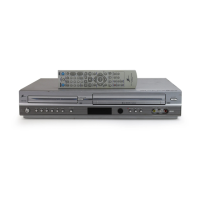
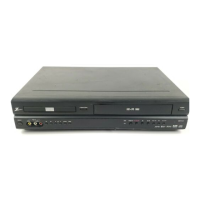
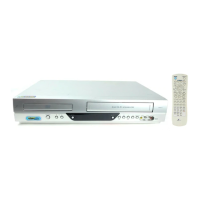
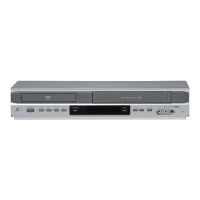
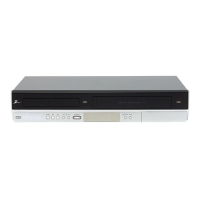
Model Number | XBR716 | DVD Recorder/Video Cassette Recorder
Call us and we will
guide you through
your first recording,
for free.
1-800-243-0000
Copyright © 2007, LG Electronics U.S.A., Inc.

Table of Contents

Questions and Answers

  • M
    Michelle JonesAug 17, 2025
    Why is my Zenith DVD VCR Combo remote not working?
    • M
      Michael GrantAug 17, 2025
      If the remote control for your Zenith DVD VCR Combo isn't working correctly, consider the following: * Remove any obstacles between the remote control and the unit. * Replace the batteries in the remote control with new ones. * Ensure you are pointing the remote control at the remote sensor of the Recorder. * Operate the remote control within 23ft (7m) of the Recorder. * Remember that this remote control uses the same buttons for VCR and DVD functions. When using a VCR, first press the VCR button. When using a DVD, first press the DVD button.
  • D
    David SchmidtAug 20, 2025
    Why is there no picture on my Zenith DVD VCR Combo?
    • J
      Joshua HarringtonAug 20, 2025
      If you're experiencing an abnormal picture or no picture on your Zenith DVD VCR Combo, consider these potential causes and solutions: * Ensure your TV is set to receive the Recorder output. Select the appropriate video input signal mode on your TV. * Check that the video cable is securely connected to the jacks. * Verify that the connections are correct.
  • J
    James PowellAug 23, 2025
    Why is there no sound on my Zenith DVD VCR Combo?
    • L
      Lydia WilliamsAug 23, 2025
      If there is no sound coming from your Zenith DVD VCR Combo, here are a few things to check: 1. Make sure the equipment connected with the audio cable is set to receive audio signal output. Select the correct input mode on your audio receiver. 2. Verify that the audio cables are securely connected to the jacks. 3. Ensure that the equipment connected with the audio cable is turned on. 4. Check that the AUDIO options are set to the correct position.
  • C
    connie69Aug 26, 2025
    What to do if Zenith DVD VCR Combo does not start playback?
    • J
      Jessica LeeAug 26, 2025
      If your Zenith DVD VCR Combo is not starting playback, check the following: * Ensure a disc or tape is inserted, and that the disc or tape indicator in the display window is lit. * Make sure you've inserted a playable disc, verifying the disc type and Regional code. * Confirm the disc is placed with the playback side down. * Ensure the disc is placed correctly within the guide on the disc tray. * Clean the disc if it is dirty. * Cancel the Rating function or change the rating level if it is set.
  • R
    Robert JonesAug 28, 2025
    How to fix poor playback picture on Zenith DVD VCR Combo?
    • C
      cristian03Aug 28, 2025
      If the playback picture quality on your Zenith DVD VCR Combo is poor, here's what you can do: * Clean the disc. * Clean the video heads. * If the tape is a rental or was recorded on another VCR, use TRK (v/V) for manual tracking adjustment while the tape is playing.
  • J
    Jimmy RyanAug 31, 2025
    Why is timer recording not working on my Zenith DVD VCR Combo?
    • N
      Nicole FowlerAug 31, 2025
      If timer recording isn't working on your Zenith DVD VCR Combo, try these solutions: * Set the clock to the correct time. * Reprogram the Timer. * Reprogram the Timer and turn the Record off to enable the timer if the (TIMER Record) indicator light does not appear after programming the timer.
  • R
    richard92Sep 3, 2025
    Why Zenith DVD VCR Combo cannot record?
    • H
      Haley PayneSep 3, 2025
      If your Zenith DVD VCR Combo cannot record or did not record successfully, it might be due to: * Insufficient blank space on the disc. Try using another disc. * The source you are trying to record is copy-protected. You cannot record the source. * When recording to a Video mode disc, programs that are copy-once protected cannot be recorded. Use a VR mode formatted disc for copy-once material.
  • M
    Mackenzie GeorgeSep 5, 2025
    Why is the picture from external input distorted on Zenith DVD VCR Combo?
    • M
      Mary BondSep 5, 2025
      If the picture from an external input is distorted on your Zenith DVD VCR Combo, it may be because the video signal from the external component is copy-protected. Try connecting the component directly to your TV.
  • M
    Maria SteeleSep 8, 2025
    Why can't I play a disc recorded on my Zenith DVD VCR Combo on another DVD player?
    • A
      anthonyjohnsonSep 8, 2025
      If you can’t play a disc recorded on your Zenith DVD VCR Combo on another DVD player, it could be due to: * The disc was recorded in Video mode. Finalize the disc. * The disc was recorded in VR mode. The other player must be RW compatible to play it. * Discs recorded with copy-once material cannot be played on other players.
  • L
    Lindsay WestSep 12, 2025
    Why is stereo audio record/playback not working on Zenith DVD VCR Combo?
    • G
      gina90Sep 12, 2025
      If stereo audio record and/or playback is not present on your Zenith DVD VCR Combo, ensure that: * The Recorder A/V Out jacks are connected to the TV A/V In jacks. Make A/V connections. * The Recorder Audio/Video Out is selected for viewing at the TV. Select AUX or A/V source as TV input.

Summary

Safety and Introduction

Safety and Regulatory Information

Essential safety warnings, installation precautions, and FCC compliance details.

Important Safety Instructions

Comprehensive list of safety guidelines for product operation and maintenance.

Product Overview and Disc Information

Explains recorder functions, symbols, disc handling, and compatibility.

Regional Codes and Remote Control Basics

Information on regional code restrictions and basic remote control operation.

Hardware and Initial Setup

Component Identification

Detailed descriptions of the front and rear panels of the recorder.

Remote Control Functions Guide

Explains the operation of each button on the supplied remote control.

Connecting External Devices

Instructions for connecting the recorder to TVs, amplifiers, and camcorders.

Initial Setup and System Configuration

Guide to the Initial Setup Wizard, Home Menu, and general system configurations.

Recording and Editing Functions

Recording Modes and Settings

Setting picture quality for DVD recording (XP, SP, LP, EP) and VCR modes.

Advanced Recording Features

Recording from external sources, timer recording, dubbing, and DV input.

Video Editing Operations

Guide to editing video content using titles, chapters, playlists, and specific editing functions.

Playback Operations

Basic Playback Functions

Steps for playing tapes, DVDs, audio CDs, and media files.

Special Playback and Media Viewing

Advanced playback features and viewing JPEG files or slide shows.

Troubleshooting and Reference

Troubleshooting Common Issues

Solutions for common problems, error messages, and how to reset the recorder.

Technical Specifications and Warranty

Detailed product specifications and limited warranty information.

Zenith XBR716 Specifications

General IconGeneral
BrandZenith
ModelXBR716
CategoryDVD VCR Combo
LanguageEnglish

Related product manuals