EasyManua.ls Logo

Zenith XBV343 - User Manual

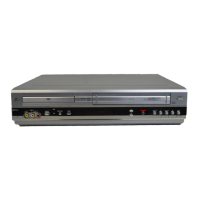
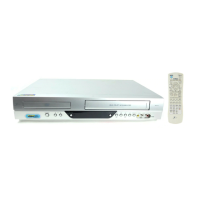
Zenith XBV343
40 pages
Print Icon
To Next Page IconTo Next Page
Loading...
Installation and Operating Guide | Warranty
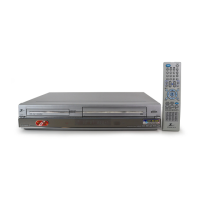
Model Number | XBV343 | DVD Player + Video Cassette Recorder
© Copyright 2003, Zenith Electronics Corporation.

Table of Contents

Questions and Answers

  • J
    James FrancisJul 26, 2025
    Why is there no stereo sound on my Zenith XBV343?
    • K
      Kelly RogersJul 26, 2025
      If the Zenith DVD VCR Combo isn't producing stereo audio during recording or playback, first ensure the broadcast program itself is in stereo. If it is, check that the DVD+VCR A/V Out jacks are correctly connected to the TV A/V In jacks. Also, make sure you've selected the AUX or A/V source as the TV input. Finally, verify that the DVD+VCR BROADCAST TYPE mode is set to STEREO and not SAP or MONO.
  • J
    Joseph WarrenJul 30, 2025
    How to restore skipped channels on Zenith XBV343?
    • C
      Christy TorresJul 30, 2025
      If your Zenith DVD VCR Combo skips channels, it's likely because those channels were previously deleted using the CH. ADD/DEL option. To restore them, simply use the CH. ADD/DEL function again.
  • R
    Robert McintoshAug 3, 2025
    Why is timer recording not working on my Zenith XBV343 DVD VCR Combo?
    • J
      johnwilliamsAug 3, 2025
      If the timer recording isn't working on your Zenith DVD VCR Combo, first ensure that the clock is set to the correct time. If the time is correct, double-check that you have programmed the timer correctly. If not, reprogram the timer.
  • M
    Matthew LevineAug 7, 2025
    What to do if picture and sound are weak on Zenith XBV343?
    • J
      Jonathan MarquezAug 8, 2025
      If you're experiencing a weak or missing picture and sound on your Zenith DVD VCR Combo, start by checking the antenna and cable connections to ensure they are tight. If they are loose, tighten them or replace the cable. Also, try all the TUNING BAND options.
  • T
    tnguyenAug 12, 2025
    Why is camcorder image not showing on Zenith XBV343?
    • J
      jeffrey97Aug 12, 2025
      If you do not see the camcorder image on the TV screen from your Zenith DVD VCR Combo via A/V input, ensure that the DVD+VCR SOURCE SELECT is set to LINE1 or LINE2. Press the INPUT button to select the LINE input.
  • A
    Aaron MendozaAug 16, 2025
    Why doesn't the indicator appear after programming timer on Zenith XBV343?
    • W
      websterbenjaminAug 16, 2025
      This is normal. If the indicator does not appear after programming the timer on your Zenith DVD VCR Combo, it simply indicates that the unit is in Timer Recording mode.
  • J
    John WileyAug 20, 2025
    How to prevent moisture condensation in Zenith XBV343?
    • M
      melodyrussellAug 20, 2025
      To address moisture condensation in your Zenith DVD VCR Combo, keep the unit plugged into an AC power outlet with the power on. If condensation is present, wait a few hours for the unit to dry completely before using it.

Summary

Safety Precautions

Important Safety Instructions

Connections Panel Overview

Connecting the DVD+VCR

Antenna and Cable TV Setup

How to connect the DVD+VCR to antenna or cable TV, with options for systems with or without a cable box.

Basic TV Connections

RF Coaxial Connection

How to connect the DVD+VCR to a TV using an RF coaxial cable for audio and video output.

Audio;Video Connection

How to connect the DVD+VCR to a TV using composite video and stereo audio cables.

VCR Operation Setup

Accessing VCR Setup Menus

How to access and navigate the VCR setup menus for configuration options.

VCR Setup Menu Options

Channel Selection and Tuning

Information on tuner capacity, auto channel programming, and manual channel management.

Setting the Clock

Manual Clock Set

Step-by-step guide to manually setting the date and time on the VCR.

DVD Operation Setup

DVD Setup Menu

DVD Sound and Special Features

DVD Parental Control and Country Code

Parental Control Setup

Setting playback restrictions based on movie ratings and managing passwords.

VCR Operation Modes

Normal Playback and Tracking

How to play back tapes and adjust picture quality using tracking controls.

VCR Recording Operations

Normal Recording

Instructions for recording TV programs directly onto a video cassette.

Timer Recording Setup

How to program the VCR to record programs automatically at scheduled times.

VCR Recording Management

VCR Recording and Copying

Instant Timer Recording

Quick recording of a preset length without using the programmable timer.

Copying from DVD to VCR

Step-by-step guide for copying DVD content to a VHS tape.

VCR Audio Features

DVD Playback Basics

Playing DVDs and Setup

Initial setup and steps for playing DVD discs, including basic features.

DVD Playback Features

DVD Special Features

Audio CD and MP3;WMA Disc Operation

Playing Audio CDs and MP3;WMA Discs

How to play audio CDs, MP3, and WMA files from discs.

Audio CD;MP3;WMA Playback Controls

JPEG File Operation

Viewing JPEG Files on Disc

How to view JPEG image files stored on discs.

Programmed Playback

Creating and Playing Playlists

How to create and play custom playlists of tracks from CDs or MP3/WMA discs.

Troubleshooting Guide

Troubleshooting (Continued)

Warranty Information and Service

Zenith XBV343 Specifications

General IconGeneral
TypeDVD VCR Combo
Video FormatNTSC
DVD PlaybackYes
VCR PlaybackYes
Recording CapabilityYes
Remote ControlYes
Audio OutputStereo
Progressive ScanNo
Playable Media FormatDVD, CD, VHS

Related product manuals