EasyManua.ls Logo

Zenith XBV442 - User Manual

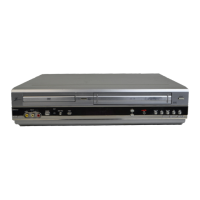
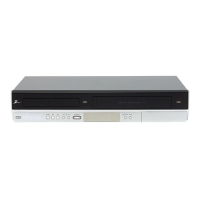
Zenith XBV442
40 pages
Print Icon
To Next Page IconTo Next Page
Loading...
Installation and Operating Guide | Warranty
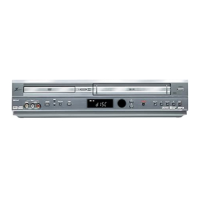
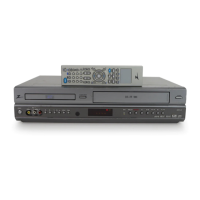
Model Number | XBV442 | DVD Player + Video Cassette Recorder
© Copyright 2004, LG Electronics U.S.A., Inc.

Table of Contents

Questions and Answers

  • K
    Kyle HannaAug 14, 2025
    How to fix no stereo audio on Zenith XBV442?
    • T
      Timothy CombsAug 14, 2025
      If you're not getting stereo audio record or playback on your Zenith DVD VCR Combo, first ensure the broadcast program is actually in stereo. Then, check that the DVD VCR A/V Out jacks are properly connected to the TV A/V In jacks. Make sure you've selected the correct AUX or A/V source as the TV input. Finally, verify that the BROADCAST TYPE mode is set to STEREO, not SAP or MONO.
  • J
    Jennifer SimmonsAug 18, 2025
    Why does the indicator appear after my Zenith DVD VCR Combo is turned off?
    • K
      Kara Lamb PhDAug 18, 2025
      If the Zenith DVD VCR Combo is in Timer Recording mode, the indicator light will appear even after the unit is turned off. This is normal behavior for TIMER mode.
  • W
    William MooreAug 21, 2025
    What to do if camcorder image via A/V input is not shown on Zenith XBV442 DVD VCR Combo?
    • A
      amandahayesAug 21, 2025
      To resolve the issue of a camcorder image not displaying on your TV screen via the A/V input (LINE1 or LINE2) on your Zenith DVD VCR Combo, ensure that the DVD+VCR SOURCE SELECT is set to LINE1 or LINE2. Press the INPUT button to select the appropriate LINE input.
  • C
    Cheryl EvansAug 25, 2025
    Why is the picture and sound weak on my Zenith XBV442?
    • D
      Diana Young MDAug 25, 2025
      If the picture and sound of a broadcasting channel are weak or missing on your Zenith DVD VCR Combo, check if the antenna or cables are loose and tighten the connections or replace the cable. You can also try all available TUNING BAND options.
  • T
    Tamara JordanAug 27, 2025
    How to fix timer recording not working on Zenith DVD VCR Combo?
    • D
      Dana RomeroAug 27, 2025
      If timer recording is not working on your Zenith DVD VCR Combo, make sure the clock is set to the correct time. If the clock is correct, try reprogramming the timer.
  • J
    jbauerAug 31, 2025
    Why is the camcorder image not showing on my Zenith XBV442?
    • T
      Tony YoungAug 31, 2025
      If the camcorder image is not showing on your Zenith DVD VCR Combo, make sure the camcorder is turned on and functioning correctly.
  • A
    Amy LawrenceSep 3, 2025
    How to restore skipped channels on Zenith XBV442 DVD VCR Combo?
    • K
      kathleensmithSep 3, 2025
      If some channels are being skipped when using the CH.ADD/DEL option on your Zenith DVD VCR Combo, it's likely because those channels were previously deleted using the same CH.ADD/DEL option. To restore them, use CH. ADD/DEL again.
  • D
    Dr. Stephanie BrownSep 7, 2025
    How to prevent moisture condensation in Zenith XBV442 DVD VCR Combo?
    • M
      margaret20Sep 7, 2025
      To prevent moisture condensation in your Zenith DVD VCR Combo, especially when moving it from a cold to a warm place, keep it plugged into an AC power outlet with the power on. If condensation occurs due to extremely humid conditions, wait a few hours for the unit to dry before using it.
  • C
    Cheryl BurnsSep 9, 2025
    What to do if the indicator does not appear after programming timer on Zenith XBV442 DVD VCR Combo?
    • I
      imcculloughSep 10, 2025
      To solve the problem, reprogram the Timer on your Zenith DVD VCR Combo.

Summary

Safety Precautions

Electrical and Fire Safety Warnings

Describes precautions against electric shock, fire hazards, and water exposure.

Safety Instructions

General Safety Guidelines

Lists essential instructions for safe installation, use, and maintenance of the unit.

Before Using the DVD+VCR

Disc Compatibility and Types

Details playable discs, compatibility notes, and disc-related terminology.

Connecting the DVD+VCR

Rear Panel Input and Output Ports

Identifies and describes all connection terminals located on the rear of the unit.

Antenna and Cable TV Setup

Step-by-step instructions for connecting antenna or cable TV signals.

VCR Setup and Configuration

VCR Setup Menu Options

Details on setting Function OSD, Audio Mode, and Broadcast Type.

Setting the Clock and Date

Instructions for setting the time and date using Auto Clock or manual methods.

Channel Tuning and Selection

Procedures for automatic channel programming and manual channel management.

DVD Setup and Preferences

Initial DVD Player Settings

Configuring disc language, menu language, and TV aspect ratio.

Audio Output and Sample Frequency

Setting up digital audio output formats and sample frequencies.

Parental Control Setup

Implementing content restrictions using ratings and passwords.

DVD Country Code Settings

Setting the country code to ensure disc compatibility.

VCR Operation Modes

Normal Playback and Controls

Playing tapes, tracking adjustment, search, slow motion, and special effect playbacks.

VCR Recording Procedures

Instructions for normal recording and setting up timer recordings.

Instant Timer Recording and Dubbing

Quick recording setup and connecting external audio/video sources.

DVD Operation Modes

Playing DVDs and Basic Navigation

Inserting discs, starting playback, and selecting titles or chapters.

Troubleshooting Common Issues

Problem Diagnosis and Solutions

Guidance on resolving issues like no power, no picture, no sound, and remote control malfunctions.

Zenith XBV442 Specifications

General IconGeneral
BrandZenith
ModelXBV442
TypeDVD VCR Combo
Video FormatNTSC
Recording FormatsVHS
Remote ControlYes
Playable Disk TypesDVD, CD, CD-R, CD-RW
Number of VCR Heads4
DVD PlayerYes
VCR PlayerYes
Region Code1
Playback FormatsCD-R, CD-RW
ConnectivityComposite Video Output
Playable File FormatsJPEG
DVD Player FeaturesZoom
Audio FormatsDolby Digital, Stereo
Output Resolution480i, 480p

Related product manuals